

[The other day I was helping a customer perform an unplug-plug upgrade of an encrypted PDB using AutoUpgrade and a refreshable clone PDB.
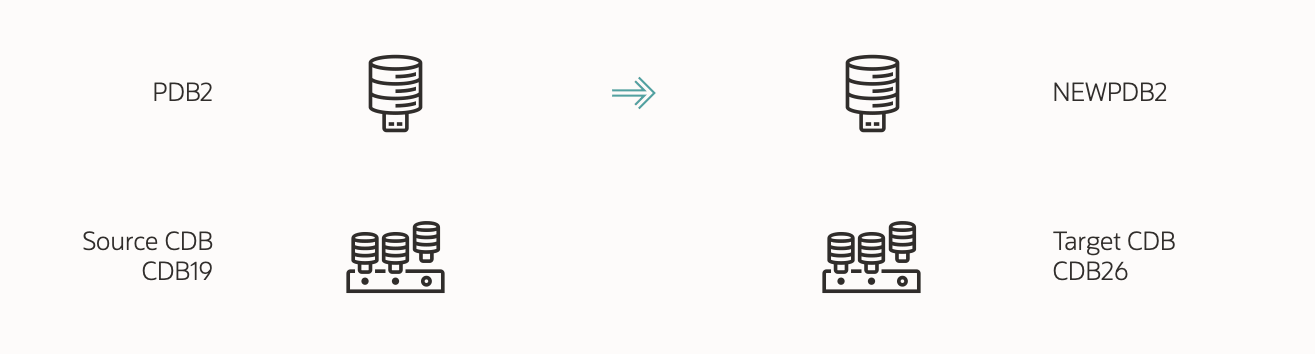
But it kept failing during the initial copy of the PDB:
upg> Copying remote database 'PDB2' as 'NEWPDB2' for job 101

-------------------------------------------------
Errors in database [CDB19]
Stage     [CLONEPDB]
Operation [STOPPED]
Status    [ERROR]
Info    [
Error: UPG-4016
[Unexpected exception error]
Cause: There was an error during the database clone operation
For further details, see the log file located at /u01/app/oracle/cfgtoollogs/autoupgrade/CDB19/101/autoupgrade_20400101_user.log]

-------------------------------------------------
Logs: [/u01/app/oracle/cfgtoollogs/autoupgrade/CDB19/101/autoupgrade_20400101_user.log]
-------------------------------------------------
Luckily, there’s extensive logging in AutoUpgrade, so I went into the directory holding the logs from the CLONEPDB stage and found the following:
create pluggable database "NEWPDB2"  FROM PDB2@CLONEPDB   file_name_convert=none  tempfile reuse keystore identified by "*" REFRESH MODE MANUAL
*
ERROR at line 1:
ORA-17628: Oracle error 46659 returned by remote Oracle server
ORA-46659: master encryption keys for the given PDB not found
Help: https://docs.oracle.com/error-help/db/ora-17628/
Let’s dig into the error.
A Possible Solution
A search on MOS revealed a note with a possible solution:
- Manually export/import the encryption keys, or
- Use the undocumented
INCLUDING SHARED KEYSclause on theCREATE PLUGGABLE DATABASEstatement.
I didn’t like these solutions because:
- The target CDB should be able to import the keys automatically over the database link.
- It worked fine on other encrypted databases without the workaround.
So what was the problem?
The Root Cause
-
In the source CDB, I could see from
V$ENCRYPTION_KEYSthat the source PDB, PDB2, didn’t have any encryption keys. -
There should be an encryption key activated by PDB2. But the query returned no rows.
SELECT * FROM v$encryption_keys WHERE activating_pdbname='PDB2'; -
So which encryption key did PDB2 use?
-
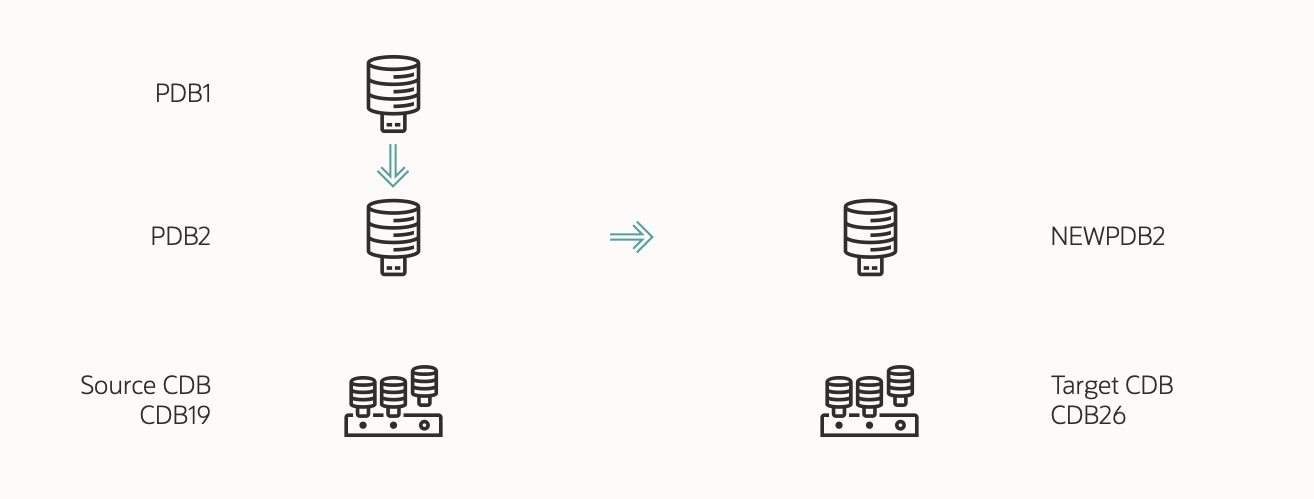
It turns out that PDB2 was recently created by cloning another local PDB, PDB1.
-
After cloning an encrypted PDB, the new PDB keeps using the same encryption keys as the source PDB. This is called a shared key.
-
So, PDB2 was using the same encryption key as PDB1.
-
For security reasons, if you try to clone a PDB using a shared key, the database errors out.
The Solution
-
I advise you to rekey your database after cloning. This ensures that the clone gets its own encryption keys and, thus, strengthens security.
-
After connecting to PDB2, I performed a rekey using the
set keycommand:alter session set container=PDB2; administer key management set key force keystore identified by "<keystore_pwd>" with backup; -
Then, I could clone PDB2 using refreshable clone PDB and upgrade it without problems.
Lesson Learned
- Oracle recommends that you rotate your encryption keys by doing a rekey.
- After cloning an encrypted database, you should perform a rekey, so the clone has its own encryption keys and does not share encryption keys with another database.
- The database can operate with a shared key, but it might cause problems later.
Happy upgrading!


nice explanation , as usual. thanks a lot!
LikeLike
Thanks. Much appreciated.
Daniel
LikeLike
Thank you, Daniel, for sharing and documenting this case. It explains the issues we’ve recently encountered and will likely save us many hours of troubleshooting and interactions with Oracle Support. I really appreciate it.
By the way, is there a query that can be run to identify which PDBs have their own TDE master key and which ones are sharing a key with the source PDB?
LikeLike
Hi,
I’m glad it helped.
You should be able to see that from V$ENCRYPTION_KEYS. The ACTIVATING_PDBNAME should be equal to the actual name. That’s what I’ve written in my notes, but I can’t verify at the moment.
Regards,
Daniel
LikeLike