Oracle CloudWorld 2024 – It’s a Wrap

I can’t believe Oracle CloudWorld is already over. Although it has been very intense, it feels like it has just started. I love being amongst our customers and helping them use the Oracle Database in the best possible way.

Oracle CloudWorld banner

I still feel the thrill from the conference, but I know that post-conference blues are soon kicking in.

Slides

I encourage you to look at the slides from our presentations. We did present some new cool enhancements.

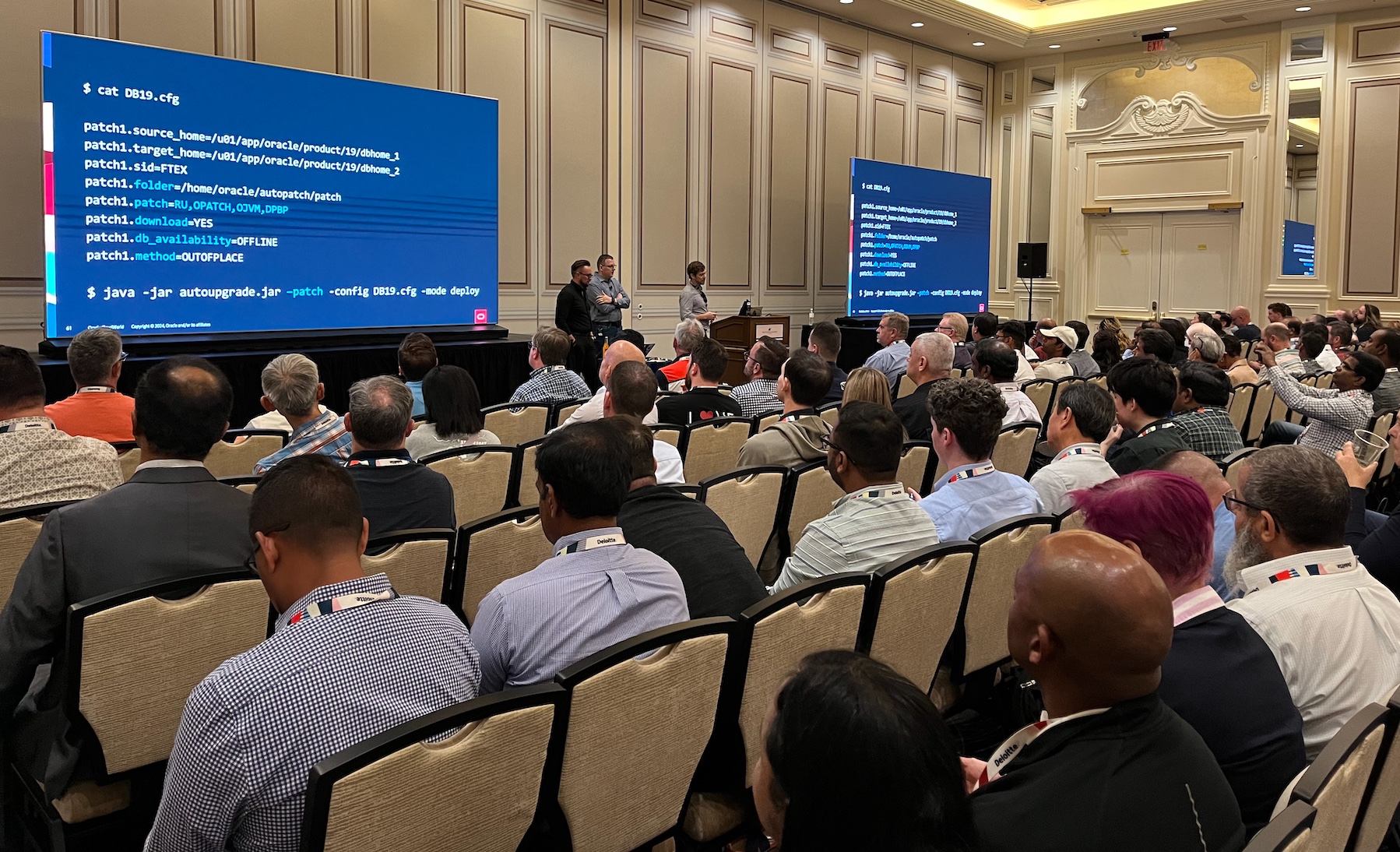
The audience at our patching session

Try Our Hands-On Labs

This year, we launched two brand-new hands-on labs:

You can try them as well in Oracle LiveLabs – FOR FREE!

Thanks

Thanks to you – our valued customer – for coming to our conference and engaging with us.

Thanks to my team: Mike, Rodrigo and Alex. All the content we deliver is a genuine team effort.

What’s Next

Stay tuned for more information about Oracle CloudWorld Tour. In early 2025, we will bring Oracle CloudWorld to your neighborhood.

Oracle Redbull racer on display

I hope to see you next year at Oracle CloudWorld, 13-16 October 2025.

Save $100 by subscribing to updates about CloudWorld 2025.

Oracle CloudWorld Day 3+4

Day 3 is the day of The Party. This year, with legendary The Journey playing.

CloudWorld The Party

Besides the music, all kinds of fun went on.

CloudWorld The Party

The Sphere

I had a few hours before The Party, so I went to catch a show at The Sphere. It’s an amazing event venue – the exterior is almost as impressing as the interior.

The Sphere in Las Vegas

I saw the most amazing U2 concert – recorded specially for the huge indoor screen. There is literally screens all over the place, so it’s like being right in the middle of it.

Next time you come to Oracle CloudWorld, be sure to book a show.

Announcements

In our Data Pump talk, we had several new features to present:

  • Faster creation of indexes
  • Instantly adding new constraints in NOVALIDATE mode

From the smiling faces in the audience, those new features were really well received. Stay tuned for more information.

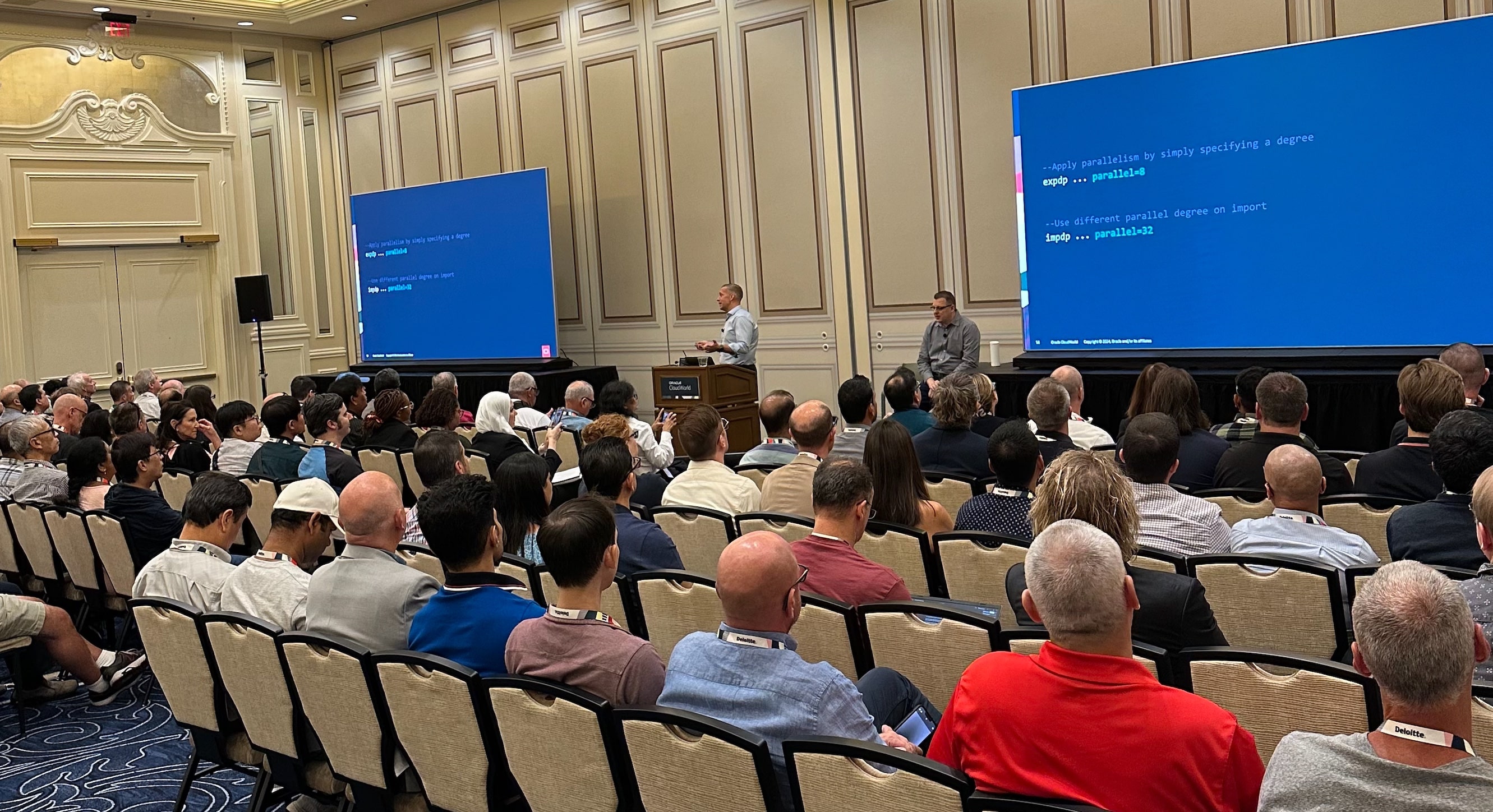
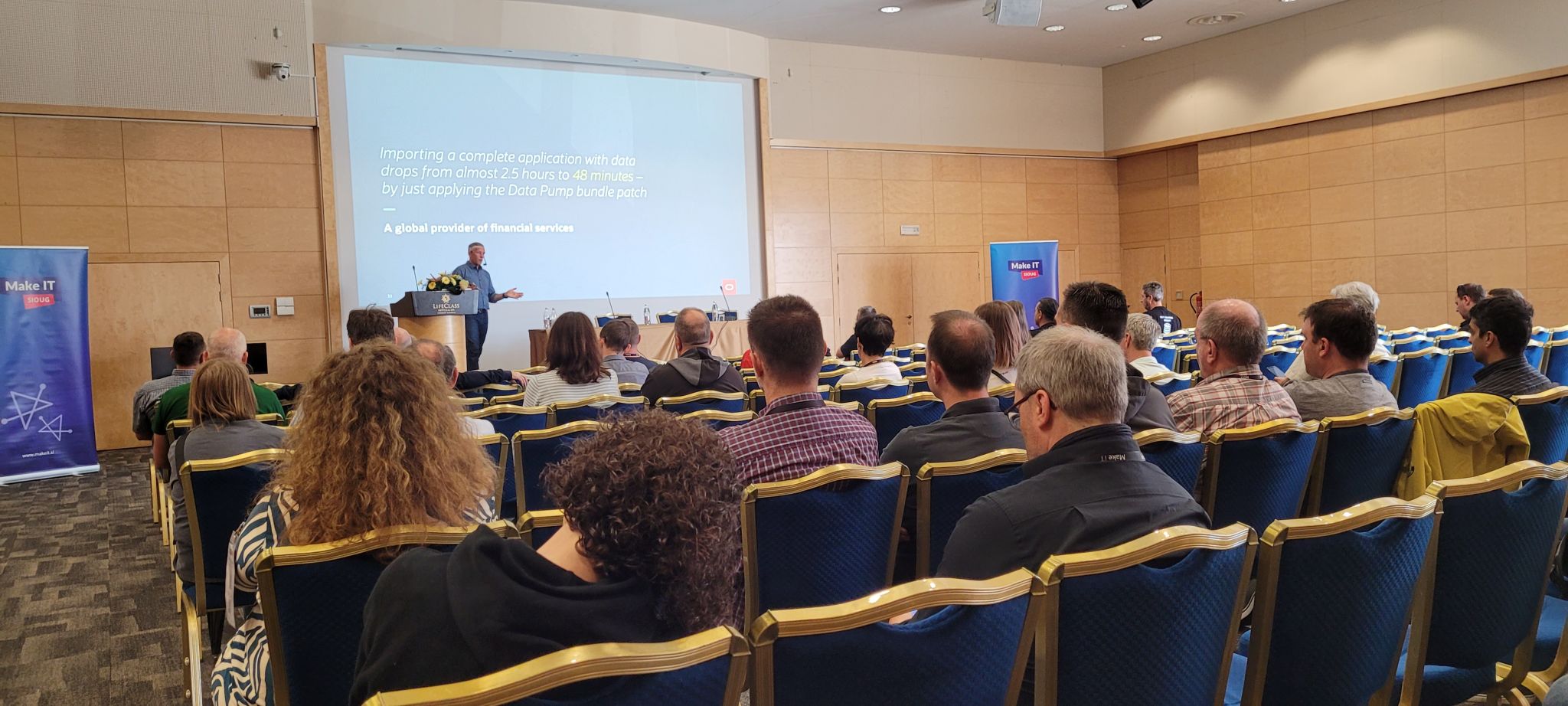
Oracle Data Pump 23ai talk

The Beast

I also had the chance to present a story from the trenches.

Migrating The Beast

Migrating the beast

An interesting case about a 180 TB database generating 15 TB/day – moving from SPARC Solaris to Exadata. A great achievement by our friends from Entain.

Over the last years I’ve learned so much from working with this project. Never hesitate to reach out to a product manager when you have big projects ahead of you.

We love these kinds of projects!

Oracle CloudWorld Day 2

The big show started at Oracle CloudWorld 2024. The keynotes happened, and Larry announced Oracle Database@AWS.

The next important announcement: AutoUpgrade Patching is now ready with superpowers. One command and it will:

  • Download the patches from My Oracle Support.
  • Build a new Oracle home.
  • Patch your Oracle Database.

You don’t even need to specify patch numbers; just tell us you want the latest patches. Patching has never been easier.

AutoUpgrade patching makes it even easier

CloudWorld Hub

The CloudWorld hub is open, and there’s plenty to do:

  1. Check out the F1 racer and try one of the race simulators. It’s right behind the database demo booths.
  2. Relax with pinball, table football, and Guitar Hero. The pinball machine does bring back a lot of childhood memories. It’s right after the entrance on the right.
  3. Get an AI generated avatar for your profile pictures. The machine takes a picture and comes back with an AI generated picture of you on the Premiere League football pitch, F1 racing court, cricket game or sailboat.
  4. Get a bunch of stickers from all around and generate your own sticker at the database demo booth.
  5. Pet the dogs. Relax yourself by playing with some of the dogs. Yup, that’s right. There are dogs to give you a good amount of paw-love. Plus, the PS Websolutions booth has Kirby the Chihuahua, who’s also looking for someone to pet him.
  6. Claim your fair share of the swag.

Cool stuff at the hub

Enjoy!

Oracle CloudWorld Day 1

That’s the end of the first day of Oracle CloudWorld 2024.

My team and I spent the day in a full-day workshop about upgrade to Oracle Database 23ai and migration to the multitenant architecture.

Oracle CloudWorld is on

Pro Tips

Today was a kind of warm-up for tomorrow. Get the most out of the conference with these pro tips:

  1. You get the best coffee by far at Dandelion Chocolate near the front desk. Second best is at Zeppola Cafe at Sct. Marks Square.
  2. Get the Oracle Events app. It’s your trusted companion.
  3. Pick up your badge in good time. The lines for badge pick-up on Tuesday morning will be long.
  4. Bring a light sweater or jacket. The A/C is brutal in some places.
  5. Show up for the sessions in good time. Although you registered for a session, they let people in on a first-come-first-served basis. Don’t miss a seat by showing up late.
  6. Rate the sessions and leave feedback. We want to improve and ensure you get the most out of it.
  7. If you signed up for a hands-on lab or tutorial, be sure to bring your laptop. We do have loaners, but not everyone likes a US keyboard.
  8. Come to the CloudWorld hub and visit the demo booths. Product Managers from all areas are present and they are eager to answers all your questions. Engage with us, please.
  9. While at the CloudWorld hub, stop by the ACE lounge and ask one of the ACEs why you should become the next Oracle ACE. You’ll not regret joining the community. And ask when the chocolate tasting takes place.
  10. Stop by the merchandise shop and arm yourself with cool accessories.
  11. Take the 2024 Database Developer Survey. Swing by the Swag booth to claim your prize.

What’s your favorite pro tip? Leave a comment and enhance everyone’s CloudWorld experience.

Enjoy!

A Few Details about Using Refreshable Clone PDB for Non-CDB to PDB Migration

Our team has been advocating the use of refreshable clone PDB for non-CDB to PDB migrations using AutoUpgrade. It is a great feature and our entire team loves it – so does many of the customers we work with.

However, in a recent non-CDB to PDB migration, we encountered some issues with refreshable clone PDB and AutoUpgrade.

Can My Target Container Database Be a RAC Database?

Yes, this works perfectly fine.

Be aware that CREATE PLUGGABLE DATABASE statement scales out on all nodes in your cluster. By default, the database also uses parallel processes, so potentially, this will put quite a load on the source non-CDB. Consider restricting the use of parallel processes using the AutoUpgrade config file parameter:

upg1.parallel_pdb_creation_clause=4

Since the creation scales out on all nodes, all nodes must be able to resolve the connect identifier to the source non-CDB. If you use an alias from tnsnames.ora, be sure to add that on all nodes. Failure to do so will lead to an error during the CREATE PLUGGABLE DATABASE command:

ERROR at line 1:
ORA-65169: error encountered while attempting to copy file
+DATAC1/SRCDB/DATAFILE/system.262.1178083869
ORA-17627: ORA-12154: TNS:could not resolve the connect identifier specified
ORA-17629: Cannot connect to the remote database server

What Happens If the Source Database Extends a Data File?

If the source database extends a data file – either through AUTOEXTEND ON NEXT or manually by a user – the target database extends the matching data file as well. Here is an extract from the target alert log when it extends a data file:

2024-08-27T07:01:26.671975+00:00
PDB1(4):Media Recovery Log +RECOC1/SRCDB/partial_archivelog/2024_08_27/thread_2_seq_4.276.1178089277
2024-08-27T07:01:32.773191+00:00
PDB1(4):Resize operation completed for file# 26, fname +DATA/TGTCDB_HBZ_FRA/20A568D1FD5DB0A6E0633D01000AC89B/DATAFILE/srctbs02.290.1178089287, old size 10240K, new size 1058816K

It works with smallfile and bigfile tablespaces.

What Happens If I Create a Tablespace on the Source Database?

The target database attempts to create the same tablespace.

For this to work, one of the following must be true:

If either one of the above isn’t true, you’ll receive an error during ALTER PLUGGABLE DATABASE ... REFRESH:

ORA-00283: recovery session canceled due to errors
ORA-01274: cannot add data file that was originally created as
'+DATAC1/SRCDB/DATAFILE/srctbs04.282.1178091655'
You can use PDB_FILE_NAME_CONVERT instead.

It works with smallfile and bigfile tablespaces.

What Happens If I Add a Data File to an Existing Tablespace?

The target database attempts to add a matching data file.

The target database must be able to translate the data file location according to the section above.

2024-08-27T06:51:19.294612+00:00
PDB1(4):Media Recovery Log +RECOC1/SRCDB/partial_archivelog/2024_08_27/thread_2_seq_4.276.1178088679
2024-08-27T06:51:20.268208+00:00
PDB1(4):Successfully added datafile 25 to media recovery
PDB1(4):Datafile #25: '+DATA/TGTCDB_HBZ_FRA/20A568D1FD5DB0A6E0633D01000AC89B/DATAFILE/srctbs01.289.1178088681'

What Happens If I Set a Tablespace Read-Only?

The refreshable clone PDB does not support this. Neither is going the other way: setting a tablespace read-write.

If you do so, the database reports an error:

alter pluggable database pdb2 refresh
*
ERROR at line 1:
ORA-00283: recovery session canceled due to errors
ORA-65339: unsupported operation on the source PDB

From the alert log:

2024-08-28T05:23:02.893946+00:00
PDB2(6):Error! unsupported source PDB operation: 21
2024-08-28T05:23:02.994035+00:00
PDB2(6):Media Recovery failed with error 65339

Operation 21 is setting a tablespace read-only. If you set a tablespace read-write, the database reports operation 20 instead.

PDB2(7):Error! unsupported source PDB operation: 20

You will not be able to refresh the PDB anymore. You must re-create the refreshable clone PDB.

What Happens If I Restart the Source Database?

Refreshable clone PDB does not support restarting the source database.

When you restart the source database, the source database places a special marker in the redo stream. This even happens for a clean shutdown (SHUTDOWN NORMAL). The target CDB does not understand how to recover beyond this marker.

alter pluggable database pdb2 refresh
*
ERROR at line 1:
ORA-00283: recovery session canceled due to errors
ORA-65339: unsupported operation on the source PDB

From the alert log:

2024-08-28T05:27:00.451985+00:00
PDB2(4):Error! unsupported source PDB operation: 3
2024-08-28T05:27:00.710236+00:00
PDB2(4):Media Recovery failed with error 65339

Operation 3 is the source database restart.

You will not be able to refresh the PDB anymore. You must re-create the refreshable clone PDB.

How Do I Drain My Source Database Before Migration?

Right before the migration, when you cut the connection from the source non-CDB to the target PDB, it could be useful to restart the database. But that’s not possible.

I suggest that you:

  • Ensure that the target CDB connects to the source non-CDB using a dedicated service. This applies to the database link that you establish between the two databases.
  • Stop all other services and specify a drain timeout.
  • Shut down the application that connects to the source non-CDB.
  • Kill sessions manually.

Remember that the target database connects to the source database via a database link, so stopping the database listener is not an option. Nor is enabling RESTRICTED SESSION.

Update: Armando managed to perform the migration using restricted session. Check his comment (see below) for details.

What Happens If I Restart the Target Container Database?

You can safely restart the target CDB while you have a refreshable clone PDB. This works fine.

What About NOLOGGING Operations?

You can’t perform NOLOGGING operations on the source database.

Since refreshable clone PDB relies on redo, then a NOLOGGING operation on the source will prevent that data from going to the target. When you try to query the NOLOGGING table on the target database after the migration, you will receive an error:

SQL> select count(*) from t1
       *
ERROR at line 1:
ORA-28304: Oracle encrypted block is corrupt (file # 186, block # 131)
ORA-01110: data file 186:
'+DATA/TGTCDB_HBZ_FRA/20CF181D4A925E06E0633D01000ACB50/DATAFILE/srctbs01.297.117
8266961'
ORA-26040: Data block was loaded using the NOLOGGING option

Thanks to Marcelo for leaving a comment. He suggests that you set the source non-CDB in FORCE LOGGING mode. This is a good idea to avoid this potential nightmare:

alter database force logging;

You can read more about NOLOGGING operations in The Gains and Pains of Nologging Operations (Doc ID 290161.1).

What About Hot Backups?

You can’t perform hot backup operations on the source database.

If you do so, you’ll run into the following error:

2025-11-21T14:31:06.845676+00:00
SALES(4):Error! unsupported source PDB operation: 1
2025-11-21T14:31:07.845923+00:00
SALES(4):Media Recovery failed with error 65339

Please note that I’m not referring to RMAN online backups. I’m talking about the old-school ALTER DATABASE BEGIN BACKUP and ALTER DATABASE END BACKUP commands.

Any restrictions on data types or object types?

No. The refreshable clone is a physical copy of the database, so there are no restrictions on data types or object types.

Services

You must recreate your services after the migration. Neither database managed services nor Clusterware managed services survive the migration.

Further Readin

Summary

Despite these minor restrictions, migration from non-CDB to PDB using refreshable clone PDB and AutoUpgrade is still a very handy method. Knowing the restrictions upfront ensures that you can successfully migrate the database.

Happy migrating!

An Intense Learning Experience with the Product Management Team

Are you considering coming to Oracle DatabaseWorld at CloudWorld, or have you already secured your ticket? Here’s a great opportunity for you.

Oracle CloudWorld

Imagine being in a room with the very people who design and develop the Oracle Database you use every day. The pre-event training at Oracle CloudWorld offers this unique opportunity. My team will be there, and guide you through the upgrade and migration to Oracle Database 23ai.

Optimizing Oracle Database 23ai Multitenant Upgrade

  • On Monday, September 9, 2024
  • From 9:00 to 17:00
  • At Oracle DatabaseWorld at CloudWorld, Las Vegas

Enroll here for the price of $795.

What’s In It?

This is more than just a regular session. It’s an opportunity to dive deep into upgrade and migration to Oracle Database 23ai, understanding the why and the how directly from the source. It is 8 hours of intense training.

By attending our pre-event training, you’ll have the rare chance to learn directly from Mike Dietrich, Rodrigo Jorge, Alex Zaballa, and me. This isn’t just about listening to a keynote – this is hands-on, immersive training where you can ask questions, solve real-world problems, and gain practical skills that you can apply immediately.

This is the agenda that we’ve prepared for you.

Agenda of Optimizing Oracle Database 23ai Multitenant Upgrade

After this training, you have the skills needed to upgrade to Oracle Database 23ai and migrate to the multitenant architecture.

Don’t Miss Out

Register for our pre-event training today!

Supercharge your Oracle CloudWorld experience — start with our pre-event training!

See you there!

The Best Questions on Oracle Multitenant

In late June, my team hosted our 20th webinar in our Virtual Classroom series.

Oracle Webinar

You can now get a curated version of the Q&A. It contains many good questions and answers that give you deeper insight into Oracle Multitenant architecture.

The Best Questions

Consider these questions and answers a little appetizer. You find many more in the Q&A document.

Do I need to convert my database to a PDB before I upgrade to Oracle Database 23ai? No. You can do it as part of the upgrade to Oracle Database 23ai. It is easiest to use AutoUpgrade for the process

Does catcon.pl parallelism require Enterprise Edition like many other parallel options? No. You can use parallel threads in catcon.pl on a Standard Edition 2 database

Any good idea on how to avoid service name collision on a server when two CDBs tries to create a PDB with the same name? We’ve seen several customers implement procedures that create unique names for each PDB. The name of the PDB should not include information about the server or CDB because you often move PDBs around, and then it is impractical to update the PDB name. One customer we worked with created a small PL/SQL function backed by a simple table. When called, the function returned a unique PDB name. The customer used ORDS to expose the function as a web service.

Do you recommend Oracle Fleet Patching and Provisioning (FPP) in a small, but complex, environment? The bigger the environment, the more benefit you get from FPP. Especially if you are using Exadata Database Machine as well. AutoUpgrade is our preferred tool for smaller environments, but the complexity talks towards FPP. FPP comes with a license cost that you must take into consideration as well.

Did You Miss It

In case you missed it, you can find the recording on our YouTube channel and get the slides.

I Love Questions

One of the reasons I like doing webinars is that I get questions from the audience. I love that for several reasons:

  • Many questions about a specific topics is an indication that I didn’t explain a topic very well. I use this as feedback to improve for the next presentation.
  • I can use it to tell where our product has weakness that we can improve.
  • It tells me something about how customers use our product. I always get amazed about the creativity with which our customers use Oracle Database.
  • I find gaps in my own knowledge and I can learn new things.
  • It allows me to help other people.

Please – always ask questions! :)

Help Me Grow My Skills

I received a question the other day:

I want to grow my skills in Oracle Database. Can you help me get started?

Here’s my suggestion.

Conferences and User Groups

  • You should engage in your local user group. Attending meetups and conferences is a good way of learning and boosts your network. If you need to find your local user group, try to contact one of the local Oracle ACEs.

  • Come to Oracle DatabaseWorld at CloudWorld. It takes place in Las Vegas in September. Three days of intense learning, plus a pre-conference training day.

  • If you’re based in Europe, you can attend one of the major user group events.

    • DOAG 2024 Conference + Exhibition hosted by the German user group, DOAG. Many sessions are in English, even if you don’t know German it is definitely worth a visit.
    • UKOUG Conference ’24 hosted by the UK user group, UKOUG.
    • On other continents, I assume there are similar conferences, but I’m mostly familiar with the ones in Europe.

Oracle University and Certification

Oracle LiveLabs

Webinars

  • My team has 20 webinars on YouTube that you can access at any time. It’s all tech, no marketing.

  • Further, the DBA Masterclasses has many very good webinars as well.

Documentation

What Else?

Do you have any other ideas? How do you sharpen your skills? Share your approach by leaving a comment.

Never stop learning!

It’s a Wrap – MakeIT 2024

In the last days of May, I had the absolute pleasure of attending the MakeIT 2024 conference. Once again, the conference was held in the beautiful seaside city of Portorož, Slovenia.

The conference is a joint venture with the JCON conference, so you can catch one or two sessions on Java as well. I really value learning about related technologies as well. This year I listened in on caching options in Java and the use of JDBC driver.

You should come next year. There is also a good selection of English speakers, so even for foreigners, there is a reason to travel.

MakeIT 2024 banner

The Slides

Workshop – Patching Oracle Database

This is a full workshop on patching Oracle Database. It includes a hands-on lab, so you can try it on your own.

You should flip through the slides if you want a deep dive on patching.

You can also try the hands-on lab for free.

Best Practices for Upgrade to Oracle Database 23ai

This session and the slides help you prepare for the next long-term support release of Oracle Database.

Patch Me If You Can

This session and the slides give a quick fly-over of the essentials of patching.

Oracle Data Pump – News, Internals, Tips and Tricks

I had the pleasure of talking about Oracle Data Pump and presenting some new features. If you’re curious about a faster way of creating indexes and adding constraints, you can flip through the slides.

Thanks

Thanks to the organizer of MakeIT 2024 for pulling off yet another successful conference, to the sponsors for making it all possible, and to everyone who attended my sessions or the conference in general.

Impressions

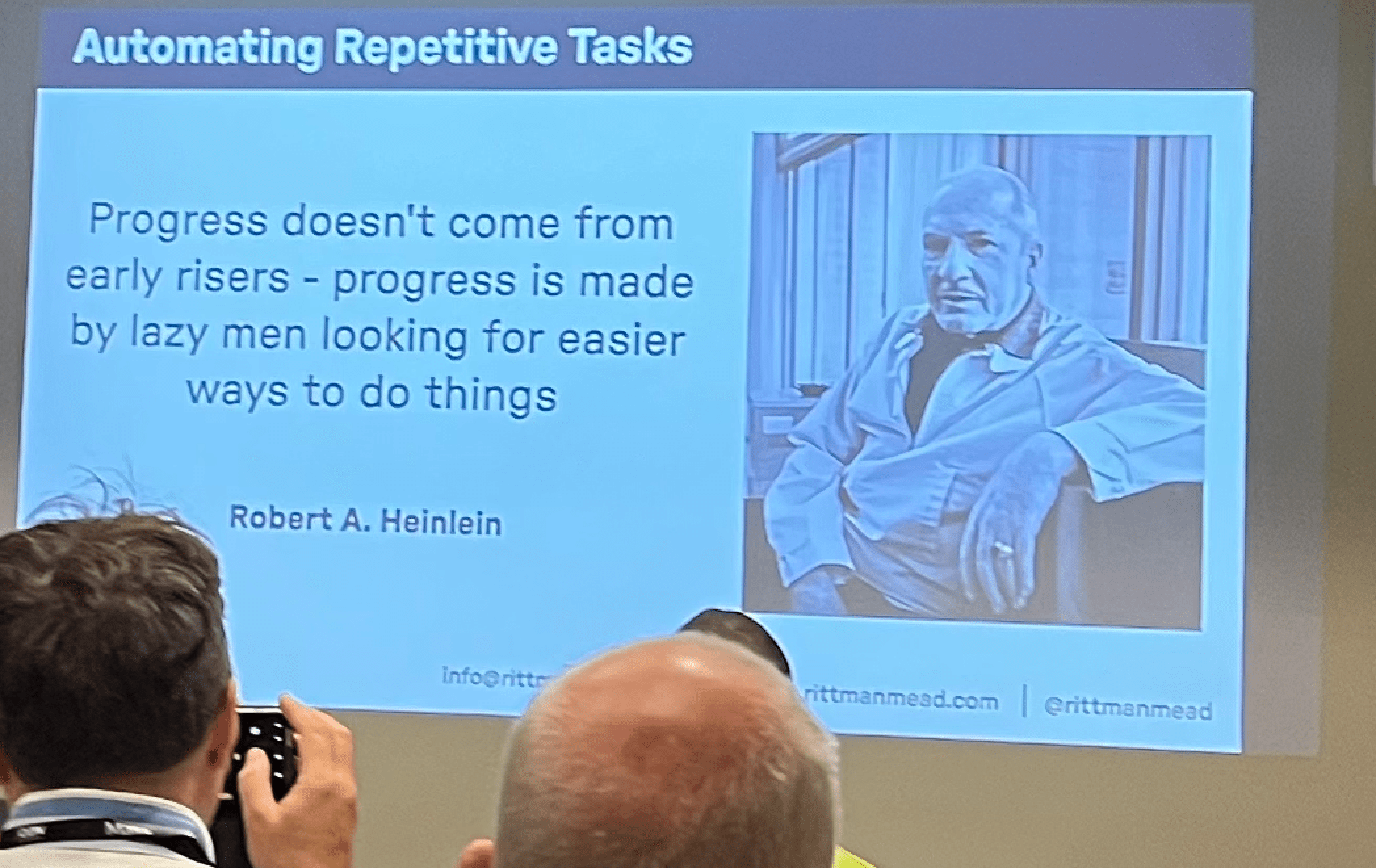
Quote of the conference Quote of the conference

My Data Pump talk My Data Pump talk

Going to conference is hard Going to conference is hard

Low hanging clouds at the airport Low hanging clouds at the airport

Upgrade Encrypted PDB in Cloud to Oracle AI Database 26ai

Here’s a cool way of upgrading your Oracle Database in OCI to Oracle AI Database 26ai.

This post was originally written for Oracle Database 23ai, but it can be used to Oracle AI Database 26ai as well.

I will move my PDB to a new Base Database System using refreshable clone PDBs and AutoUpgrade.

The benefit of using this approach is:

  • Much shorter downtime than an in-place upgrade.
  • A brand-new Base Database System, which means the operating system and Oracle Grid Infrastructure is already on a newer version.

I’m using a Base Database Service as an example, but the target system could also be Exadata Database Service, Exadata Cloud@Customer, or, in fact, any other offering of Oracle Database.

My Environment

I have one PDB that I want to upgrade. It’s called SALES.

Source

  • Base Database System on 19.23.0
  • Name DBS19

Target

  • Base Database System on 23.4.0
  • Name DBS23

How To

Prepare AutoUpgrade

  • Get the latest version of AutoUpgrade:
    wget https://download.oracle.com/otn-pub/otn_software/autoupgrade.jar
    
    Copy the new version of AutoUpgrade to your source and target system. You can put it into $ORACLE_HOME/rdbms/admin if you like, but it is not a requirement.
  • I create an AutoUpgrade config file, named sales.cfg, which I store on both servers:
    global.autoupg_log_dir=/u01/app/oracle/cfgtoollogs/autoupgrade
    global.keystore=/u01/app/oracle/cfgtoollogs/keystore
    upg1.source_home=/u01/app/oracle/product/19.0.0.0/dbhome_1
    upg1.target_home=/u01/app/oracle/product/23.0.0.0/dbhome_1
    upg1.sid=CDB19
    upg1.pdbs=SALES
    upg1.target_cdb=CDB23
    upg1.source_dblink.SALES=CLONEPDB 600
    upg1.target_pdb_copy_option.SALES=file_name_convert=none
    upg1.target_version=23
    upg1.start_time=12/05/2024 02:00:00
    
    • I must specify global.keystore to allow AutoUpgrade to create a keystore to work with my encrypted PDB.
    • source_home and target_home list the Oracle Home of the source and target CDB, respectively. It doesn’t matter that the two homes exist on one server only.
    • sid and target_cdb contain the SID of the source and target CDB, respectively. The parameters are case sensitive.
    • pdbs contains the name of the PDB I want to upgrade, sales. If needed, I could specify more PDBs. Don’t include the domain or use the service name.
    • source_dblink has the name of the database link (CLONEPDB) and the rate at which the target CDB brings over redo and rolls forward the copy (600 seconds or 10 minutes).
    • I want to use ASM and Oracle Managed Files, so I set target_pdb_copy_option accordingly.
    • Since my source and target CDB are not on the same host, AutoUpgrade can’t automatically determine the target version. I specify that manually using target_version.
    • start_time specifies when downtime starts. At this point, AutoUpgrade refreshes the PDB for the last time and then moves on with the upgrade.

Prepare Source PDB

  • I connect to the source PDB. I create a user (for a database link) and grant privileges:

    create user dblinkuser identified by ... ;
    grant create session, 
          create pluggable database, 
          select_catalog_role to dblinkuser;
    grant read on sys.enc$ to dblinkuser;
    
  • After the upgrade, I can drop the user.

Prepare Target CDB

  • I connect to the target CDB and create a database link pointing to my source PDB:

    create database link clonepdb
    connect to dblinkuser
    identified by dblinkuser
    using '<connection-string-to-source-pdb>';
    
  • Check that the database link works:

    select * from dual@clonepdb;
    

    If the query fails with ORA-02085, then you can use alter system set global_names=false;.

Analyze and Fix Source PDB

  • First, I analyze the source PDB for upgrade readiness. On the source system:
    java -jar autoupgrade.jar -config sales.cfg -mode analyze
    
  • The summary report lists the following precheck failures, which I safely ignore:
    • TDE_PASSWORDS_REQUIRED – I will fix that on the target system.
    • TARGET_CDB_AVAILABILITY – the target CDB is remote, and AutoUpgrade can’t analyze it.
  • Then, I execute the preupgrade fixups:
    java -jar autoupgrade.jar -config sales.cfg -mode fixups
    
    • This changes my source PDB, so I do it as close to my maintenance window as possible.
    • AutoUpgrade issues a warning that the target Oracle home is not present. You can safely disregard this.

Upgrade

  • Since my PDB is encrypted, I must add the source and target CDB keystore password to the AutoUpgrade keystore. I start the load password console on the target host:

    java -jar autoupgrade.jar -config sales.cfg -load_password
    
  • In the load password console, I add the keystore passwords of the source and target CDB:

    TDE> add CDB19
    Enter your secret/Password:    
    Re-enter your secret/Password: 
    TDE> add CDB23
    Enter your secret/Password:    
    Re-enter your secret/Password: 
    
  • I save the passwords and convert the AutoUpgrade keystore to an auto-login keystore:

    TDE> save
    Convert the keystore to auto-login [YES|NO] ? 
    
  • I start AutoUpgrade in deploy mode:

    java -jar autoupgrade.jar -config sales.cfg -mode deploy
    
    • AutoUpgrade:
      • Copies the data files over the database link.
      • Rolls the copies of the data files forward with redo from the source.
      • At the time specified by start_time, issues a final refresh and disconnects the PDB from the source. You can change the start time using the proceed command in the AutoUpgrade console.
      • Upgrades the PDB.
    • You can monitor the upgrade by using the command lsj -a 30.
  • I have now upgraded my PDB to Oracle Database 23ai.

The Fine Print

Before Upgrade

  • Ensure that redo is kept in the Fast Recovery Area of the source database until it has been applied on the target. Either postpone your archive backups or change the archive log deletion policy so the archive logs remain on disk.
  • Familiarize yourself with the concept of the AutoUpgrade keystore.
  • The source PDB must be Oracle Database 19c or newer to upgrade directly to Oracle Database 23ai.

During Upgrade

  • Disconnect users from the source database. Right before the upgrade starts, AutoUpgrade executes a final refresh. The last redo from the source database is applied to ensure no data is lost. You must ensure that no users are connected to the source database after this time. Otherwise, that data will be lost.

  • AutoUpgrade starts the final refresh at the start time specified in the config file:

    upg1.start_time=25/09/2023 06:30:00
    
  • You must be careful about disconnecting users from the source database. Remember, AutoUpgrade connects to the source database over a database link as a regular user (not SYS). This means the listener must be available, and you can’t enable restricted session or similar means.

  • Check this blog post if you want to be in control over when the final refresh happens.

After Upgrade

  • Recreate the services that you use in your connect strings.
  • Update your connection string. The PDB is now on a different Base Database System.
  • Start a new full backup of the target database after the migration.
  • The OCI console will recognize and display the new PDB after a while. You don’t have to do anything … than to wait for the automatic sync job.

Data Guard

When using refreshable clone PDBs you can’t reuse the data files on the standby database. It is similar to STANDBYS=NONE on the CREATE PLUGGABLE DATABASE statement. So, you plug in with deferred recovery on the standby database.

The easiest solution is to configure Data Guard after you have upgraded the database. However, it might not always be feasible. If your target CDB already has Data Guard, then you need to restore the data files to the standby database and enable recovery. Check Making Use Deferred PDB Recovery and the STANDBYS=NONE Feature with Oracle Multitenant (Doc ID 1916648.1) for details.

Real Application Clusters (RAC)

AutoUpgrade detects if the target CDB is a RAC database. You don’t have to specify or do anything. AutoUpgrade handles everything for you.

Further Reading