

In the multitenant architecture in Oracle AI Database, the container database is essential. If you create it the right way, you can avoid some difficulties later on.
Here’s my recommendation for creating container databases.
3xC
The three most important things all start with “C”. Makes it easier to remember.
Character Set
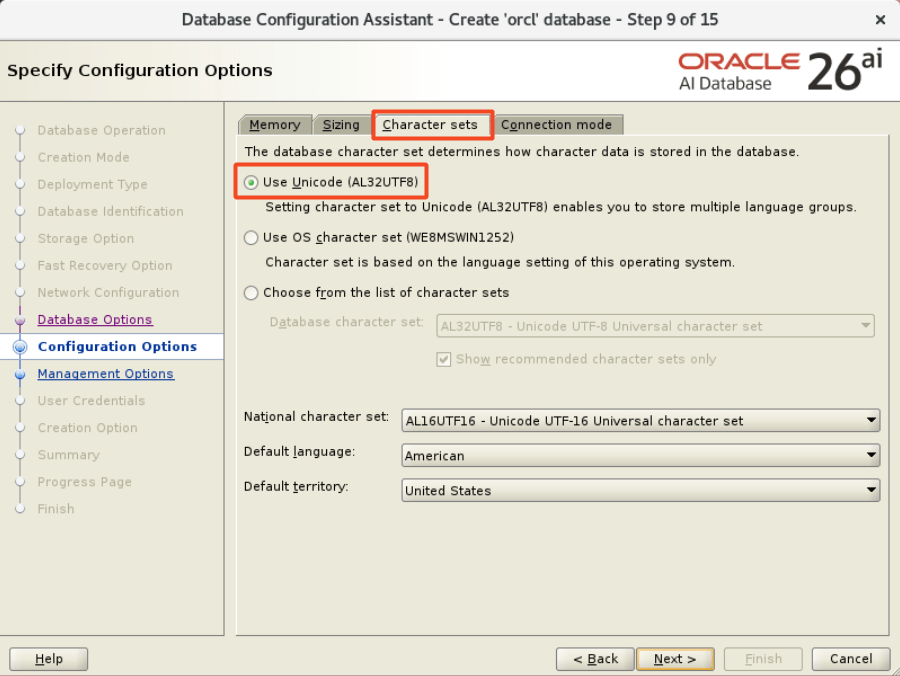
The first one is straightforward: stick with the default, AL32UTF8.
If the root container is AL32UTF8, you can plug in PDBs with any character set. You can have a mix of the classic US7ASCII, old-school European without the Euro sign in WE8ISO8859P1, Japanese JA16SJIS, and original Unicode UTF8, and whatever.
But as soon as you set the root character set to anything but AL32UTF8, all PDBs are bound to the same character set.
Remain flexible and use AL32UTF8.
Components
The number of components has a direct influence on the time it takes to upgrade and patch a database.
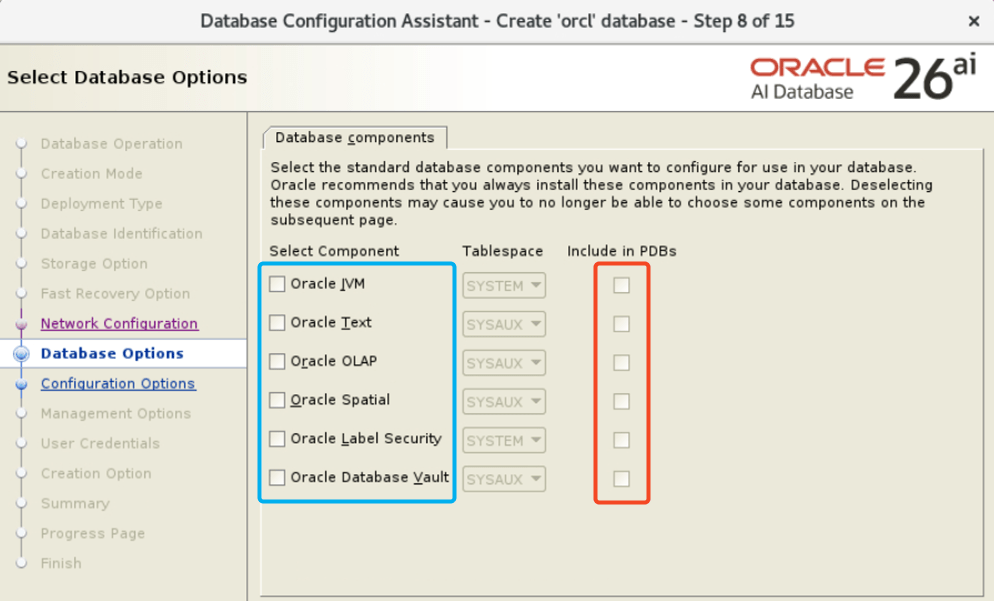
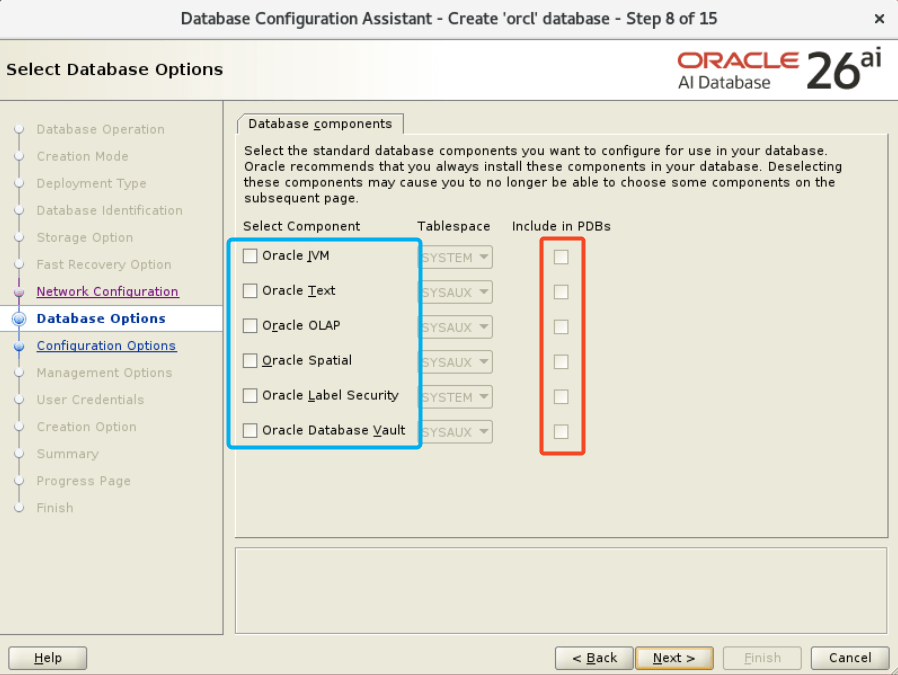
Any component used by a PDB must also be installed in the root container. So, install as many components as you need in root. No more than that (selectively tick checkboxes in the blue box).
Also, from a least privilege kind-of-perspective don’t install more than you need.
When you decide on a set of components to install, do that in root only. Ensure that new PDBs have none of the components installed (untick all checkboxes in the red box). This gives you the leanest PDBs. If a PDB requires a component, it’s easy to install afterward.
Compatible
The most important thing is that you have a uniform compatible setting in all your CDBs. This gives you the most flexibility.
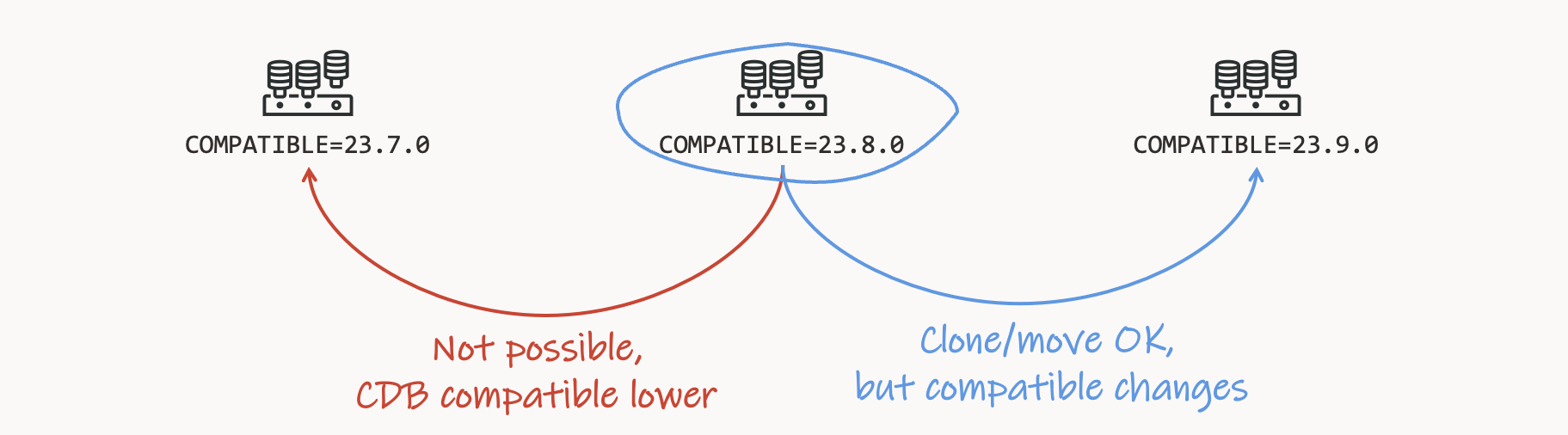
When you plug in a PDB, it must have the same compatible setting as the root container.
- If the PDB has a lower compatible setting, it will automatically and silently raise the setting to that of the root container.
- If the PDB has a higher compatible setting, you won’t be able to plug it in.
Important Parameters
Once you have created a CDB, I recommend setting these parameters.
max_pdbs
You can restrict the number of current user-created PDBs in a CDB. This is useful if you don’t have a license for the Multitenant option.
alter system set max_pdbs=3 scope=both;
The database now throws an error if you try to create a fourth PDB.
_exclude_seed_cdb_view
By default, the CDB views do not show information about PDB$SEED. I’m not too fond of this behavior. I want to know if there is a problem with it.
alter system set "_exclude_seed_cdb_view"=false scope=both;
Records from PDB$SEED now show up in the CDB views with CON_ID=2.
Create The CDB Using DBCA
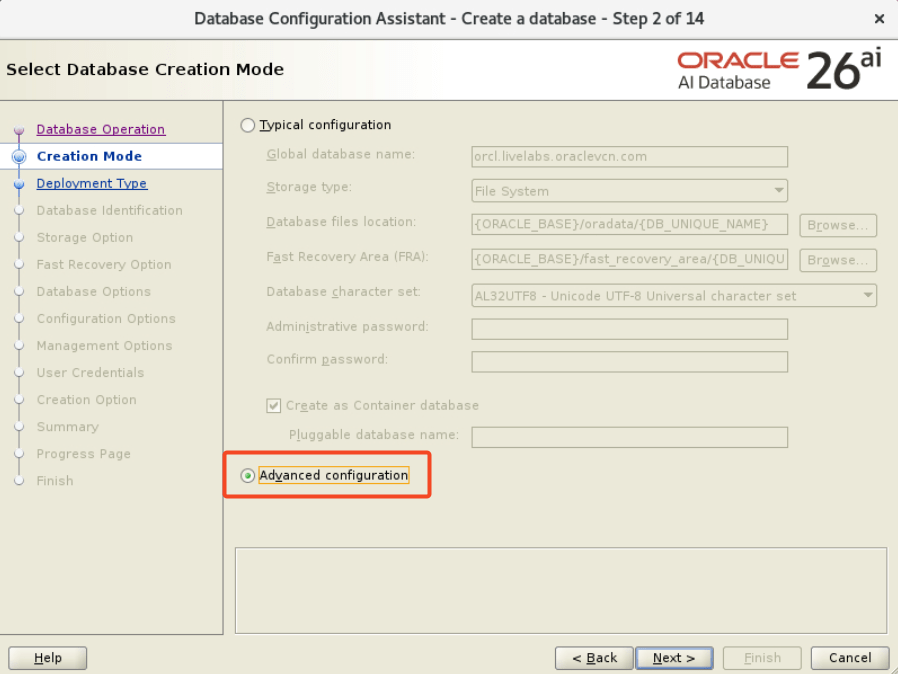
You need to use the advanced configuration in Database Configuration Assistance (DBCA) to create a CDB that matches the above recommendations.
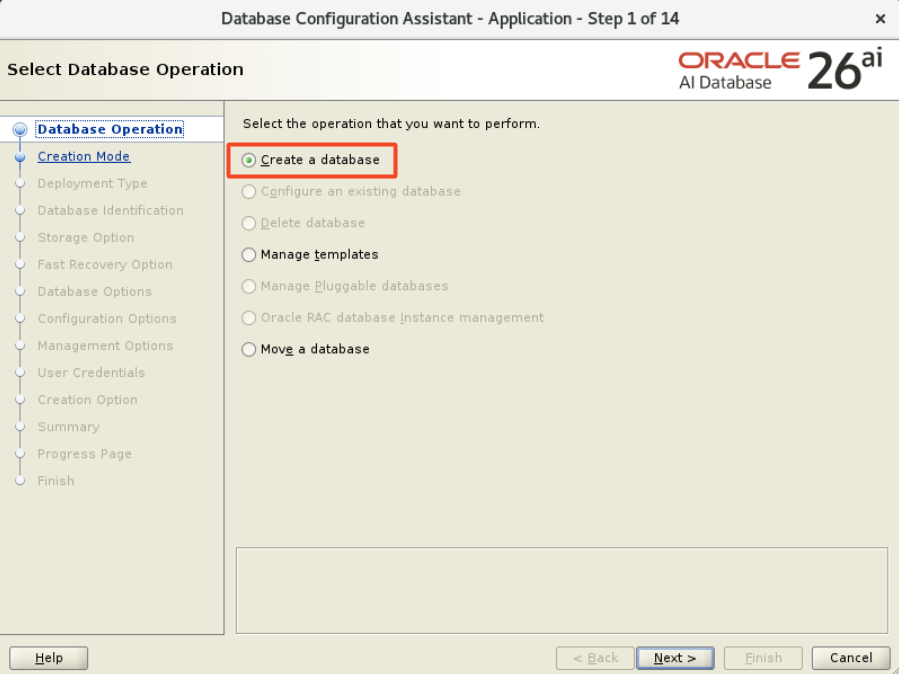
- Select Create a database.
- Select Advanced configuration.
- Create a Custom Database.
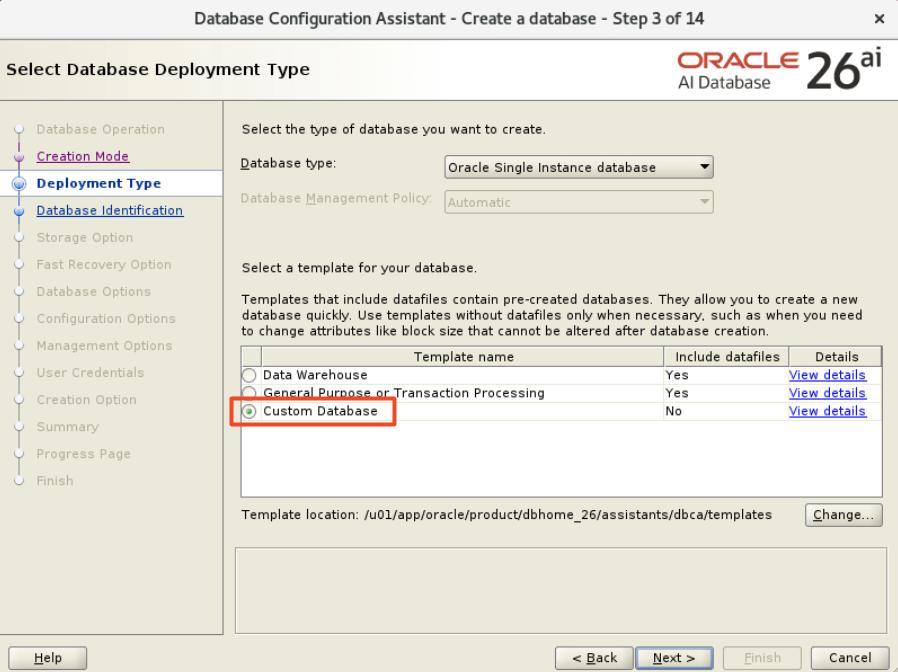
- On the following few pages, you can make the changes you like until you reach the Database Options page.
- When you reach the Database Options page, select the components you need in the root container (blue box). In the Include in PDBs list, select only the component you need in all your PDBs. Otherwise, leave them out so you get a lean PDB. You can easily add components later on.
- On the Configuration Options page, on the Character sets tab, ensure that you select Use Unicode (AL32UTF8).
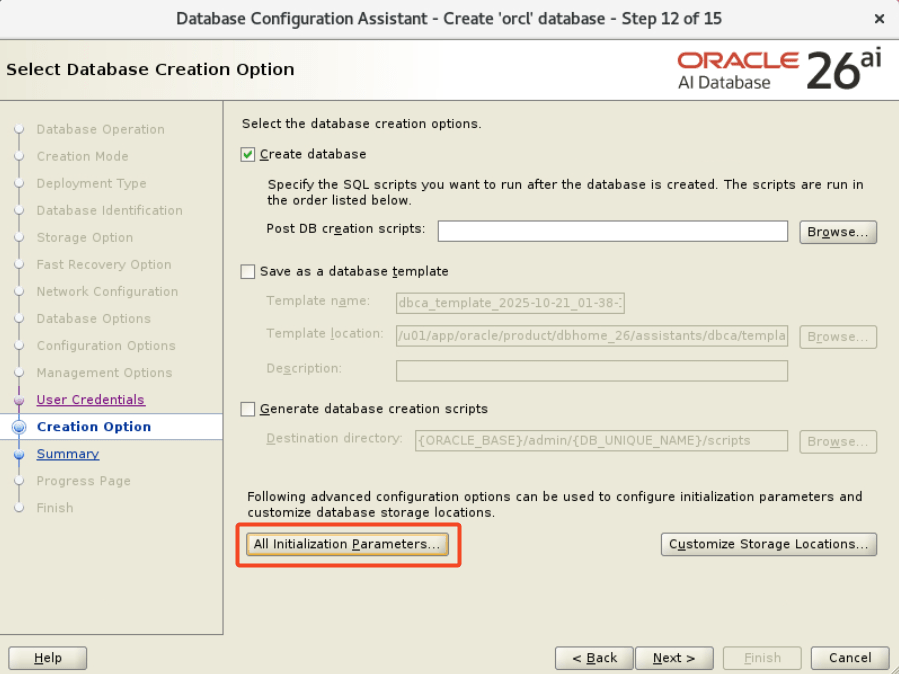
- On the Creation Option page, click on All initialization Parameters, and select the compatible setting you use. I recommend using the default.
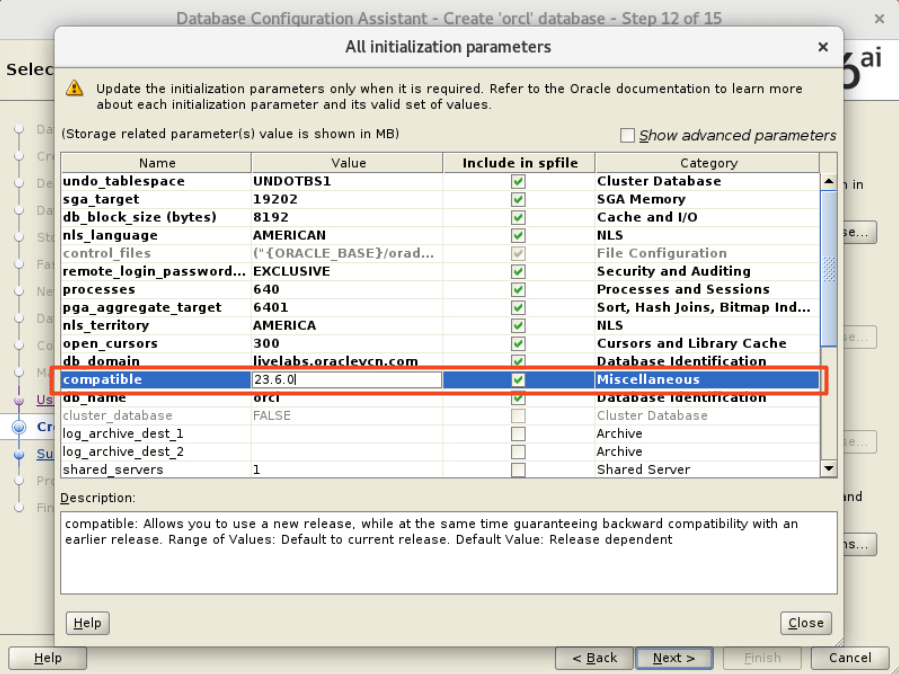
- On the Summary page, you should Save Response File so you can create additional CDBs in silent mode.
Create Manually
After creating the first database using DBCA, you can create another using the response file and DBCA in silent mode.
- Make the required changes to the response file.
- Update the name of the database.
- Verify the list of parameters.
- Other settings.
- For reference, in the appendix, you can find a sample response file that we use in our hands-on labs.
- If you need to create the database with a non-default timezone file version, set the following parameter:
export ORA_TZFILE=$ORACLE_HOME/oracore/zoneinfo/timezone_42.dat- Check the directory for a complete list of available timezone files.
- Start DBCA in silent mode.
$ORACLE_HOME/bin/dbca \
   -silent \
   -createDatabase \
   -responseFile /home/oracle/my_response_file.rsp
Check the other blog posts related to upgrade to Oracle AI Database 26ai.
Happy upgrading!
Appendix
Sample DBCA Response File
This is the DBCA response file that we use when we create our hands-on labs. This is for the CDB23 database.
responseFileVersion=/oracle/assistants/rspfmt_dbca_response_schema_v23.0.0
gdbName=cdb23
sid=CDB23
databaseConfigType=SI
policyManaged=false
managementPolicy=AUTOMATIC
createServerPool=false
force=false
createAsContainerDatabase=true
numberOfPDBs=0
pdbName=
useLocalUndoForPDBs=true
pdbAdminPassword=
templateName=/u01/app/oracle/product/23/assistants/dbca/templates/New_Database.dbt
sysPassword=oracle
systemPassword=oracle
emConfiguration=NONE
runCVUChecks=FALSE
dvConfiguration=false
olsConfiguration=false
datafileDestination=/u02/oradata/{DB_UNIQUE_NAME}
recoveryAreaDestination=
recoveryAreaSize=
configureWithOID=
pdbOptions=JSERVER:false,ORACLE_TEXT:false,IMEDIA:false,CWMLITE:false,SPATIAL:false,OMS:false,SAMPLE_SCHEMA:false,DV:false
dbOptions=JSERVER:false,ORACLE_TEXT:false,IMEDIA:false,CWMLITE:false,SPATIAL:false,OMS:false,SAMPLE_SCHEMA:false,DV:false
storageType=FS
characterSet=AL32UTF8
nationalCharacterSet=AL16UTF16
registerWithDirService=false
skipListenerRegistration=true
variables=ORACLE_BASE_HOME=/u01/app/oracle/product/23,DB_UNIQUE_NAME=cdb23,ORACLE_BASE=/u01/app/oracle,PDB_NAME=,DB_NAME=cdb23,ORACLE_HOME=/u01/app/oracle/product/23,SID=CDB23
initParams=undo_tablespace=UNDOTBS1,enable_pluggable_database=true,sga_target=4GB,db_block_size=8192BYTES,nls_language=AMERICAN,dispatchers=(PROTOCOL=TCP) (SERVICE=CDB23XDB),diagnostic_dest={ORACLE_BASE},remote_login_passwordfile=EXCLUSIVE,db_create_file_dest=/u02/oradata/{DB_UNIQUE_NAME},processes=300,pga_aggregate_target=1GB,nls_territory=AMERICA,open_cursors=300,log_archive_format=%t_%s_%r.arc,compatible=23.0.0,db_name=cdb23
enableArchive=false
useOMF=true
memoryPercentage=40
databaseType=MULTIPURPOSE
automaticMemoryManagement=false
totalMemory=0


 Databases Are Fun