How To Install Data Pump Bundle Patch On Running Database Without Downtime

As discussed previously, the Release Updates rarely include any Data Pump fixes. If you start a Data Pump job, the absence of the many fixes may lead to errors or severe performance problems.

Hence, I always recommend that you install the Data Pump bundle patch before starting a Data Pump job.

But the fixes are not part of the Release Update and they are not RAC rolling installable, so it sounds like a pain to install, right? But it is not!

The Data Pump bundle patch is a Non-Binary Online Installable patch, so you can apply it without any downtime.

How To Apply Data Pump Bundle Patch

  1. I start with a running Oracle Database called FTEX.
    ps -ef | grep pmon
    oracle     53316       1  0 13:57 ?        00:00:00 ora_pmon_FTEX
    
  2. I verify that the Oracle home does not have the Data Pump bundle patch:
    $ORACLE_HOME/OPatch/opatch lspatches
    
    37499406;OJVM RELEASE UPDATE: 19.27.0.0.250415 (37499406)
    37654975;OCW RELEASE UPDATE 19.27.0.0.0 (37654975)
    37642901;Database Release Update : 19.27.0.0.250415 (37642901)
    
    OPatch succeeded.
    
  3. I ensure that no Data Pump jobs are running currently.
  4. I patch my database.
    $ORACLE_HOME/OPatch/opatch apply
    
    [output truncated]
    
    Verifying environment and performing prerequisite checks...
    OPatch continues with these patches:   37777295
    
    Do you want to proceed? [y|n]
    y
    User Responded with: Y
    All checks passed.
    Backing up files...
    Applying interim patch '37777295' to OH '/u01/app/oracle/product/19_27'
    
    Patching component oracle.rdbms.dbscripts, 19.0.0.0.0...
    
    Patching component oracle.rdbms, 19.0.0.0.0...
    Patch 37777295 successfully applied.
    Log file location: /u01/app/oracle/product/19_27/cfgtoollogs/opatch/opatch2025-06-23_14-26-49PM_1.log
    
    OPatch succeeded.   
    
    • Although the FTEX database is still running, OPatch doesn’t complain about files in use.
    • This is because the Data Pump bundle patch is marked as a non-binary online installable patch.
    • I can safely apply the patch to a running Oracle home – as long as no Data Pump jobs are running.
    • For cases like this, it’s perfectly fine to use in-place patching.
  5. I complete patching by running Datapatch:
    $ORACLE_HOME/OPatch/datapatch
    
    [output truncated]
    
    Adding patches to installation queue and performing prereq checks...done
    Installation queue:
      No interim patches need to be rolled back
      No release update patches need to be installed
      The following interim patches will be applied:
        37777295 (DATAPUMP BUNDLE PATCH 19.27.0.0.0)
    
    Installing patches...
    Patch installation complete.  Total patches installed: 1
    
    Validating logfiles...done
    Patch 37777295 apply: SUCCESS
      logfile: /u01/app/oracle/cfgtoollogs/sqlpatch/37777295/27238855/37777295_apply_FTEX_2025Jun24_09_10_15.log (no errors)
    SQL Patching tool complete on Tue Jun 24 09:12:19 2025   
    

That’s it! I can now enjoy the many benefits of the Data Pump bundle patch – without any downtime for a single instance database.

Happy patching!

Appendix

What about Oracle RAC Database

Although the Data Pump Bundle Patch is not a RAC Rolling Installable patch, you can still apply it to an Oracle RAC Database following the same approach above.

Simply apply the patch in turn on all nodes in your cluster. You should use OPatch with the -local option and not OPatchAuto. When all nodes are patched, you can run Datapatch.

Is It the Same as an Online or Hot Patch

No, a Non-Binary Online Installable patch is not the same as an Online or Hot patch.

A patch that only affects SQL scripts, PL/SQL, view definitions and XSL style sheets (i.e. non-binary components). This is different than an Online Patch, which can change binary files. Since it does not touch binaries, it can be installed while the database instance is running, provided the component it affects is not in use at the time. Unlike an Online Patch, it does not require later patching with an offline patch at the next maintenance period.

Source: Data Pump Recommended Proactive Patches For 19.10 and Above(Doc ID 2819284.1)

Is the Data Pump Bundle Patch Really That Important

Yes. There are more than 200 fixes for Data Pump. If you start a Data Pump job without it, you might face errors or severe performance issues.

Here’s a statement from a customer, I worked with.

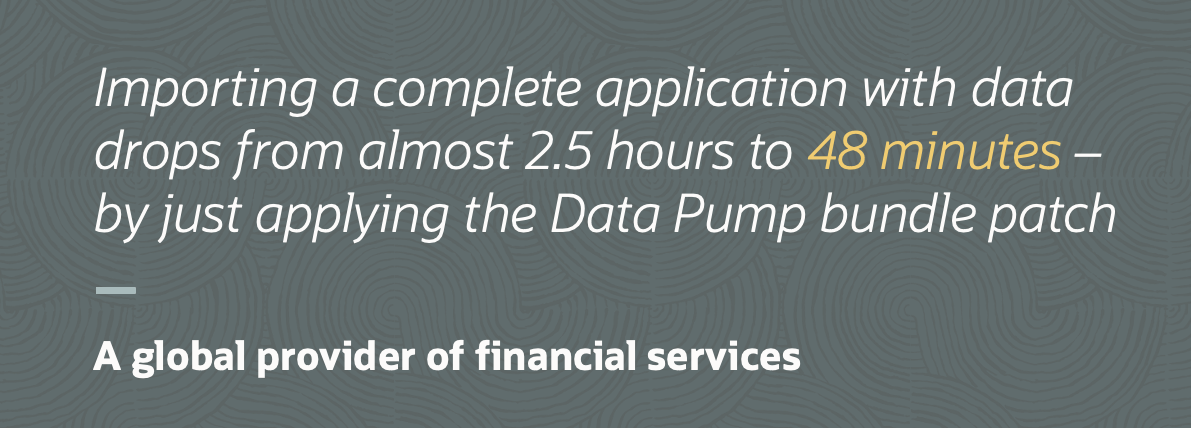
Applying the bundle patch reduced the time for an import to drop from 2,5 hours to 48 minutes

The Easiest Way To Download Patches for Oracle Grid Infrastructure

Whether you patch Oracle Grid Infrastructure manually, using your own automation, or Oracle Fleet Patching and Provisioning, it all starts with downloading the patches.

Although AutoUpgrade doesn’t patch Grid Infrastructure, it can still download the latest version of OPatch and the GI Release Update.

How To Download Grid Infrastructure Release Update

I have already configured the AutoUpgrade keystore and saved my My Oracle Support credentials. You find instructions on how to do that here (search for Creating an AutoUpgrade Keystore).

  1. I download the latest version of AutoUpgrade:

    wget https://download.oracle.com/otn-pub/otn_software/autoupgrade.jar
    
  2. I create a config file called get-gi-patches.cfg:

    global.global_log_dir=/home/oracle/autoupgrade/logs
    global.keystore=/home/oracle/autoupgrade/keystore
    
    patch1.patch=RU,OPATCH,OCW
    patch1.target_version=19
    patch1.platform=LINUX.X64
    patch1.folder=/home/oracle/autoupgrade/patches
    
  3. I create the folder for the patches (config file parameter folder).

    mkdir -p /home/oracle/autoupgrade/patches
    
  4. I download the patches by starting AutoUpgrade in download mode:

    java -jar autoupgrade.jar -config get-gi-patches.cfg -mode download
    
  5. Here’s the output from AutoUpgrade:

    AutoUpgrade Patching 25.3.250509 launched with default internal options
    Processing config file ...
    Loading AutoUpgrade Patching keystore
    AutoUpgrade Patching keystore is loaded
    
    Connected to MOS - Searching for specified patches
    
    -----------------------------------------------------
    Downloading files to /home/oracle/autoupgrade/patches
    -----------------------------------------------------
    DATABASE RELEASE UPDATE 19.27.0.0.0
        File: p37642901_190000_Linux-x86-64.zip - VALIDATED
    
    GI RELEASE UPDATE 19.27.0.0.0
        File: p37641958_190000_Linux-x86-64.zip - VALIDATED
    
    OPatch 12.2.0.1.46 for DB 19.0.0.0.0 (Apr 2025)
        File: p6880880_190000_Linux-x86-64.zip - VALIDATED
    -----------------------------------------------------   
    
  6. That’s it! After a few minutes, I’ve downloaded the latest GI Release Update and OPatch. GI RELEASE UPDATE 19.27.0.0.0 – p37641958_190000_Linux-x86-64.zip OPatch 12.2.0.1.46 for DB 19.0.0.0.0 (Apr 2025) – p6880880_190000_Linux-x86-64.zip

Is it really that easy? Yes, it is…

I can now patch my GI Oracle home – for Oracle RAC Database and Oracle Restart.

Happy patching!

Appendix

I Want To Download A Previous Release Update

Rather than downloading the latest Release Update, you can choose to download a specific Release Update. You can specify that in the patch parameter:

patch1.patch=RU:19.26,OPATCH,OCW
  • Notice how the RU keyword has a suffix specifying the exact Release Update.

Oracle DatabaseWorld

While you wait for the big show in Las Vegas later this year, here’s something to whet your appetite.

Oracle DatabaseWorld Multicloud AI Edition

Hit the Watch on demand button to get free access to all these sessions and get up-to-date on Oracle Database. You can watch the videos anywhere and anytime.

What’s On

Get an overview with the keynotes or dive into the details in specialized sessions.

  • Take a look into at crystal ball and hear about Oracle’s vision for data and AI. Our Executive Vice President, Juan Loaiza, shares how Oracle Database’s cutting-edge converged data architecture helps customers bring AI to data.

  • Also, there are three track keynotes giving you further details on different topics.

  • Mike Dietrich and I give you a head start on your upgrade to Oracle Database 23ai in our session Upgrade to Oracle Database 23ai: Best Practices and Customer Experience.

  • Plus, a number of other sessions that go into the details as well.

I Got Questions

If you need more information on upgrades to Oracle Database 23ai or have questions after watching our session, reach out to me and I’ll get you sorted.

You can also try upgrades in our hands-on lab. It’s free and runs in a browser – nothing to install. And – it’s better to fail in our lab, than in production.

Happy learning!

Fixing AutoUpgrade PATCH111 Error On Oracle Linux 9

I’ve seen a lot of interest in the create_home mode of AutoUpgrade. It allows you to easily provision new Oracle homes and the feedback has been very positive.

A few customers reported an error during installation of an Oracle home on Oracle Linux 9.

Errors in database [create_home_1]
Stage              [OH_PATCHING]
Operation          [STOPPED]
Status             [ERROR]
Info               [Exception: PATCH111
Err message: AutoUpgradePatchingException [OPatch failed to install ...]	

Digging into the referenced log file revealed:

[Jun 25, 2025 10:48:51 AM] [WARNING]OUI-67200:Make failed to invoke "/usr/bin/make -f ins_rdbms.mk javavm_refresh ORACLE_HOME=/u01/app/oracle/product/dbhome_1927 OPATCH_SESSION=apply"....'Can't locate File/Copy.pm in @INC (you may need to install the File::Copy module) (@INC contains: /usr/local/lib64/perl5/5.32 /usr/local/share/perl5/5.32 /usr/lib64/perl5/vendor_perl /usr/share/perl5/vendor_perl /usr/lib64/perl5 /usr/share/perl5) at /u01/app/oracle/product/dbhome_1927/javavm/install/update_javavm_binaries.pl line 64.
                                    BEGIN failed--compilation aborted at /u01/app/oracle/product/dbhome_1927/javavm/install/update_javavm_binaries.pl line 64.
                                    make: *** [ins_rdbms.mk:573: javavm_refresh] Error 2

The Workaround

You can avoid the problem by installing Perl before you start AutoUpgrade:

dnf -y install perl-core

Big shoutout to Martin Berger for providing a workaround.

Is My Server Affected

Use this command to test whether your server is affected:

perl -e 'use File::Copy;'

If it returns without any error or output, everything is fine. If you get an error, you must install Perl before proceeding:

perl -e 'use File::Copy;'
Can't locate File/Copy.pm in @INC (you may need to install the File::Copy module) (@INC contains: /usr/local/lib64/perl5/5.32 /usr/local/share/perl5/5.32 /usr/lib64/perl5/vendor_perl /usr/share/perl5/vendor_perl /usr/lib64/perl5 /usr/share/perl5) at -e line 1.
BEGIN failed--compilation aborted at -e line 1.

Why Does It Happen

  • AutoUpgrade starts by installing the Oracle home and in some cases also applies the Release Update using the -applyRU command line parameter.

  • Next, it installs additional patches using OPatch. Some patches, like the OJVM bundle patch, requires a compilation using make. This process fails if there’s no usable Perl installation.

  • There are several MOS notes on this specific issues advising to set the PERL5LIB environment variable (Patching fails during relink , with error code 102 :: Fatal error: Command failed for target `javavm_refresh’ (Doc ID 2002334.1)).

  • To solve an unrelated issue, AutoUpgrade doesn’t always set PERL5LIB when calling OPatch and this leads to this error during the compilation.

  • We’re trying to find a smart way to handle this (without re-introducing the other issue).

To summarize, you get this error when:

  • Your operating system doesn’t have a normal Perl installation. You might have the perl executable, but not the normal modules.
  • You install the OJVM bundle patch.

The Rabbit Hole

I learned something new about Perl today. Do you dare walking down that rabbit hole with me? I’ll make it short.

  • The error from make mentions the missing Perl module, File::Copy:

    /usr/bin/make -f ins_rdbms.mk javavm_refresh ORACLE_HOME=/u01/app/oracle/product/dbhome_1927 OPATCH_SESSION=apply"....'Can't locate File/Copy.pm in @INC (you may need to install the File::Copy module)
    
  • A Perl module can be loaded from disk. Perl automatically attempts to find the file in the following locations:

    perl -e 'print "@INC\n"'
    /usr/local/lib64/perl5/5.32
    /usr/local/share/perl5/5.32
    /usr/lib64/perl5/vendor_perl
    /usr/share/perl5/vendor_perl
    /usr/lib64/perl5
    /usr/share/perl5
    
  • So, I can check these directories for the Perl module. To find the File::Copy module, I need to check in the File subdirectory for the file Copy.pm:

    ll /usr/local/lib64/perl5/5.32/File/Copy.pm
    ll /usr/local/share/perl5/5.32/File/Copy.pm
    ll /usr/lib64/perl5/vendor_perl/File/Copy.pm
    ll /usr/share/perl5/vendor_perl/File/Copy.pm
    ll /usr/lib64/perl5/File/Copy.pm
    ll /usr/share/perl5/File/Copy.pm
    ls: cannot access '/usr/local/lib64/perl5/5.32/File/Copy.pm': No such file or directory
    ls: cannot access '/usr/local/share/perl5/5.32/File/Copy.pm': No such file or directory
    ls: cannot access '/usr/lib64/perl5/vendor_perl/File/Copy.pm': No such file or directory
    ls: cannot access '/usr/share/perl5/vendor_perl/File/Copy.pm': No such file or directory
    ls: cannot access '/usr/lib64/perl5/File/Copy.pm': No such file or directory
    ls: cannot access '/usr/share/perl5/File/Copy.pm': No such file or directory
    
  • The file is not found in any of the directories, so Perl will fail to load the module.

  • Had the file been found in just one location, all would be good.

Happy patching!

Where Is The OJVM Bundle Patch For Oracle Database 23ai?

A customer asked me:

Where do I download the OJVM bundle patch for Oracle Database 23ai? I can’t find it anywhere.

In Oracle Database 23ai, Oracle ships fully updated gold images instead of individual Release Updates. The customer installed the latest gold image and it didn’t contain the OJVM bundle patch:

$ORACLE_HOME/OPatch/opatch lspatches
37701424;OCW RELEASE UPDATE 23.8.0.25.04 (37701424) Gold Image
37701421;Database Release Update : 23.8.0.25.04 (37701421) Gold Image

In Oracle Database 19c, you would be able to see the OJVM bundle patch as a separate patch:

$ $ORACLE_HOME/OPatch/opatch lspatches
35648110;OJVM RELEASE UPDATE: 19.21.0.0.231017 (35648110)
35643107;Database Release Update : 19.21.0.0.231017 (35643107)
29585399;OCW RELEASE UPDATE 19.3.0.0.0 (29585399)

Why is it missing from Oracle Database 23ai gold image and why can’t you download it separately?

OJVM In Oracle Database 23ai

Starting in Oracle Database 21c, there is no longer a separate OJVM bundle patch. Instead, the fixes are fully included in the Release Updates.

… the OJVM component patch has been incorporated within the 21c Database Release Update (RU) patch

Oracle Recommended Patches – “Oracle JavaVM Component Database PSU and Update” (OJVM PSU and OJVM Update) Patches (Doc ID 1929745.1)

Also, there is no longer any interuption or brownout when you start Datapatch. The OJVM fixes are now fully RAC Rolling Installable and Standby-First Installable.

So, just get the newest gold image in Oracle Database 23ai and that’s it.

What About Oracle Database 19c

Let’s just recap the situation when you have OJVM in Oracle Database 19c.

  • The patch is RAC Rolling Installable
  • Standby-First Installable (as long as you don’t have Active Data Guard and extensively use OJVM on the standby database)

First, are you using OJVM or can you remove it?

Then, how do you patch OJVM?

  1. Start by downloading the OJVM bundle patch.
    1. Use AutoUpgrade and include the OJVM keyword in your patch specification, like patch1.patch=OPATCH,RU,OJVM
    2. Use the Download Assistant on My Oracle Support
  2. When you start Datapatch and it applies the OJVM fixes, there is a short brownout while the Java system is reloaded. Any session that tries to use Java at that point will get ORA-29548 but will be able to retry after a few seconds.

Here’s a little video with additional information.

What About Grid Infrastructure?

You should not apply the OJVM bundle patch to your Grid Infrastructure homes.

OJVM PSU is not needed in the Grid home, only in the database home.

Oracle Recommended Patches – “Oracle JavaVM Component Database PSU and Update” (OJVM PSU and OJVM Update) Patches (Doc ID 1929745.1)

Happy patching!

AutoUpgrade New Features: Install Oracle Home on Brand-New, Empty Server

You can use AutoUpgrade to install an Oracle home on a brand-new, empty server.

Previously, AutoUpgrade used an existing Oracle home to determine how to create a new Oracle home. Now, you can use config file parameters to instruct AutoUpgrade on installing the new Oracle home.

This allows you to use AutoUpgrade to prepare a new server for use with Oracle Database.

How To

Preparations

I start with a brand new Oracle Linux 8 system.

  1. This is a test system, so I disable SELinux:
    sed -i 's/^SELINUX=.*/SELINUX=disabled/' /etc/selinux/config
    reboot
    
    • Alternatively, follow the guidelines for SELinux in your organization.
  2. Install the preinstall package and Java (required by AutoUpgrade):
    yum -y install oracle-database-preinstall-19c
    yum -y install java-1.8.0-openjdk
    
  3. Additional configurations like mount points and swapfile.

Install Oracle Home

  1. Download AutoUpgrade:

    wget https://download.oracle.com/otn-pub/otn_software/autoupgrade.jar
    
  2. Create an AutoUpgrade config file called install-home.cfg:

    global.global_log_dir=/home/oracle/autoupgrade/logs
    install1.patch=RU:19.27,OPATCH,OJVM,DPBP
    install1.folder=/u01/app/oracle/software
    install1.target_home=/u01/app/oracle/product/dbhome_1927
    install1.home_settings.oracle_base=/u01/app/oracle
    install1.home_settings.edition=EE
    install1.home_settings.inventory_location=/u01/app/oraInventory
    install1.download=no
    
    • I have already downloaded the base release and required patches using AutoUpgrade download mode. The files are in an NFS file share which I specify with the folder parameter.
    • I use the home_settings parameters to specify how I want to install the Oracle home. There are many other settings that I can use.
  3. I start AutoUpgrade:

    java -jar autoupgrade.jar -config install-home.cfg -mode create_home
    
  4. On this system, the oracle user is not allowed to sudo, so I must manually execute the root scripts:

    /u01/app/oracle/product/dbhome_1927/root.sh
    /u01/app/oraInventory/orainstRoot.sh
    
    • AutoUpgrade prints the scripts to the console.
    • It also writes the scripts into <global_log_dir>/create_home_1/<job-no>/rootsh/rootsh.log.
  5. That’s it! I’ve now installed a new Oracle home and can move on with the creation of a listener, database, and so forth

Appendix

Installing on Microsoft Windows

You can use the same functionality on Windows.

  • You must use home_settings.account_type to specify the user that runs the Windows service. If you specify a user, then it must exist already. Although runInstaller can create the user for you, AutoUpgrade doesn’t support it.
  • You should not use home_settings.inventory_location on Windows. On Windows, the Oracle Inventory is always placed in %SYSTEM_DRIVE%\Program Files\Oracle\Inventory.

Installing Java

AutoUpgrade requires Java 8 or Java 11. It doesn’t support newer versions because the tool must be backward compatible. The latest version of AutoUpgrade still supports upgrades from Oracle Database 11g.

I recommend using Oracle Java. This is what we test and develop with, however, other Java packs should be fine as well. I tested the commands in this blog post with OpenJDK.

If you have a license for Oracle Database, you can read about using Oracle JDK/JRE in the License Guide or Oracle Java SE licensing FAQ.

Pump Your Data Pump Skills

Oracle Data Pump is a powerful tool for moving data between databases, but many users only scratch the surface of what it can do. That’s why we created a hands-on lab that will take you beyond the basics and into the details.

Get started with Supercharge data movement with Data Pump.

Learn Oracle Database on Oracle LiveLabs

What Can I Learn

If you invest two hours, this is some of what you get in return:

  • Apply best practices
  • Deal with LOBs effectively
  • Speed up imports using NOVALIDATE constraints
  • Use checksums and encryption to validate your dump files
  • Monitor and trace a job
  • Start a job using the PL/SQL interface

If you’re looking for more details, check out the lab instructions.

Oracle LiveLabs

The lab runs in Oracle LiveLabs.

  • Completely free
  • Nothing to install
  • Runs in a browser

You can check our other labs or flip through the huge catalog of labs on Oracle Database.

Get Started

Start your lab today.

If you want more on Data Pump, check our webinars Data Pump Extreme – Deep Dive with Development and Data Pump Best Practices and Real World Scenarios.

Never Stop Learning

When A Refreshable Clone Takes Over The Service

Following my advice, a customer migrated a database to multitenant using refreshable clone PDB. The CDB was on the same host as the non-CDB.

When we prepare the migration and create the refreshable clone, the users can no longer connect to the source database.

The users were getting ORA-01109: database not open when connecting to the source database.

But this was before the final refresh and before the migration was supposed to happen.

Why did the refreshable clone PDB interfere with operations in the source database?

The Details

The customer has a non-CDB called SALES, which they wanted to migrate into CDB1. They wanted the PDB to keep the original name, SALES.

Any database registers a default service at the listener. The name of the default service is the same as the name of the database.

In this case, the non-CDB registered the sales service:

$ lsnrctl status

Service "sales" has 1 instance(s).
  Instance "SALES", status READY, has 1 handler(s) for this service...

The customer used AutoUpgrade for the migration. When preparing for the migration, they started in deploy mode, and AutoUpgrade created the refreshable clone.

Bear in mind that these steps are preparations only. The switch to the PDB should happen at a later time.

Look what happens to the listener:

$ lsnrctl status

Service "sales" has 2 instance(s).
  Instance "CDB1", status READY, has 1 handler(s) for this service...
  Instance "SALES", status READY, has 1 handler(s) for this service...

The CDB also registers a sales service. It does so because of the refreshable clone PDB with the same name.

The users were connecting to the default service, sales. The listener handed off the connections to the CDB, not the non-CDB.

Since the PDB was still a refreshable clone PDB, it was not open, and users received ORA-01109: database not open.

Besides that, the refreshing process didn’t work either. The refresh of the PDB happens over a database link to the source database. Guess what happened?

2025-05-09T07:25:58.854934+00:00
Errors in file /u01/app/oracle/diag/rdbms/cdb19/CDB19/trace/CDB19_ora_61633.trc:
ORA-17627: ORA-01109: database not open
ORA-17629: Cannot connect to the remote database server
ORA-17627 signalled during: ALTER PLUGGABLE DATABASE FTEX REFRESH...

Yes, it couldn’t connect to the source database either. It ended up trying to connect to itself.

Optimal Solution

The real problem is the connections to the default service, sales. The service with the same name as the database.

This service is not meant for general use. You should create your own service and have your application connect through that.

Why is using default services a bad idea?

  • You can’t customize the default service.
  • The default service is for administrative use only.
  • You easily end up with collisions like this one. This can also happen with two PDBs in different CDBs on the same host.
  • If you rename the database, you also rename the default service and have to update all connection strings.

Why are custom services a good idea?

  • Custom services allow you to set many attributes. While this might not be important for a single-instance database, it is essential for Data Guard and RAC.
  • When you clone a database, a custom service doesn’t follow with it. You have to create the services in the clone when and if it is appropriate.

You can create custom services using DBMS_SERVICE or srvctl. You can find more about that in a previous blog post.

Other Solutions

Other feasible solutions exist, but none of them address the real issue, which I believe is the use of the default service.

  • Rename the PDB so it creates a default service with a different name. After migration, you can rename it.
  • Create a static listener entry that forces the listener to route connections to the non-CDB. However, static listener entries are really not nice, and you should use dynamic registration whenever possible.
  • Create a second listener for the CDB. That’s just cumbersome.

Recommendation

  • Keep using refreshable clone PDB for migrations. It’s a great way to migrate, patch, or upgrade databases.

  • Always create your own custom service. Don’t use the default service.

Data Pump Creates Your Indexes Even Faster

In Oracle Database 23ai, Oracle has enhanced Data Pump to create indexes more efficiently. This can significantly reduce the time it takes to create indexes during a Data Pump import.

Oracle also backported the enhancement. You find the new features in:

In any case, the new feature is on by default. No configuration is needed; just enjoy faster imports.

Benchmark

I made a benchmark using a schema with:

  • 100 small tables (125 MB)
  • 50 medium tables (1,5 GB)
  • 10 big tables (25 GB)
  • 1 huge table (100 GB)
  • Each table had three indexes – 483 indexes in total

Using the new index method, the import went from almost 18 minutes to 11 minutes.

Here are extracts from the import log file:

# The old method
10-MAY-25 16:36:46.902: W-30 Completed 483 INDEX objects in 1071 seconds

# The new method
10-MAY-25 15:59:17.006: W-3 Completed 483 INDEX objects in 686 seconds

Details

So far, I haven’t seen a case where the new method is slower than the former method. However, should you want to revert to the old way of creating indexes, you can do that with the Data Pump parameter ONESTEP_INDEX=TRUE.

What Happens

To understand what happens, let’s go back in time to Oracle Database 11g. Imagine an import with PARALLEL=16. Data Pump would use one worker process to create indexes one at a time using CREATE INDEX ... PARALLEL 16. This is efficient for large indexes.

In Oracle Database 12c, the algorithm changed to better fit schemas with more indexes and especially many smaller indexes. Now, Data Pump would use all 16 workers, and each would create indexes using CREATE INDEX ... PARALLEL 1. However, this turned out to be a performance-killer for large indexes.

In Oracle Database 23ai (and 19c), you get the best of both worlds. Data Pump uses the size of the table to determine an optimal parallel degree. It creates smaller indexes in large batches with PARALLEL 1, and larger indexes using an optimal parallel degree up to PARALLEL 15.

Happy importing!

AutoUpgrade New Features: Run root.sh After Oracle Home Creation

AutoUpgrade relies on out-of-place patching, thus, it creates a new Oracle home. After installing a new Oracle home, you must execute root.sh as the root user.

AutoUpgrade now does this for you under the following circumstances:

  • oracle user has sudo privileges.
  • The sudo command doesn’t require a password.

AutoUpgrade handles root.sh in the ROOTSH stage, and writes log messages to <autoupgrade_log_dir>/<sid>/<job-no>/rootsh/rootsh.log.

Sudo Privileges

If oracle has sudo privileges, no configuration is needed. AutoUpgrade sees this and automatically executes root.sh after installing the Oracle home and applying the desired patches.

What If

If AutoUpgrade can’t execute root.sh, you must do it manually. AutoUpgrade writes a message into the rootsh.log:

2025-03-24 07:39:22.297 INFO Root Script Path : /u01/app/oracle/product/19_25/root.sh - RootScript.executePatchStage#66
2025-03-24 07:39:22.305 INFO Executing Root Script - RootScript.updateAndLogInfoMessage#91
sudo: a password is required
2025-03-24 07:39:22.327 INFO Root script execution failed sudo: a password is required
 - RootScript.executeRootScript#112
2025-03-24 07:39:22.327 INFO AutoUpgrade Patching has not run /u01/app/oracle/product/19_25/root.sh for the newly installed ORACLE_HOME. This needs to be performed manually after AutoUpgrade Patching completes. - RootScript.executePatchStage#83

If AutoUpgrade can’t run the root.sh for you, you shouldn’t use the one-button approach, where it handles everything in one operation. Instead, you should follow this approach:

  • Install the new Oracle home using -mode create_home.

  • Manually run root.sh.

  • Patch the database using -mode deploy. AutoUpgrade sees that you’ve already created the new Oracle home, and skips that part.

Why do you need to do it in multiple steps?

Some functionality in the database requires that you run root.sh. Also, there are certain patches that require you to run root.sh before starting the database. One example is patch 34672698, ORA-00800: SOFT EXTERNAL ERROR, ARGUMENTS: [SET PRIORITY FAILED], [VKTM] , DISM(16). Suppose you haven’t set the proper file permissions with root.sh before starting the database, the database won’t be able to elevate the priority of some of the most critical background processes.

The Special Patches

As mentioned above, there are some special patches that require that you fiddle with file system permissions during the apply.

One example is patch 34672698, ORA-00800: SOFT EXTERNAL ERROR, ARGUMENTS: [SET PRIORITY FAILED], [VKTM] , DISM(16). Check the readme to see the instructions explaining how to change permissions on $ORACLE_HOME/bin/oradism.

Using AutoUpgrade, installing such a patch is very easy. AutoUpgrade takes all that into consideration. This is how AutoUpgrade creates the new Oracle home:

  • Unzip the Oracle home.
  • Installs the Oracle home using runInstaller, but doesn’t run root.sh.
  • Applies patches using OPatch, including such special patches.
  • Executes root.sh, which applies all the required file permissions.

The execution of root.sh in the end takes care of all the extra work with permissions.

Happy patching!