It’s a Wrap – Workshops and DOAG 2024 Datenbank

I’m on way back from the conference DOAG Datenbank 2024 in Düsseldorf. Before that I had workshops in Stockholm, Copenhagen and Frankfurt. I’d like to share some slides and impressions from the events.

Slides

Out-of-place Patching – The answers to the questions of the universe

You really should be using out-of-place patching. Why? It is much safer, takes work out of the maintenance window and so much more.

Get the slides to read about all the benefits and how you can make patching super easy with Fleet Patching and Provisioning.

Real World Oracle Database Upgrade and Migration 19c & 23ai

A huge compilation of useful information about patching, upgrades, how to avoid changing execution plans and a lot of cool stuff from Oracle Database 23ai.

That and lots more in the slides.

Are You Coming?

The German Oracle user group is called DOAG and they organize several great events throughout the year. I just came from the database-specific one, but in November their big conference is coming. It is really a great conference, so talk to your manager and see if you can come. Many sessions are in English, so you don’t have to speak German to come.

Will I see you there at DOAG 2024 Conference + Exhibition?

Impressions

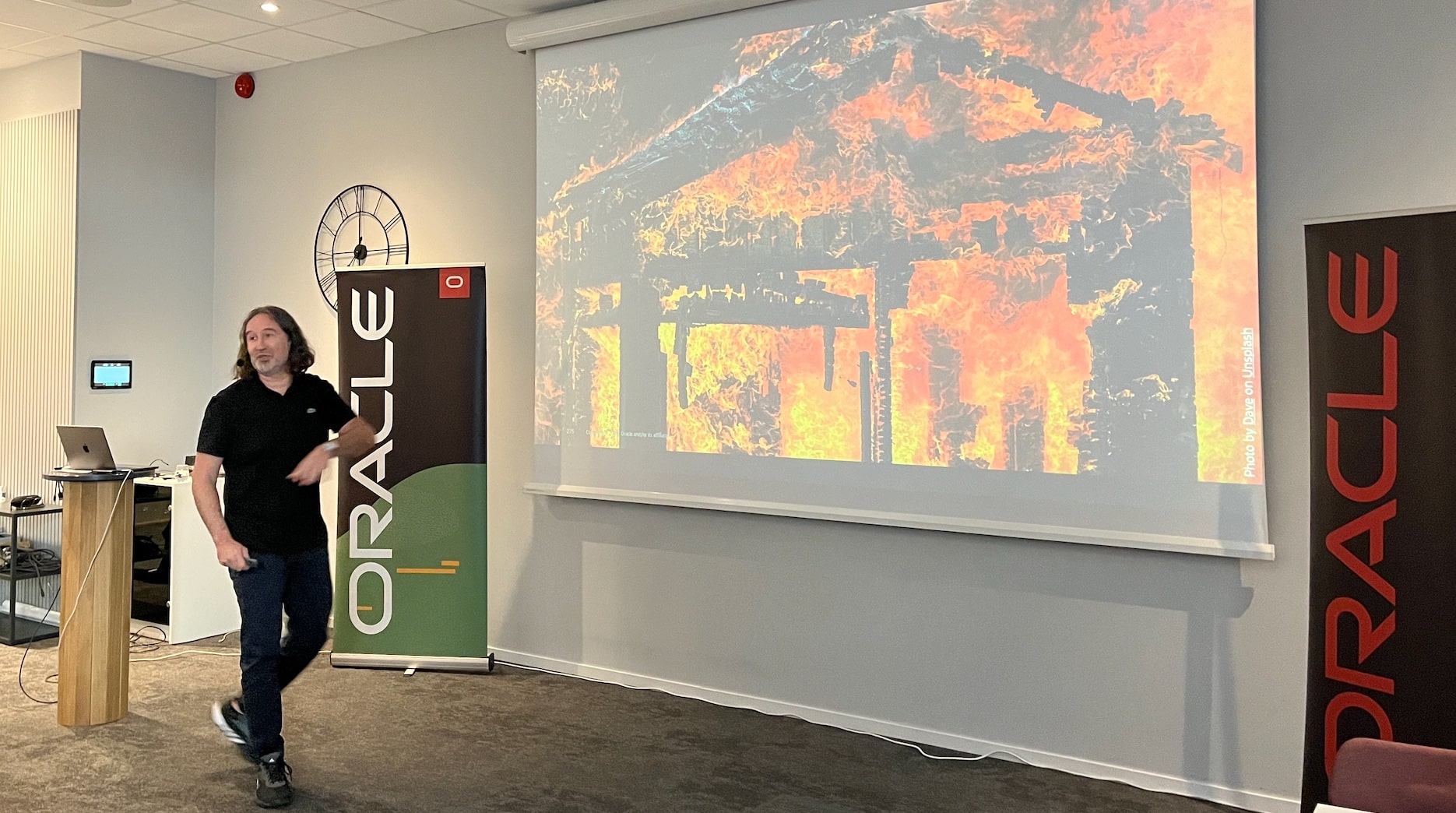
How do you avoid burning down the house when you upgrade? How do you avoid burning down the house when you upgrade?

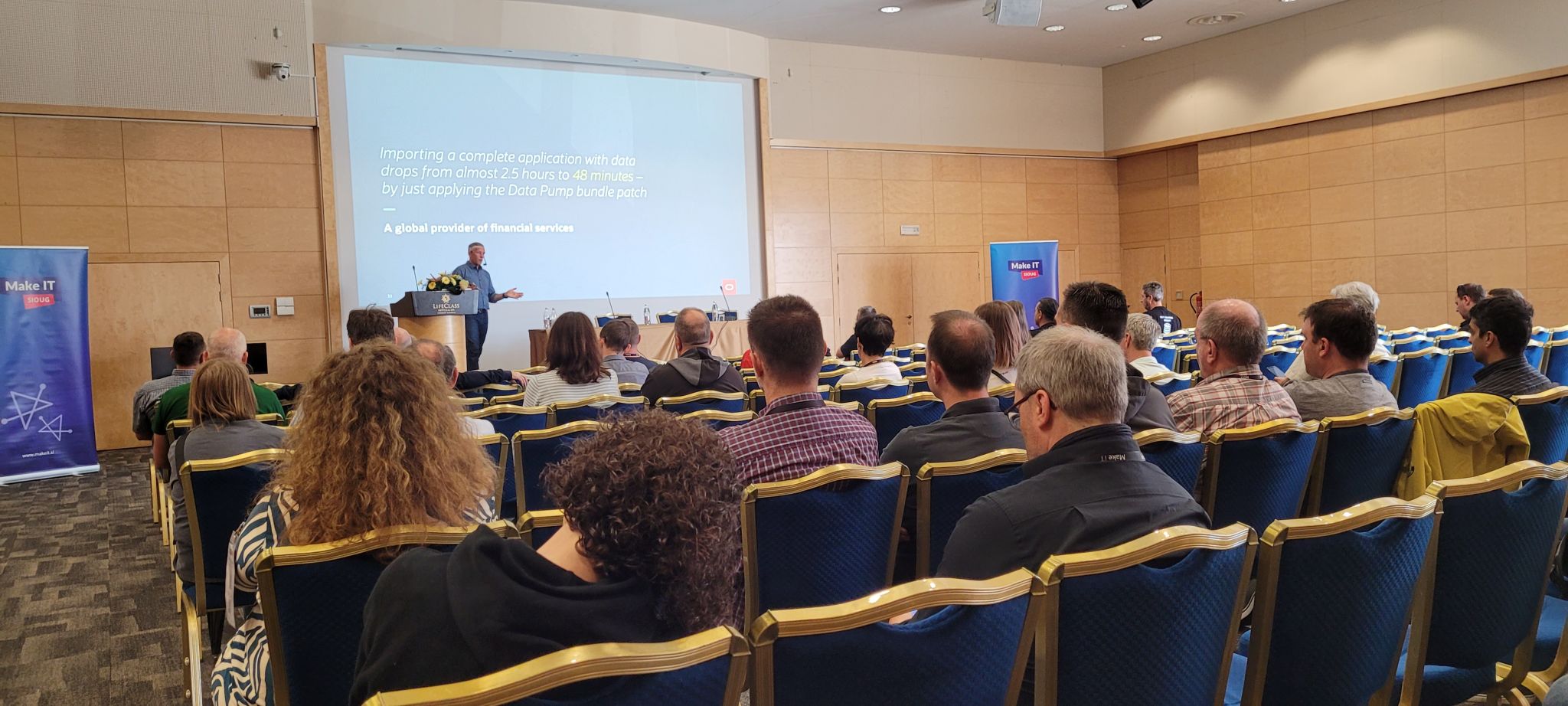
Attentive audience Great audience

Beautiful wheater for a take-off

How to Prepare Your Oracle Database for Release 23ai

Here is a list of things to check and carry out while preparing for Oracle Database 23ai.

These tasks are not mandatory, but I recommend them based on my experience. It increases your chance of upgrading with success.

Get ready for Oracle Database 23ai upgrade

Weeks Before

Platform Certification

Ensure that the new release supports your operating system. When available, you can check it in the installation guides. However, you can find the most up-to-date information in the Certifications tab in My Oracle Support.

Use Certifications tab in My Oracle Support to find up-to-date platform certifications

Clients

Check the clients connecting to the database and ensure their client driver version is compatible with Oracle Database 23ai. The client/server interoperability matrix gives you an overview of which clients work with which servers.

Optionally, monitor the database over time to generate a list of clients connecting.

AutoUpgrade

Get the latest version of AutoUpgrade from My Oracle Support. I recommend that you always use the latest version. AutoUpgrade is fully backward compatible, so any newer version can upgrade older releases of Oracle Database.

Upgrade Readiness

Run AutoUpgrade in analyze mode to determine the upgrade readiness of your Oracle Database. Check the summary report for findings with no fixups. Such findings must be dealt with manually.

You can run the analysis even before you install the new Oracle home. Simply specify target_version=23 in your AutoUpgrade config file, and AutoUpgrade knows which checks to run.

Dictionary Check

Check the dictionary on your most important databases. You can run a dictionary check together with an AutoUpgrade analysis. In your config file:

upg1.run_dictionary_health=full

Or, you can run it separately using DBMS_DICTIONARY_CHECK.

Behavior Changes

Review the upgrade guide to find information about deprecated and desupported features, plus any behavior changes.

Grid Infrastructure

If Grid Infrastructure manages your database either in RAC or Oracle Restart configuration, you should upgrade it as well. If you can tolerate an additional maintenance window, I’d recommend upgrading Grid Infrastructure in advance.

Days Before

Statistics

Gather dictionary and fixed objects statistics:

begin
   dbms_stats.gather_fixed_objects_stats;
   dbms_stats.gather_schema_stats('SYS');
   dbms_stats.gather_schema_stats('SYSTEM')
end;

I prefer gathering schema stats rather than dictionary stats. I’ve seen a few edge cases solved by schema stats, and generally, current stats on SYS and SYSTEM are sufficient.

Gather statistics no earlier than seven days before the upgrade. If AutoUpgrade determines your statistics are older than that, it will gather them as part of the upgrade. This extends down time unnecessarily.

If you’re curious, you can find details about the importance of fixed objects statistics in a blog post by Maria Colgan.

Install Oracle Home

Install an Oracle Database 23ai Oracle home. In release 23ai, the Oracle homes that you download are already patched with the latest Release Update.

If you have additional patches to apply, do so now. You should have all patches in place before you start the upgrade.

On the Day of Upgrade

Backup

If time allows, run a level 0 backup. If not, you have to settle with a level 1.

Scheduler

Normally, it is not necessary to disable the scheduler. But in some situations, it can be beneficial.

That’s It

You are now ready to start the journey to Oracle Database 23ai and the many exciting new features.

Happy upgrading!

How to Perform Standby-first Patch Apply When You Have Different Primary and Standby Databases in the Same Oracle Home

I am a big fan of Oracle Data Guard Standby-First Patch Apply. You can:

  • Reduce downtime to the time it takes to perform a switchover.
  • Test the patching procedure on the standby database.

I received an interesting question the other day:

I have the following two Data Guard configurations. I want to patch all the databases using standby-first patch apply. How do I do that when I have primary and standby databases running out of the same Oracle home on the same machine?

Overview of Data Guard standby-first environment

Requirements

In this case, the databases are on 19.17.0, and the customer wants to patch them to 19.23.0.

To use standby-first patch apply, you must meet a set of requirements, one being:

Data Guard Standby-First Patch Apply is supported between database patch releases that are a maximum of one year (1 year) apart based on the patch release date.

Here are the release dates of the following Release Updates:

  • 19.17.0: October 2022
  • 19.23.0: April 2024

So, in this case, the customer can’t use standby-first patch apply directly. There is a year and a half in between. They need to patch cycles in this case:

  • Patch to 19.21.0 (release October 2023)
  • Patch to 19.23.0 (release April 2024)

In the future, they should apply patches more often to avoid ending up in this situation again.

Patching Oracle Home

The customer has one Oracle home on each server from where both databases run. On any server, there is a primary and a standby database (from two different Data Guard configs).

The customer uses in-place patching. If they patch the entire Oracle home, it means one of the primary databases is now on a higher Oracle home than its standby database, which is not allowed. The standby database is the only one which may run on a higher patch level.

Using the above configuration with primary and standby databases running out of the same Oracle home, you can’t use in-place patching and standby-first patch apply.

The customer must switch to out-of-place patching to achieve this. Then you can patch standby databases first, then the primaries.

Plus, you get all the other benefits of out-of-place patching.

Datapatch

Once all the databases in a Data Guard configuration run in the new Oracle home, you still haven’t completed the patching process:

A patch or patch bundle is not considered fully installed until all of the following actions have occurred:

  • Patch binary installation has been performed to the database home on all standby systems.
  • Patch binary installation has been performed to the database home on the primary system.
  • Patch SQL installation, if required by the patch, has been performed on the primary database and the redo applied to the standby database(s).

You must do the above steps in the specified order, and the last step is to execute Datapatch:

$ $ORACLE_HOME/OPatch/datapatch

Step-by-step

You can use AutoUpgrade to patch Oracle Data Guard.

Happy Patching!

Oracle Database 23ai Is Here – Time to Sharpen Multitenant Skills

Last week Oracle announced the release of Oracle Database 23ai with many significant enhancements. It is available in Oracle Cloud Infrastructure but according to Release Schedule of Current Database Releases (Doc ID 742060.1) other platforms are following soon.

One important thing about Oracle Database 23ai is that it only supports the multitenant architecture. Once you upgrade beyond Oracle Database 19c, you must also convert your database to a pluggable database.

To give you the best possible starting point for the multitenant migration, our team has prepared two webinars about the multitenant architecture. Actually, we planned on just one. Still, we have so many things to share that we decided to make two webinars. When product managers get a chance to talk, they talk a lot!

Move to Oracle Database 23ai – Everything you need to know about Oracle Multitenant

Part 1

May 16, 14:00 CEST, 2024

  • Multitenant architecure
    • Introduction
    • Consolidation strategies
    • Benefits
  • Creation of container database
    • Recommendations
    • Parameters
  • Migration methods
    • Best practices
    • Data Guard
    • RAC
    • Transparent Data Encryption (TDE)
    • What to remember after migration
    • Rollback and fallback
    • Customer case

Part 2

June 27, 14:00 CEST, 2024

  • Operations
    • Cloning
    • Connecting
    • Running scripts
    • Resource Manager
    • Tips and tricks
    • Recommendations
    • Customer case
  • Patching
    • Entire CDB
    • Individual PDB
    • Recommendations
    • Datapatch
  • Upgrading
    • CDB upgrades
    • PDB upgrades (unplug-plug)
    • Replay upgrade
    • Best practices
    • Downgrade
    • Customer case

Sign Up

You can sign up here. My team (Mike, Rodrigo, Roy and Alex) will be there and answer all your questions. I promise we won’t end the webinar until there are no more questions.

If you miss the webinar, you can watch a recording later on our YouTube channel. Be sure to subscribe so you don’t miss out.

Even if you already use Oracle Database on multitenant architecture, I guarantee there are still new things to learn.

As always: All tech, no marketing!

It’s a Wrap – OUGN 2024

I just finished my presentation at OUGN 2024 conference in Oslo, Norway. Once again, it was held at the Rebel, which is an awesome location. Two intense days full of learning experiences.

It’s my second time at the conference, it I must give it my strongest recommedation. If you’re in Northen Europe, it’s an easy flight to Oslo and you really get great value for it.

The Slides

Introduction to Multitenant Architecture

What is multitenant? How does it differ from the non-CDB architecture. How can I move from non-CDB to a pluggable database? I answered all those questions and much more.

You should flip through the slides if you want an overview of the multitenant architecture.

Move to Oracle Database 23ai

This session and the slides help you prepare for the next long-term support release of Oracle Database.

More Multitenant

If you need to know more about multitenant, be sure to join our two webinars coming up in May and June.

Thanks

Thanks to the board of OUGN and the organizers for pulling yet another successful conference. Thanks to the sponsors making it all possible and to everyone who attended my sessions or the conference in general.

Impressions

The Dolerean

Beautiful sunset during the approach to Copenhagen Airport.

Show Me Your Upgrade Runbook and Let’s See What You Can Remove

Recently, I talked to a customer about upgrading Oracle Database. I was showing how you can get the most out of AutoUpgrade. The customer showed me their runbook, and together, we found several redundant tasks. AutoUpgrade already handled many of the checks and tasks.

Leave a comment and show me the tasks in your runbook. Let’s see if we can find something to remove.

What Did We Find At the Customer?

Before Upgrade

  • Purging recycle bin The customer actively used the recycle bin and manually purged it before upgrading. However, AutoUpgrade has a check on the recycle bin. From the prechecks log file:
    2024-04-17 10:15:51.775 INFO Running check PURGE_RECYCLEBIN [DB12] - CheckTrigger.call#96 
       EXECUTE IMMEDIATE 'SELECT COUNT(*) FROM sys.recyclebin$'
    
    And purges it – if needed – during prefixups. From the prefixups log file:
    2024-04-17 10:15:44.972 INFO Running fixup [PURGE_RECYCLEBIN][DB12][PLSQL][PURGE DBA_RECYCLEBIN
    2024-04-17 10:15:44.972 INFO [EB5A67] [PURGE DBA_RECYCLEBIN
    2024-04-17 10:15:44.976 INFO [EB5A67] Executing SQL [/* [EB5A67]  */PURGE DBA_RECYCLEBIN
    2024-04-17 10:15:45.316 INFO # PURGE_RECYCLEBIN - Check.runFix#292 
    2024-04-17 10:15:45.317 INFO Finished fixup [PURGE_RECYCLEBIN][DB12][SUCCESSFUL] - FixUpTrigger.executeFixUp#231 
    

After Upgrade

  • Execute catuppst.sql This script performs:

    … remaining upgrade actions that do not require that the database be open in UPGRADE mode

    AutoUpgrade handles this part for you. Here is an extract from the phase overview during upgrade:

    $ grep -B2 "catuppst"  dbupgrade/phase.log
    [phase 102] type is 1 with 1 Files
    
    @catuppst.sql
    
  • Recompiling objects The customer recompiled objects using utlrp.sql. This is usually not needed. By default, AutoUpgrade performs a recompilation in the postfixups phase unless you override the behavior with run_utlrp. Here is an extract from the autocompile log file found in the postfixups directory:

    13:12:42   6      select count(*) into cnt from sys.dba_objects
    13:12:42   7         where status = 'INVALID';
    13:12:42   8      IF cnt > 0 THEN
    13:12:42   9          :utlprp_name := '/u01/app/oracle/product/23.0.0.0/dbhome_2/rdbms/admin/utlprpom.sql 2';
    13:12:42  10          :utldtchk_name := '/u01/app/oracle/product/23.0.0.0/dbhome_2/rdbms/admin/utldtchk.sql';
    13:12:42  11      END IF;
    
  • Datapatch The customer executed Datapatch after a successful upgrade. The upgrade engine already does this as one of the very last phases. Here is an extract from upg_summary.log:

    Component                               Current         Full     Elapsed Time
    Name                                    Status          Version  HH:MM:SS
    
    ...
    Datapatch                                                        00:00:09
    
  • Gathering database statistics The customer already knew that AutoUpgrade gathers dictionary statistics and that they needed to gather fixed objects statistics after a while. But, they were gathering database statistics to refresh the statistics on their application schemas. Although this is a good idea in some cases, I would not recommend this. AutoUpgrade does not touch user data during a database upgrade, so if you had good statistics before the upgrade, they are also good after. The only case I can think of is upgrades from Oracle Database 11.2.0.4. Oracle Database introduced new histogram types in Oracle Database 12c, which could significantly benefit some databases.

    By the way, here is a handy trick to gather fixed objects statistics some time after the upgrade.

Conclusion

While working with this customer, we found several redundant items. Getting those items out of the runbook means less overall downtime – and a less complex upgrade. AutoUpgrade makes upgrading Oracle Database much easier.

Please leave a comment if there are tasks that AutoUpgrade should do for you.

Appendix

Further Reading

I Need Patch 35836860. Is It in 19.21.0?

The other day, someone asked:

I need the fix for bug 35836860 in my Oracle Database. I am planning to install the Release Update 19.21.0. How do I know if this Release Update includes the patch?

What is the easiest way to tell whether a Release Update contains a specific patch for Oracle Database?

How To

The easiest way to check for patch inclusion is ORAdiff.

I navigate to Included Fixes and Seach Fixes and input the bug number.

Finding patch inclusion information for a bug / patch in Oracle Database

Next, the report tells me that Release Update 19.22.0 includes this patch. All newer Release Update include this patch as well because Release Updates are always cumulative.

Finding patch inclusion information for a bug / patch in Oracle Database

I can even see that MRP 4 to 6 for 19.20.0 also includes this fix. For whatever strange reason, the MRPs for 19.21.0 do not include this fix. Here’s a video if you want to learn more about MRPs.

ORAdiff

Remember that ORAdiff is a free tool for anyone with an Oracle account.

If you need further tips on using ORAdiff, we have a playlist on our YouTube channel. Be sure to subscribe so you don’t miss out on anything.

Want More?

Since we are talking about patching Oracle Database, it might be good to refresh your knowledge with our webinar Oracle Database Release and Patching Strategy for 19c and 23ai.

Open the video on YouTube, and you can dive right into each individual chapter.

My Query Performs Horrible, Fix It!

Many years ago, I used to work as an operational DBA, and I remember colleagues asking the following:

My query runs very slow. The other day it all ran fine, but now it’s hanging. What’s going on? Fix it!

They might even start the occasional rant about relational doesn’t scale and all the other blah blah blah.

Sounds familiar? What if you could solve the problem by just running:

EXEC DBMS_SPM.ADD_VERIFIED_SQL_PLAN_BASELINE('<sql_id');

The query runs at warp speed again, and the users are happy.

In Oracle Database 19.22.0, that’s possible.

What’s Going On

The procedure uses SQL Plan Management: the best solution to ensure plan stability.

It will:

  • Search all your SQL tuning sets, including automatic SQL tuning sets, AWR, and cursor cache to find other plans for that SQL.
  • Test each of the plans to find the best one.
  • Create a SQL plan baseline with the best plan.

During the next execution, the database will use the best plan.

Problem solved!

SQL Plan Management

I’m a huge fan of SQL Plan Management. It is one of the most underrated features in Oracle Database.

What is your biggest fear when you upgrade? Often, the answer is changing plans. SQL Plan Management effectively solves that problem, and we recommend it as part of our performance stability prescription.

Afterwords

In fact, I’ve never been a performance expert. When I was tasked with a performance issue, I knew it would take a lot of time.

Over time, I found a better way of solving these issues. I would turn my chair and look directly into the wrinkled eyes of Frank, my trusted grey-haired colleague.

Using my cutest little puppy face and soft voice, young me would ask for advice and smoothly hand over the task to him.

But not everyone has a Frank in your office, so DBMS_SPM.ADD_VERIFIED_SQL_PLAN_BASELINE is very useful.

Experience and grey hair rock!

Further Reading

Are Your Oracle Database Clients Ready for the next Database Upgrade?

Each new Oracle Database release changes the client/server communication protocol. A newer protocol supports new features, strengthens security, and so forth. Before upgrading your Oracle Database, you must ensure your clients can connect afterward. If not, your clients may face:

ORA-28040: No matching authentication procotol error
ORA-03134: Connections to this server version are no longer supported

Oracle lists the supported clients in the client/server interoperability support matrix (Doc ID 207303.1). Take a look – it is probably the most colorful MOS note.

For Oracle Database 23ai, your clients must be version:

  • 23ai
  • 21c
  • 19c

How do you know if your clients are ready for the next release?

A Solution

The view V$SESSION_CONNECT_INFO lists the client driver and version of connected sessions. You can join V$SESSION to get more details.

SELECT PROGRAM, CLIENT_DRIVER, CLIENT_VERSION 
FROM   GV$SESSION S, GV$SESSION_CONNECT_INFO CI 
WHERE  S.SID=CI.SID AND S.SERIAL#=CI.SERIAL# 

Here’s is an example of how that data might look like:

PROGRAM CLIENT_DRIVER CLIENT_VERSION
oracle SERVER 19.20.0.0.0
MyApp.exe ODPM.NET : 19.1.0.0.0 19.1.0.0.0
MyApp.exe ODPU.NET : 19.21.0.0.0 19.21.0.0.0
MyApp2.exe (null) 19.21.0.0.0
emagent jdbcthin 12.1.0.2.0
SQL Developer jdbcthin : 21.4.0.0.0 21.4.0.0.0
java jdbcoci : 19.22.0.0.0 19.22.0.0.0
sqlplus SQL*PLUS 19.22.0.0.0
  • If I want to upgrade to Oracle Database 23ai, it looks good except for the emagent with a 12.1.0.2 driver.
  • When client driver is SERVER it is the database itself making connections. In this case, the scheduler was running jobs. You can disregard those entries.
  • The entry with client driver (null) was a thick OCI client used by a C++ program.

The above query gives an overview of the situation right now. But we need to persist the data to check all clients over time. We can solve that with a scheduler job.

If you monitor your database for weeks or a month, you should know which clients connect to your Oracle Database.

A high-five to my friend Frank for helping with some sample connection data.

The Code

Here’s a piece of code that creates a schema, a few objects, and a scheduler job.

The scheduler runs the job every 5 minutes. The job finds new connections, notes the client’s driver, and stores that info in a table.

Run the following code as SYS AS SYSDBA:

--Create a schema
DROP USER ORA_CLIENT_CHECK CASCADE;
CREATE USER ORA_CLIENT_CHECK NO AUTHENTICATION;

--Required privileges
GRANT SELECT ON GV_$SESSION TO ORA_CLIENT_CHECK;
GRANT SELECT ON GV_$SESSION_CONNECT_INFO TO ORA_CLIENT_CHECK;
ALTER USER ORA_CLIENT_CHECK DEFAULT TABLESPACE USERS;
ALTER USER ORA_CLIENT_CHECK QUOTA UNLIMITED ON USERS;

--View contains a current list of clients connected
CREATE VIEW ORA_CLIENT_CHECK.CURRENT_SESSIONS AS (
SELECT DISTINCT S.MACHINE, S.OSUSER, S.PROGRAM, S.MODULE, CLIENT_DRIVER, CLIENT_VERSION FROM GV$SESSION S, GV$SESSION_CONNECT_INFO CI WHERE S.SID=CI.SID AND S.SERIAL#=CI.SERIAL# AND CI.CLIENT_DRIVER != 'SERVER');

--Create a table to hold the result
CREATE TABLE ORA_CLIENT_CHECK.CONNECTED_SESSIONS AS SELECT * FROM ORA_CLIENT_CHECK.CURRENT_SESSIONS WHERE 1=0;

--Create a scheduler job that runs every 5 minutes
BEGIN
   DBMS_SCHEDULER.create_job (
      job_name        => '"ORA_CLIENT_CHECK"."GET_NEW_CONNECTIONS"',
      job_type        => 'PLSQL_BLOCK',
      job_action      => 'BEGIN MERGE INTO ORA_CLIENT_CHECK.CONNECTED_SESSIONS OLD USING (SELECT * FROM ORA_CLIENT_CHECK.CURRENT_SESSIONS) NEW ON (OLD.MACHINE=NEW.MACHINE AND OLD.OSUSER=NEW.OSUSER AND OLD.PROGRAM=NEW.PROGRAM AND OLD.MODULE=NEW.MODULE AND OLD.CLIENT_DRIVER=NEW.CLIENT_DRIVER AND OLD.CLIENT_VERSION=NEW.CLIENT_VERSION) WHEN NOT MATCHED THEN INSERT (MACHINE, OSUSER, PROGRAM, MODULE, CLIENT_DRIVER, CLIENT_VERSION) VALUES(NEW.MACHINE, NEW.OSUSER, NEW.PROGRAM, NEW.MODULE, NEW.CLIENT_DRIVER, NEW.CLIENT_VERSION); COMMIT; END;',
      start_date      => SYSTIMESTAMP,
      repeat_interval => 'freq=minutely; interval=5; bysecond=0;',
      end_date        => NULL,
      enabled         => TRUE,
      comments        => 'Checks for new connections and store the client version/driver to table.');
END;
/

Query the table to find clients that you must upgrade:

SELECT * 
FROM   ORA_CLIENT_CHECK.CONNECTED_SESSIONS;

The Limitations

  • The code monitors a single database only.

  • If you use Active Data Guard, you must consider the users that connect to the standby only. You can use DML redirect to send the data back to the primary database.

  • If you have a job that connects very seldom or connects for a very short time only, there is a risk that the code won’t capture it.

Other Ideas

Unified Auditing captures much information, but the client driver and version is not part of it. If you can’t sample from V$SESSION_CONNECT_INFO, this could be a viable solution.

You can use the below query to find a unique list of sessions and the program they used to connect. Then, you connect each host and manually ensure that the client driver is up-to-date:

SELECT DISTINCT userhost, program, client_program_name 
FROM   unified_audit_trail;

Of course, this requires you to have configured Unified Auditing.