Reflections On 2024

2024 is coming close to an end, and what a year!

What Happened In 2024?

  • 7 releases of AutoUpgrade which included many new features. The one I’m most proud of is AutoUpgrade Patching. Being able to patch a database with just one command is a great help.

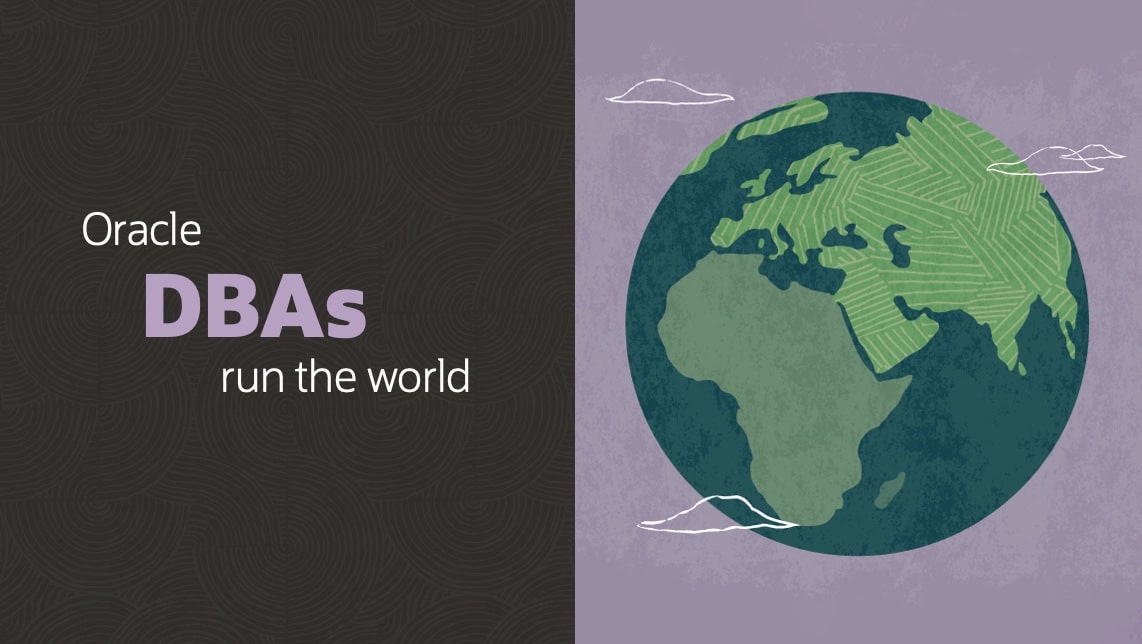
  • My team started the Oracle DBAs run the world appreciation campaign. The biggest and most important systems have an Oracle Database underneath and a DBA next to it. A lot happens in tech these days, and I think DBAs need more appreciation. If we meet at a conference, say hello and get a sticker with the slogan. Put the sticker on your bosses’ door, so they are constantly reminded.

    Oracle DBAs run the world

  • My most popular blog post was How to Patch Oracle Grid Infrastructure 19c Using In-Place OPatchAuto. But did you know there’s a much better way to patch Oracle Grid Infrastructure?

  • The most popular video on our YouTube channel was Virtual Classroom Seminar #19: Move to Oracle 23ai – Everything about Multitenant – PART 1. You spent more than 1.000 hours watching it. If you need more tech content, check out the other webinars. All tech, no marketing!

  • What’s your wish for 2025? Leave a comment to make it happen.

My Wishes For Next Year

  • I wish for even more customer feedback. If you have a good idea, please don’t hesitate to reach out. This enhancement and this one come from customer feedback. Your Feedback Matters!

  • I wish you try AutoUpgrade Patching when you patch your database in January next year (you do that, right?). At least use it to download patches. It’s so much easier than going through My Oracle Support.

  • I wish the world would be inspired by the Oracle community. Despite all our differences, we meet each other with an open mind and a smile. We share knowledge and work together towards the greater good. A big shout-out to the many volunteers that make our community thrive!

Get Ready By Stopping

When this blog post is out, I’ll already be on Christmas holiday (I started early this year). 😎🎄

I love working in tech, but you need time off to recharge your batteries. Especially as a DBA, you get frequent adrenalin kicks when making changes in production. 🪫🔌🔋

Wind down, spend time with family and friends, work on your hobby, listen to music, read a book, and learn something new. 🤗🎶📖

I’m sure 2025 will be just as awesome!

Fast Refresh Materialized Views and Migrations Using GoldenGate

Following the blog post about fast materialized views during transportable tablespace migrations, here’s a similar one for migrations using Oracle GoldenGate.

You can migrate using Oracle GoldenGate and avoid a complete refresh during downtime. Recent versions of Oracle GoldenGate can replicate materialized views and materialized view logs and in some cases a simple GoldenGate configuration will work fine.

However, if you are faced with a complex migration and the extract or replicat processes become a bottleneck, the below approach offers a fairly simple way to reduce the load on extract and replicat without having to perform a complete refresh during downtime.

The Basics

Like in the previous blog post, I will use an example based on a master table named SALES. If you need to catch up on materialized views, you can also check the previous blog post.

Overview of materialized view refresh process

Remote Master Table, Local Materialized View

In this example, you are migrating a database from source to target. This database holds the materialized view, and a remote database acts as the master database, where the master table and materialized view log reside.

Migrating a database which holds a materialized view that uses a remote master database

  1. In the source database, register the extract process and exclude the materialized view:
    TABLEEXCLUDE <schema>.SALES_MV
    
  2. If you configure DDL replication, I recommend excluding the materialized view and handling such changes in a different way:
    DDL EXCLUDE objtype 'snapshot'
    
  3. Perform the initial load on the target database.
    • This creates the materialized view and the database link to the remote database.
    • Start the replicat process.
  4. In the target database, perform a complete refresh of the materialized view:
    exec dbms_mview.refresh ('sales_mv','c');
    
    • This is before downtime, so who cares how long it takes to perform the complete refresh.
    • Although a fast refresh might be enough, it is better to be safe and avoid any problems with missing data.
    • You can configure a period fast refresh of the materialized view.
  5. In the remote database, both source and target databases have registered as materialized views.
    select owner, mview_site
    from dba_registered_mviews
    where name='SALES_MV';
    
  6. Downtime starts.
  7. Complete the migration tasks needed to move over to the target database. This is out of scope of this blog post.
  8. Shut down the source database.
  9. In the remote database, purge materialized view log entries that are related to the materialized view in the source database:
    exec dbms_mview.purge_mview_from_log('<mview-owner>', 'SALES_MV', '<source-db>');
    
  10. Unregister the materialized view in the source database:
    exec dbms_mview.unregister_mview('<mview-owner>', 'SALES_MV', '<source-db>');
    

If you want to reverse the application after moving to the target database and preserve the source database as a fallback, you postpone tasks 8-10.

Local Master Table, Remote Materialized View

In this example, you are migrating a database from source to target. This database holds the master table and materialized view log, while a remote database contains the materialized view.

Migrating a database which acts as master database holding a master table and materialized view log

  1. In the source database, register the extract process and include the master table, but exclude the materialized view log:
    TABLE <schema>.SALES
    TABLEEXCLUDE <schema>.MLOG$_SALES
    
  2. If you configure DDL replication, Oracle GoldenGate should automatically exclude the materialized view log. However, you can explicitly exclude it to be safe:
    DDL EXCLUDE objtype 'snapshot log'
    
  3. Perform the initial load on the target database.
    • This creates the master table and the materialized view log.
  4. In the target database, no remote database is using the master table yet. But replicat is keeping it up-to-date. However, the materialized view log might have orphan rows from the source database.
    • Drop and recreate the materialized view log.
  5. In the remote database, create a new database link to the target database and a new materialized view based on the master table in the target database.
    create database link ... using '<target-tns-alias>';
    create materialized view sales_mv2 ... ;
    
    • SALES_MV2 should look exactly like SALES_MV except that it fetches from the target database instead of the source database.
  6. Perform an initial complete refresh of SALES_MV2:
    exec dbms_mview.refresh ('sales_mv2','c');
    
    • The materialized view is not used by queries yet, so who cares how long it takes to perform the complete refresh.
    • You can configure a periodic refresh of the materialized view.
  7. Create a synonym that initially points to SALES_MV – the materialized view based on the source database. You will change it later on.
    create synonym sales_syn for sales_mv;
    
  8. Change your queries to reference SALES_SYN instead of SALES_MV directly.
    • You do this in a controlled manner ahead of the downtime window.
    • You can use auditing to detect usages of the materialized view (SALES_MV) and change all of them to use the synonym (SALES_SYN). Displaying the use of synonyms
  9. Downtime starts.
  10. Complete the migration tasks needed to move over to the target database. This is out of scope of this blog post.
  11. In the remote database, change the synonym to point to the materialized view that accesses the target database.
    create or replace synonym sales_syn for sales_mv2;
    
    • No application changes are needed because you made the applications use the synonym instead.
    • When you change the synonym to point to the new materialized view, this change is completely transparent to the application. Displaying the use of synonyms
  12. Drop the materialized view that accesses the source database.
    drop materialized view sales_mv;
    
  13. Shut down the source database.

If you want to reverse the application after moving to the target database and preserve the source database as a fallback, you postpone tasks 12-13.

If you can’t change the application to use the synonym (with a different name), then there’s another approach:

  • Keep accessing the SALES_MV until the downtime window. Don’t create the synonym yet.
  • Drop the original materialized view: drop materialized view sales_mv.
  • Create the synonym: create synonym sales_mv for sales_mv2.

Local Master Table, Local Materialized View

In this example, you are migrating a database from source to target. This database holds the master table, the materialized view log, and the materialized view. There is no remote database involved.

Migrating a database which acts as master database holding a master table and materialized view log

  1. In the source database, register the extract process and include the master table, but exclude the materialized view and materialized view log:
    TABLE <schema>.SALES
    TABLEEXCLUDE <schema>.SALES_MV
    TABLEEXCLUDE <schema>.MLOG$_SALES
    
  2. If you configure DDL replication, I recommend excluding the materialized view and materialized view log and handling such changes in a different way:
    DDL EXCLUDE objtype 'snapshot', EXCLUDE objtype 'snapshot log'
    
  3. Perform the initial load on the target database.
    • This creates the master table, the materialized view, and the materialized view log.
  4. In the target database, the replicat process replicates changes to the master table. No replication takes place on the materialized view or the materialized view log.
  5. Perform an initial complete refresh of SALES_MV:
    exec dbms_mview.refresh ('sales_mv','c');
    
    • The refresh uses the master table in the target database. The replicat process is keeping the master table up-to-date.
    • The materialized view is not used by queries yet, so who cares how long it takes to perform the complete refresh.
    • You can configure a periodic refresh of the materialized view.
  6. Downtime starts.
  7. Complete the migration tasks needed to move over to the target database. This is out of scope of this blog post.
  8. Shut down the source database.
  9. Keep an eye on the materialized view log (MLOG$_SALES) and ensure it doesn’t grow beyond reason.

If you want to reverse the application after moving to the target database and preserve the source database as a fallback, you postpone task 8.

Further Reading

How to Patch Oracle Restart 19c and Oracle Data Guard Using Out-Of-Place Switch Home

I strongly recommend that you always patch out-of-place. Here’s an example of how to do it on Oracle Restart and Oracle Data Guard.

This procedure is very similar to patching without Oracle Data Guard, so I’ll often refer to a previous blog post.

My demo system

  • Data Guard setup with two single instance databases in Oracle Restart configuration
  • GI and database home are currently on 19.24

I want to:

  • patch to 19.25
  • patch both the GI and database home in one operation

Preparation

  • I download the same patches are mentioned in the Preparations.

  • I place the software in /u01/software which is an NFS share accessible to both servers.

How to Patch Oracle Restart 19c and Oracle Database

1. Prepare a New GI Home

I can do this in advance. It doesn’t affect my current environment and doesn’t cause any downtime.

2. Prepare a New Database Home

I can do this in advance. It doesn’t affect my current environment and doesn’t cause any downtime.

3. Prepare Database

I can do this in advance. It doesn’t affect my current environment and doesn’t cause any downtime.

4. Standby Database: Switch to the New GI and Database Homes

Now, I can complete the patching process on the standby database by switching to the new Oracle homes.

  • I perform 4. Switch to the New GI and Database Homes on the standby host.

  • There is no downtime on the primary database. But the standby database will be shortly down which might mean something to you if you use Active Data Guard.

  • I make sure the standby database is brought back to the desired mode (mount or open). I check redo apply is running.

5. Primary Database: Switch to the New GI and Database Homes

Next, I can complete the patching process on the primary database by switching to the new Oracle homes.

6. Complete Patching

Now, both databases in my Data Guard configuration run out of the new Oracle Homes.

Only proceed with this step once all databases run out of the new Oracle Home.

That’s it! I have now patched my Oracle Restart and Data Guard deployment.

Happy Patching!

Appendix

Check the appendix in the related blog post for additional information and troubleshooting.

Further Reading

Other Blog Posts in This Series

Goodbye X, Hello Bluesky

Do you remember the good, ol’ days when we could discuss tech on Twitter? Without all the ads and the craziness that X turned into?

I miss those days.

But I hope to experience them again on Bluesky. Find me on Bluesky and let’s start talking tech again.

https://bsky.app/profile/dohdatabase.com

Bluesky

So far, Bluesky appears like Twitter did in the old days. It’s free and without all the ads and bots that are on X these days.

There is a growing Oracle community on Bluesky. A good number of Product Managers from Oracle, Oracle ACEs, and other significant voices in the community have joined already.

Gerald Venzl has made a starter pack with people you could follow. That should get you started on Bluesky quickly:

Give it a try!

I hope to see you on Bluesky

An Important Milestone

This is the 200th blog post on dohdatabase.com.

Take that, Sinan. Here’s my blog post number 200!

For a while, my good friend Sinan and I have been racing to the 200th blog post.

He has more page hits than me, but luckily the bet was on number of posts. Sinan, you owe me one.

My prize

The History

I started at Oracle almost five years ago, and I was encouraged by my boss, Mike Dietrich, to start a blog.

With 200 blog posts and almost five years at Oracle, that’s almost a blog post a week. I’m proud of that. Page hits doubled last year and this year will see some good growth as well.

What does that mean? I’m helping people!

I like helping people and it is my job. But blogging is some times hard – so I need fuel. That fuel is feedback.

No More Navel-gazing

For a content creator like me, feedback is essential for many reasons:

  • It is my fuel. Knowing that my blog posts help you is what helps me to put in the extra effort it takes to blog.
  • Your comments make my blog posts even better. Often, I’ve re-written blog posts based on your feedback.
  • Your tricky questions make me learn new learn new things. I’m above to deep-dive into Oracle Restart because you’re asking for it.
  • Your ideas help me shape the requirements for the next features in Oracle Database. The next version of AutoUpgrade can upgrade the RMAN catalog as part of a database upgrade – because a user gave me that good idea.
  • Your complaints help me understand how we can improve our product. Today, a user reported an error to us, which led to a new pre-check in AutoUpgrade.
  • Your likes are a quick (but sometimes needed) dosis feel-good.
  • Your re-posts and comments on social media boost my reach and enable me to help even more people in the Oracle community.

Your Feedback Matters!

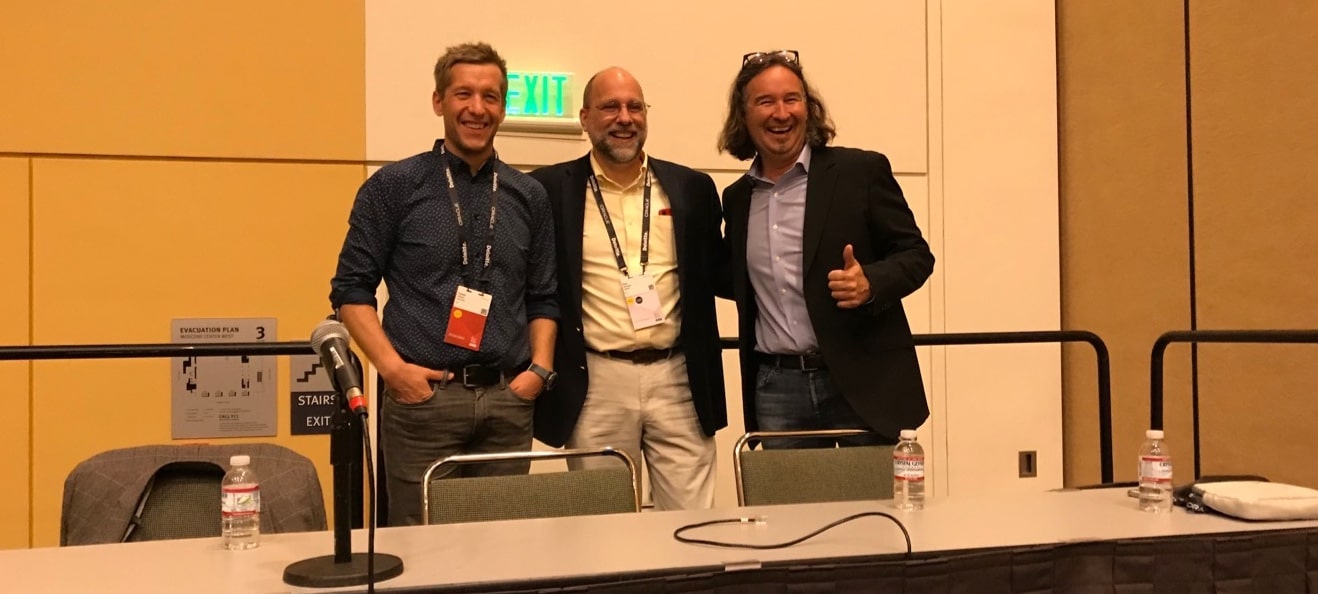
I first got in touch with my current boss, Mike, through a comment I left on his blog. This led to cooperation between my former employer and Oracle. Our cooperation turned into beta and reference projects and peaked – for me personally – when I presented with Mike and Roy at Oracle OpenWorld.

Oracle OpenWorld presentation with Mike and Roy

You never know what your feedback will end up with.

Thanks for staying with me for the first 200 blog posts. Here’s to the next 200 blog posts!

Your Feedback Matters!

Big Patching News Ahead

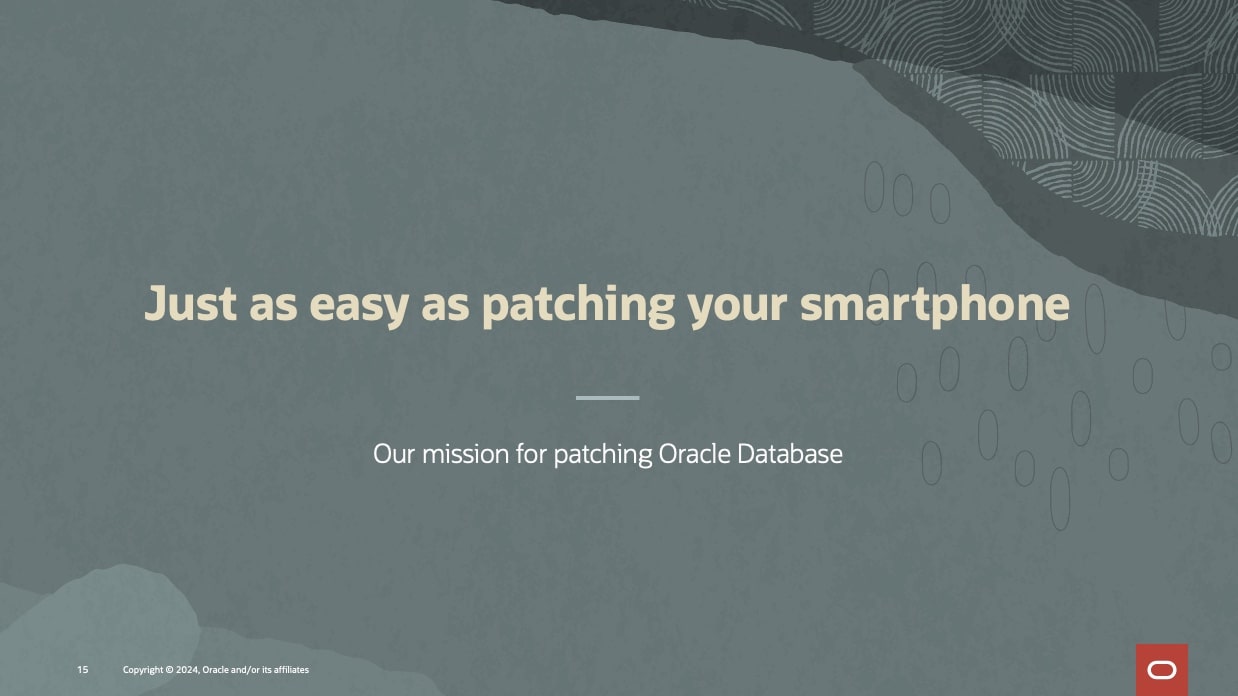
Over the last months, our team has been working hard to finish the next evolution of AutoUpgrade which will make patching Oracle Database much easier. Evolution is a big word, but I really think this is a giant leap forward.

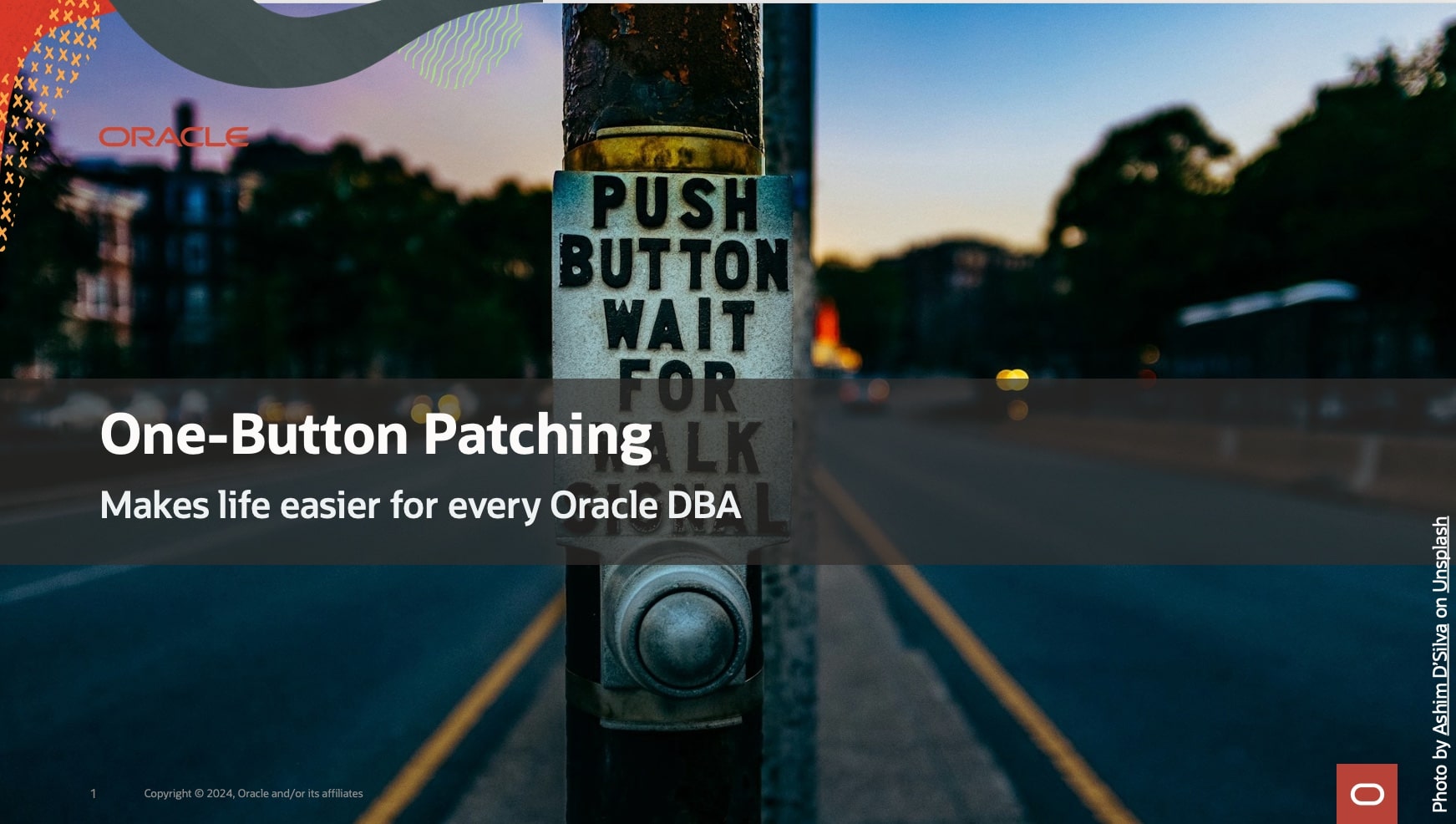
One-Button Patching – makes life easier for every Oracle DBA

We promise you one-button patching of your Oracle Database (except that there’s no button to push, but rather just one command 😀).

Imagine you want to patch your Oracle Database. You run one command:

java -jar autoupgrade.jar -config mydb.cfg -patch -mode deploy

And AutoUpgrade does everything for you:

  1. Download the recommended patches
  2. Install a new Oracle home
  3. Patch the Oracle Database That sounds interesting, right? You can learn much in our next webinar on Thursday, 24 October, 14:00 CEST. SIGN UP NOW!

Our mission to make Oracle Database patching easier

What If?

I know some of you are already thinking:

What if my database is not connected to the internet?

Don’t worry – we thought about that and a lot more. If you have any questions, I promise that we won’t end the webinar until all questions are answered.

Teaser

If you can’t wait, here’s a little teaser.

See you on Thursday.

Can I Name My PDB in Lowercase?

A customer asked me:

I’m using AutoUpgrade to convert to a PDB, and I want to name the PDB in lowercase. How do I do that?

First, let’s understand how AutoUpgrade decides on the name for the PDB when you convert a non-CDB.

AutoUpgrade and PDB Name

AutoUpgrade uses the DB_UNIQUE_NAME of the non-CDB as the name of the PDB.

In the beginning, AutoUpgrade used the SID of the database, but that wasn’t smart for a RAC database since the SID is suffixed by the instance ID.

Now, DB_UNIQUE_NAME might not be smart for a Data Guard configuration, but that’s how it is at the moment. We have a better solution on our backlog.

Anyway, you can override the default and choose the PDB name with the target_pdb_name config file parameter:

upg1.source_home=/u01/app/oracle/product/19
upg1.target_home=/u01/app/oracle/product/23
upg1.sid=DB19
upg1.target_cdb=CDB23
upg1.target_pdb_name.DB19=SALES
  • In the above case, AutoUpgrade renames the DB19 to SALES during plug-in.

If you write sales in lowercase, AutoUpgrade converts it to uppercase. If you put quotes around “sales”, AutoUpgrade throws an error.

AutoUpgrade accepts uppercase PDB names only. Why?

PDB Naming Rules

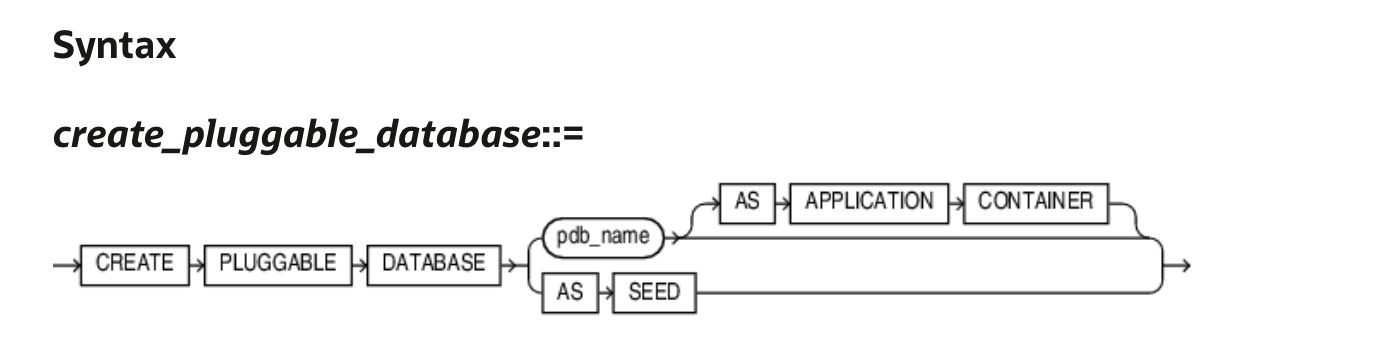
Let’s take a look in the documentation. I’ll find the CREATE PLUGGABLE DATABASE statement.

Syntax diagram for the CREATE PLUGGABLE DATABASE statement

The semantics for pdb_name lists:

The name must satisfy the requirements listed in “Database Object Naming Rules”. The first character of a PDB name must be an alphabet character. The remaining characters can be alphanumeric or the underscore character (_).

Let’s take a look at the Database Object Naming Rules:

… However, database names, global database names, database link names, disk group names, and pluggable database (PDB) names are always case insensitive and are stored as uppercase. If you specify such names as quoted identifiers, then the quotation marks are silently ignored. …

  • Names of disk groups, pluggable databases (PDBs), rollback segments, tablespaces, and tablespace sets are limited to 30 bytes.

So, AutoUpgrade is just playing by the rules.

The Answer

So, the answer is that the database use PDB names in alphanumeric uppercase. AutoUpgrade knows this and automatically converts to uppercase. The customer must accept that PDB names are uppercase.

These are the requirements for the PDB names

  • First character must be an alphabet character.
  • The name must be all uppercase.
  • The name can contain alphanumeric (A-Z) and the underscore (_) characters.
  • No longer than 30 bytes.
  • Don’t try to enquoute the name.
  • Nonquoted identifiers (like PDB names) cannot be Oracle SQL reserved words.
  • The PDB name must be unique in the CDB, and it must be unique within the scope of all the CDBs whose instances are reached through a specific listener.

Daniel’s Recommendation

I recommend that you use globally unique PDB names. In your entire organization, no PDBs have the same name. That way, you can move PDBs around without worrying about name collisions.

I know one customer that generates a unique number and prefix with P:

  • P00001
  • P00002
  • P00003

They have a database with a simple sequence and a function that returns P concatenated with the sequence number. The expose the function in their entire organization through a REST API using ORDS. Simple and yet elegant.

Final Words

I’ve spent more than 20 years working with computers. I have been burnt by naming issues so many times that I’ve defined a law: Daniel’s law for naming in computer science:

  • Use only uppercase alphanumeric characters
  • US characters only (no special Danish characters)
  • Underscores are fine
  • Never use spaces
  • Don’t try to push your luck when it comes to names :-)

Finish 2024 With Great Tech Learning

I am speaking at the DOAG 2024 Conference + Exhibition in Nuremberg, Germany, on November 19-22. The organizers told me that the agenda was now live, so I went to check it out.

DOAG 2024 conference

This is an amazing line-up of world-class speakers, tech geeks, top brass, and everything in between.

Why don’t you finish 2024 by sharpening your knowledge and bringing home a wealth of ideas that can help your business get the most out of Oracle Database?

The Agenda

It is a German conference, and many sessions are in German. However, since there are many international speakers, there are also many sessions in English.

Take a look at the English agenda yourself.

There are many product managers and executives from Oracle and a good amount of Oracle ACEs. The German community also has many notable speakers.

This is your guarantee for top-notch content.

What Else

The ticket gets you:

  • Access to three conference days with keynotes, sessions, and exhibition area.
  • Reception in the exhibition in the evening.
  • Community evening, including food and drinks.
  • Fare Well, including drinks (November 21, 2024).
  • Conference catering on all conference days
  • Usually, they also record many sessions so you can watch them later.

If that’s not enough:

  • The best conference-coffee ever (check the Mercator lounge).
  • They serve top-notch pretzels as a snack (just ensure you get some earlier; they disappear pretty quick).

Pretzels

The Cost

If you’re based in Europe, getting to Nuremberg by train or plane is fairly inexpensive.

  • Conference: 1950 €
  • Hotel: 100 € a night
  • Train/plane: 100-200 €

You don’t have to spend much on food because that’s included in the conference.

Ask your employer to invest 2500 € in you. I will personally guarantee that it is worth the money.

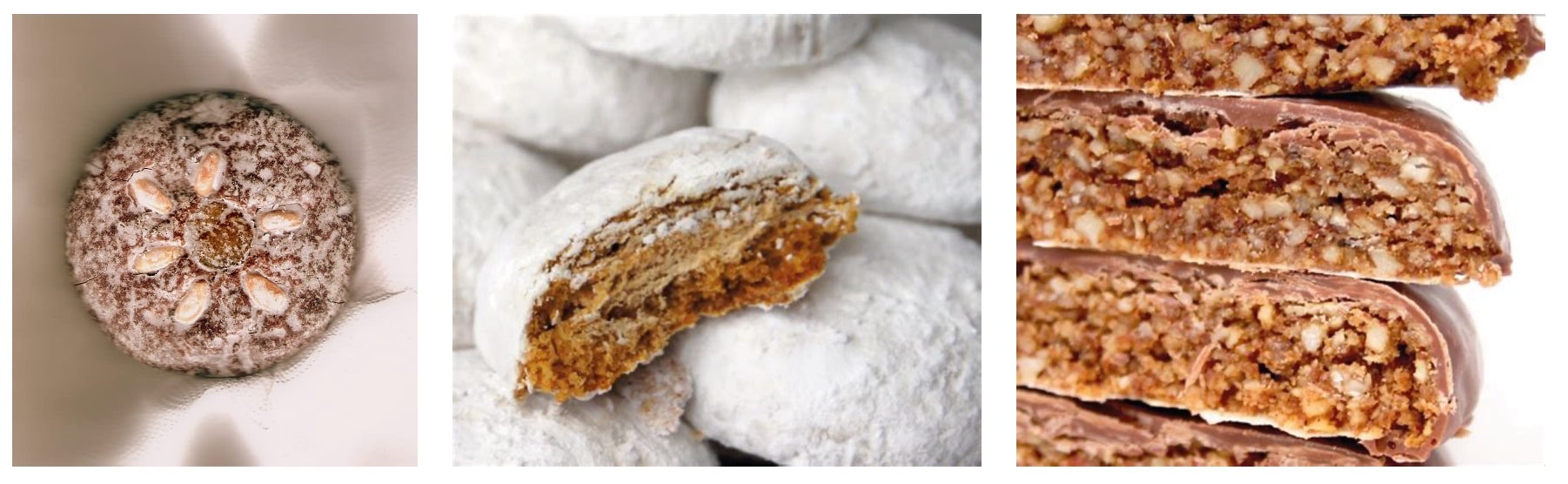
You should probably also throw in a few of your own money and bring home some lebkuchen for your boss and colleagues. They’ll appreciate it.

German lebkuchen

I hope to see you at DOAG 2024 Conference + Exhibition.

How to Solve DCS-12300:Failed to Clone PDB During Remote Clone (DBT-19407)

A customer reached out to me:

I want upgrade a PDB from Oracle Database 19c to 23ai. It’s in a Base Database Service in OCI. I use the Remote clone feature in the OCI console but it fails with DCS-12300 because IMEDIA component is installed.

The task:

  • Clone a PDB using the OCI Console Remote clone feature
  • From a CDB on Oracle Database 19c to another CDB on Oracle Database 23ai
  • Upgrade the PDB to Oracle Database 23ai

Let’s see what happens when you clone a PDB:

Error message from OCI console when remote cloning a PDB to 23ai using cloud tooling

It fails, as explained by the customer.

Let’s dig a little deeper. Connect as root to the target system and check the DCS agent.

$ dbcli list-jobs

ID                                       Description                                                                 Created                             Status
---------------------------------------- --------------------------------------------------------------------------- ----------------------------------- ----------
...
6e1fa60c-8572-4e08-ba30-cafb705c195e     Remote Pluggable Database:SALES from SALES in db:CDB23                      Tuesday, September 24, 2024, 05:04:13 UTC Failure

$ dbcli describe-job -i 6e1fa60c-8572-4e08-ba30-cafb705c195e

Job details
----------------------------------------------------------------
                     ID:  6e1fa60c-8572-4e08-ba30-cafb705c195e
            Description:  Remote Pluggable Database:SALES from SALES in db:CDB23
                 Status:  Failure
                Created:  September 24, 2024 at 5:04:13 AM UTC
               Progress:  35%
                Message:  DCS-12300:Failed to clone PDB SALES from remote PDB SALES. [[FATAL] [DBT-19407] Database option (IMEDIA) is not installed in Local CDB (CDB23).,
 CAUSE: The database options installed on the Remote CDB(CDB19_979_fra.sub02121342350.daniel.oraclevcn.com) m
             Error Code:  DCS-12300
                  Cause:  Error occurred during cloning the remote PDB.
                 Action:  Refer to DCS agent log, DBCA log for more information.

...

What’s Going on?

First, IMEDIA stands for interMedia and is an old name for the Multimedia component. The ID of Multimedia is ORDIM.

Oracle desupported the Multimedia component:

Desupport of Oracle Multimedia Oracle Multimedia is desupported in Oracle Database 19c, and the implementation is removed. … Oracle Multimedia objects and packages remain in the database. However, these objects and packages no longer function, and raise exceptions if there is an attempt made to use them.

In the customer’s and my case, the Multimedia component is installed in the source PDB, but not present in the target CDB. The target CDB is on Oracle Database 23ai where this component is completely removed.

If you plug in a PDB that has more components than the CDB, you get a plug-in violation, and that’s causing the error.

Here’s how you can check whether Multimedia is installed:

select   con_id, status 
from     cdb_registry 
where    comp_id='ORDIM' 
order by 1;

Solution 1: AutoUpgrade

The best solution is to use AutoUpgrade. Here’s a blog post with all the details.

AutoUpgrade detects that multimedia is already present in the preupgrade phase. Here’s an extract from the preupgrade log file:

INFORMATION ONLY
  ================
    7.  Follow the instructions in the Oracle Multimedia README.txt file in <23
      ORACLE_HOME>/ord/im/admin/README.txt, or MOS note 2555923.1 to determine
      if Oracle Multimedia is being used. If Oracle Multimedia is being used,
      refer to MOS note 2347372.1 for suggestions on replacing Oracle
      Multimedia.

      Oracle Multimedia component (ORDIM) is installed.

      Starting in release 19c, Oracle Multimedia is desupported. Object types
      still exist, but methods and procedures will raise an exception. Refer to
      23 Oracle Database Upgrade Guide, the Oracle Multimedia README.txt file
      in <23 ORACLE_HOME>/ord/im/admin/README.txt, or MOS note 2555923.1 for
      more information.

When AutoUpgrade plugs in the PDB with Multimedia, it’ll see the plug-in violation. But AutoUpgrade is smart and knows that Multimedia is special. It knows that during the upgrade, it will execute the Multimedia removal script. So, it disregards the plug-in violation until the situation is resolved.

AutoUpgrade also handles the upgrade, so it’s a done deal. Easy!

Solution 2: Remove Multimedia

You can also manually remove the Multimedia component in the source PDB before cloning.

I grabbed these instructions from Mike Dietrich’s blog. They work for a 19c CDB:

cd $ORACLE_HOME/rdbms/admin
#First, remove ORDIM in all containers, except root
$ORACLE_HOME/perl/bin/perl catcon.pl -n 1 -C 'CDB$ROOT' -e -b imremdo_pdbs -d $ORACLE_HOME/ord/im/admin imremdo.sql
#Recompile
$ORACLE_HOME/perl/bin/perl catcon.pl -n 1 -e -b utlrp -d '''.''' utlrp.sql
#Last, remove ORDIM in root
$ORACLE_HOME/perl/bin/perl catcon.pl -n 1 -c 'CDB$ROOT' -e -b imremdo_cdb -d $ORACLE_HOME/ord/im/admin imremdo.sql
#Recompile
$ORACLE_HOME/perl/bin/perl catcon.pl -n 1 -e -b utlrp -d '''.''' utlrp.sql
#Remove leftover package in all containers
echo "drop package SYS.ORDIMDPCALLOUTS;" > vi dropim.sql
$ $ORACLE_HOME/perl/bin/perl $ORACLE_HOME/rdbms/admin/catcon.pl -n 1 -e -b dropim -d '''.''' dropim.sql

Without the Multimedia component cloning via the cloud tooling works, but you are still left with a PDB that you attend to.

If you’re not using AutoUpgrade, you will use a new feature called replay upgrade. The CDB will see that the PDB is a lower-version and start an automatic upgrade. However, you still have some manual pre- and post-upgrade tasks to do.

One of the reasons I prefer using AutoUpgrade.

Further Reading

For those interested, here are a few links to Mike Dietrich’s blog on components and Multimedia in particular:

Our Real World Database Upgrade and Migration Workshop Is Back on the Road

Now that Oracle CloudWorld 2024 is over, we have time to spare, so it is time to re-ignite our full-day workshop:

Real World Database Upgrade and Migration 19c and 23ai

Next stops on our tour:

Workshops coming to Berlin, Zurich, and Oslo

Click on the city name to sign up – for free! Save your seat before the workshop fills up.

Mike Dietrich, Rodrigo Jorge, and I will present in English. It is an in-person event only.

What Is It?

It is your chance to meet with our product management team for a full day:

  • How to take full advantage of the new features and options in Oracle Database 19c and 23ai
  • The smoothest and fully unattended migration to the CDB architecture
  • Real World Best Practices and Customer Cases
  • Database and Grid Infrastructure Patching Best Practices
  • Performance Stability Prescription and Tips
  • The coolest new features in Oracle Database 23ai for DBAs and Developers

From a previous workshop

I hope to see you there.

All tech, no marketing!