
Big Patching News Ahead

Over the last months, our team has been working hard to finish the next evolution of AutoUpgrade which will make patching Oracle Database much easier. Evolution is a big word, but I really think this is a giant leap forward.

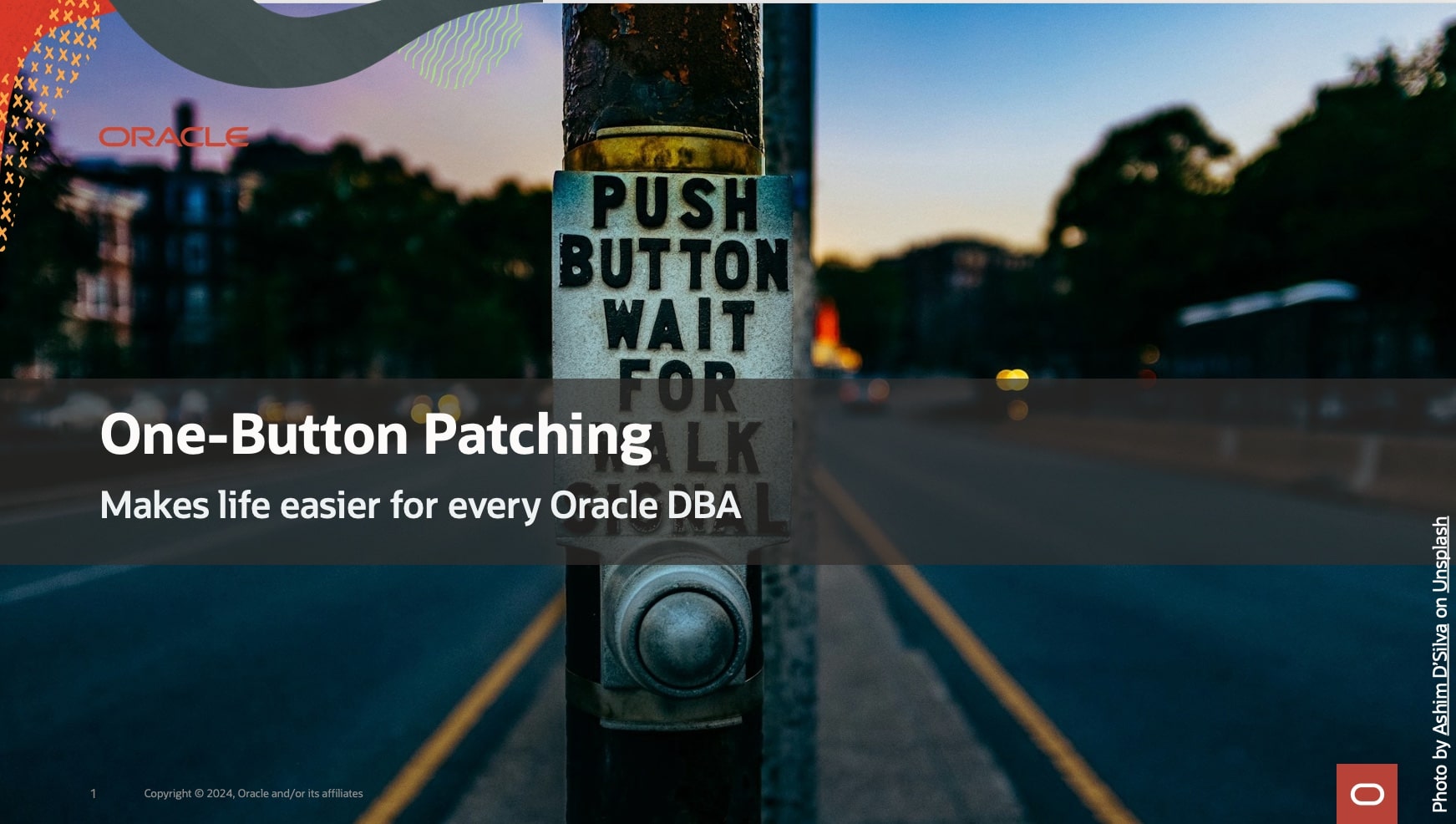
One-Button Patching – makes life easier for every Oracle DBA

We promise you one-button patching of your Oracle Database (except that there’s no button to push, but rather just one command 😀).

Imagine you want to patch your Oracle Database. You run one command:

java -jar autoupgrade.jar -config mydb.cfg -patch -mode deploy

And AutoUpgrade does everything for you:

  1. Download the recommended patches
  2. Install a new Oracle home
  3. Patch the Oracle Database That sounds interesting, right? You can learn much in our next webinar on Thursday, 24 October, 14:00 CEST. SIGN UP NOW!

Our mission to make Oracle Database patching easier

What If?

I know some of you are already thinking:

What if my database is not connected to the internet?

Don’t worry – we thought about that and a lot more. If you have any questions, I promise that we won’t end the webinar until all questions are answered.

Teaser

If you can’t wait, here’s a little teaser.

See you on Thursday.

Can I Name My PDB in Lowercase?

A customer asked me:

I’m using AutoUpgrade to convert to a PDB, and I want to name the PDB in lowercase. How do I do that?

First, let’s understand how AutoUpgrade decides on the name for the PDB when you convert a non-CDB.

AutoUpgrade and PDB Name

AutoUpgrade uses the DB_UNIQUE_NAME of the non-CDB as the name of the PDB.

In the beginning, AutoUpgrade used the SID of the database, but that wasn’t smart for a RAC database since the SID is suffixed by the instance ID.

Now, DB_UNIQUE_NAME might not be smart for a Data Guard configuration, but that’s how it is at the moment. We have a better solution on our backlog.

Anyway, you can override the default and choose the PDB name with the target_pdb_name config file parameter:

upg1.source_home=/u01/app/oracle/product/19
upg1.target_home=/u01/app/oracle/product/23
upg1.sid=DB19
upg1.target_cdb=CDB23
upg1.target_pdb_name.DB19=SALES
  • In the above case, AutoUpgrade renames the DB19 to SALES during plug-in.

If you write sales in lowercase, AutoUpgrade converts it to uppercase. If you put quotes around “sales”, AutoUpgrade throws an error.

AutoUpgrade accepts uppercase PDB names only. Why?

PDB Naming Rules

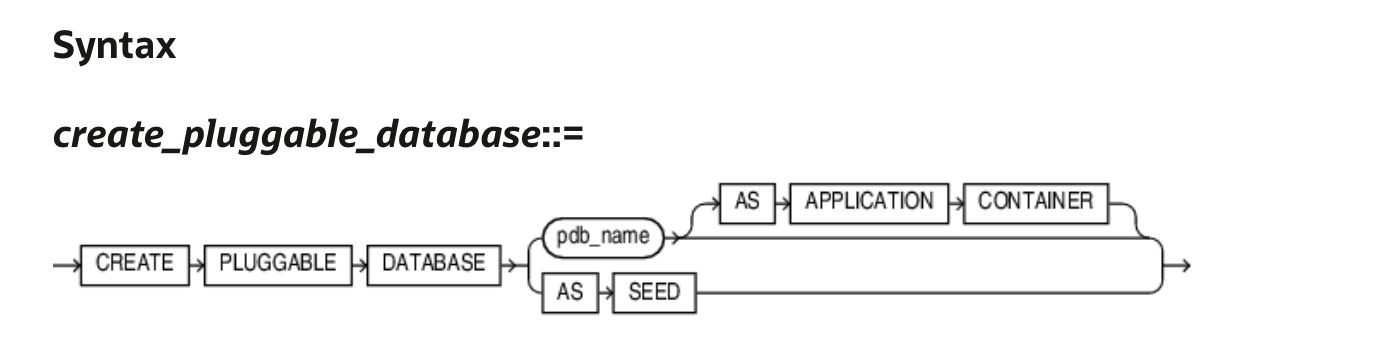
Let’s take a look in the documentation. I’ll find the CREATE PLUGGABLE DATABASE statement.

Syntax diagram for the CREATE PLUGGABLE DATABASE statement

The semantics for pdb_name lists:

The name must satisfy the requirements listed in “Database Object Naming Rules”. The first character of a PDB name must be an alphabet character. The remaining characters can be alphanumeric or the underscore character (_).

Let’s take a look at the Database Object Naming Rules:

… However, database names, global database names, database link names, disk group names, and pluggable database (PDB) names are always case insensitive and are stored as uppercase. If you specify such names as quoted identifiers, then the quotation marks are silently ignored. …

  • Names of disk groups, pluggable databases (PDBs), rollback segments, tablespaces, and tablespace sets are limited to 30 bytes.

So, AutoUpgrade is just playing by the rules.

The Answer

So, the answer is that the database use PDB names in alphanumeric uppercase. AutoUpgrade knows this and automatically converts to uppercase. The customer must accept that PDB names are uppercase.

These are the requirements for the PDB names

  • First character must be an alphabet character.
  • The name must be all uppercase.
  • The name can contain alphanumeric (A-Z) and the underscore (_) characters.
  • No longer than 30 bytes.
  • Don’t try to enquoute the name.
  • Nonquoted identifiers (like PDB names) cannot be Oracle SQL reserved words.
  • The PDB name must be unique in the CDB, and it must be unique within the scope of all the CDBs whose instances are reached through a specific listener.

Daniel’s Recommendation

I recommend that you use globally unique PDB names. In your entire organization, no PDBs have the same name. That way, you can move PDBs around without worrying about name collisions.

I know one customer that generates a unique number and prefix with P:

  • P00001
  • P00002
  • P00003

They have a database with a simple sequence and a function that returns P concatenated with the sequence number. The expose the function in their entire organization through a REST API using ORDS. Simple and yet elegant.

Final Words

I’ve spent more than 20 years working with computers. I have been burnt by naming issues so many times that I’ve defined a law: Daniel’s law for naming in computer science:

  • Use only uppercase alphanumeric characters
  • US characters only (no special Danish characters)
  • Underscores are fine
  • Never use spaces
  • Don’t try to push your luck when it comes to names :-)

Finish 2024 With Great Tech Learning

I am speaking at the DOAG 2024 Conference + Exhibition in Nuremberg, Germany, on November 19-22. The organizers told me that the agenda was now live, so I went to check it out.

DOAG 2024 conference

This is an amazing line-up of world-class speakers, tech geeks, top brass, and everything in between.

Why don’t you finish 2024 by sharpening your knowledge and bringing home a wealth of ideas that can help your business get the most out of Oracle Database?

The Agenda

It is a German conference, and many sessions are in German. However, since there are many international speakers, there are also many sessions in English.

Take a look at the English agenda yourself.

There are many product managers and executives from Oracle and a good amount of Oracle ACEs. The German community also has many notable speakers.

This is your guarantee for top-notch content.

What Else

The ticket gets you:

  • Access to three conference days with keynotes, sessions, and exhibition area.
  • Reception in the exhibition in the evening.
  • Community evening, including food and drinks.
  • Fare Well, including drinks (November 21, 2024).
  • Conference catering on all conference days
  • Usually, they also record many sessions so you can watch them later.

If that’s not enough:

  • The best conference-coffee ever (check the Mercator lounge).
  • They serve top-notch pretzels as a snack (just ensure you get some earlier; they disappear pretty quick).

Pretzels

The Cost

If you’re based in Europe, getting to Nuremberg by train or plane is fairly inexpensive.

  • Conference: 1950 €
  • Hotel: 100 € a night
  • Train/plane: 100-200 €

You don’t have to spend much on food because that’s included in the conference.

Ask your employer to invest 2500 € in you. I will personally guarantee that it is worth the money.

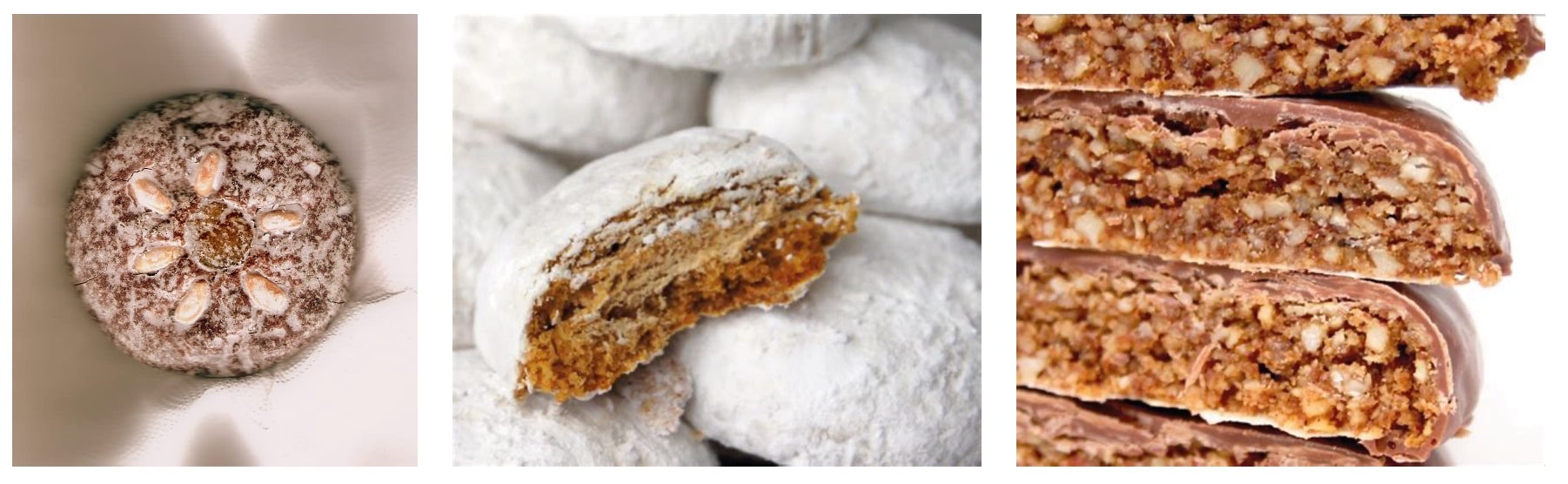
You should probably also throw in a few of your own money and bring home some lebkuchen for your boss and colleagues. They’ll appreciate it.

German lebkuchen

I hope to see you at DOAG 2024 Conference + Exhibition.

How to Solve DCS-12300:Failed to Clone PDB During Remote Clone (DBT-19407)

A customer reached out to me:

I want upgrade a PDB from Oracle Database 19c to 23ai. It’s in a Base Database Service in OCI. I use the Remote clone feature in the OCI console but it fails with DCS-12300 because IMEDIA component is installed.

The task:

  • Clone a PDB using the OCI Console Remote clone feature
  • From a CDB on Oracle Database 19c to another CDB on Oracle Database 23ai
  • Upgrade the PDB to Oracle Database 23ai

Let’s see what happens when you clone a PDB:

Error message from OCI console when remote cloning a PDB to 23ai using cloud tooling

It fails, as explained by the customer.

Let’s dig a little deeper. Connect as root to the target system and check the DCS agent.

$ dbcli list-jobs

ID                                       Description                                                                 Created                             Status
---------------------------------------- --------------------------------------------------------------------------- ----------------------------------- ----------
...
6e1fa60c-8572-4e08-ba30-cafb705c195e     Remote Pluggable Database:SALES from SALES in db:CDB23                      Tuesday, September 24, 2024, 05:04:13 UTC Failure

$ dbcli describe-job -i 6e1fa60c-8572-4e08-ba30-cafb705c195e

Job details
----------------------------------------------------------------
                     ID:  6e1fa60c-8572-4e08-ba30-cafb705c195e
            Description:  Remote Pluggable Database:SALES from SALES in db:CDB23
                 Status:  Failure
                Created:  September 24, 2024 at 5:04:13 AM UTC
               Progress:  35%
                Message:  DCS-12300:Failed to clone PDB SALES from remote PDB SALES. [[FATAL] [DBT-19407] Database option (IMEDIA) is not installed in Local CDB (CDB23).,
 CAUSE: The database options installed on the Remote CDB(CDB19_979_fra.sub02121342350.daniel.oraclevcn.com) m
             Error Code:  DCS-12300
                  Cause:  Error occurred during cloning the remote PDB.
                 Action:  Refer to DCS agent log, DBCA log for more information.

...

What’s Going on?

First, IMEDIA stands for interMedia and is an old name for the Multimedia component. The ID of Multimedia is ORDIM.

Oracle desupported the Multimedia component:

Desupport of Oracle Multimedia Oracle Multimedia is desupported in Oracle Database 19c, and the implementation is removed. … Oracle Multimedia objects and packages remain in the database. However, these objects and packages no longer function, and raise exceptions if there is an attempt made to use them.

In the customer’s and my case, the Multimedia component is installed in the source PDB, but not present in the target CDB. The target CDB is on Oracle Database 23ai where this component is completely removed.

If you plug in a PDB that has more components than the CDB, you get a plug-in violation, and that’s causing the error.

Here’s how you can check whether Multimedia is installed:

select   con_id, status 
from     cdb_registry 
where    comp_id='ORDIM' 
order by 1;

Solution 1: AutoUpgrade

The best solution is to use AutoUpgrade. Here’s a blog post with all the details.

AutoUpgrade detects that multimedia is already present in the preupgrade phase. Here’s an extract from the preupgrade log file:

INFORMATION ONLY
  ================
    7.  Follow the instructions in the Oracle Multimedia README.txt file in <23
      ORACLE_HOME>/ord/im/admin/README.txt, or MOS note 2555923.1 to determine
      if Oracle Multimedia is being used. If Oracle Multimedia is being used,
      refer to MOS note 2347372.1 for suggestions on replacing Oracle
      Multimedia.

      Oracle Multimedia component (ORDIM) is installed.

      Starting in release 19c, Oracle Multimedia is desupported. Object types
      still exist, but methods and procedures will raise an exception. Refer to
      23 Oracle Database Upgrade Guide, the Oracle Multimedia README.txt file
      in <23 ORACLE_HOME>/ord/im/admin/README.txt, or MOS note 2555923.1 for
      more information.

When AutoUpgrade plugs in the PDB with Multimedia, it’ll see the plug-in violation. But AutoUpgrade is smart and knows that Multimedia is special. It knows that during the upgrade, it will execute the Multimedia removal script. So, it disregards the plug-in violation until the situation is resolved.

AutoUpgrade also handles the upgrade, so it’s a done deal. Easy!

Solution 2: Remove Multimedia

You can also manually remove the Multimedia component in the source PDB before cloning.

I grabbed these instructions from Mike Dietrich’s blog. They work for a 19c CDB:

cd $ORACLE_HOME/rdbms/admin
#First, remove ORDIM in all containers, except root
$ORACLE_HOME/perl/bin/perl catcon.pl -n 1 -C 'CDB$ROOT' -e -b imremdo_pdbs -d $ORACLE_HOME/ord/im/admin imremdo.sql
#Recompile
$ORACLE_HOME/perl/bin/perl catcon.pl -n 1 -e -b utlrp -d '''.''' utlrp.sql
#Last, remove ORDIM in root
$ORACLE_HOME/perl/bin/perl catcon.pl -n 1 -c 'CDB$ROOT' -e -b imremdo_cdb -d $ORACLE_HOME/ord/im/admin imremdo.sql
#Recompile
$ORACLE_HOME/perl/bin/perl catcon.pl -n 1 -e -b utlrp -d '''.''' utlrp.sql
#Remove leftover package in all containers
echo "drop package SYS.ORDIMDPCALLOUTS;" > vi dropim.sql
$ $ORACLE_HOME/perl/bin/perl $ORACLE_HOME/rdbms/admin/catcon.pl -n 1 -e -b dropim -d '''.''' dropim.sql

Without the Multimedia component cloning via the cloud tooling works, but you are still left with a PDB that you attend to.

If you’re not using AutoUpgrade, you will use a new feature called replay upgrade. The CDB will see that the PDB is a lower-version and start an automatic upgrade. However, you still have some manual pre- and post-upgrade tasks to do.

One of the reasons I prefer using AutoUpgrade.

Further Reading

For those interested, here are a few links to Mike Dietrich’s blog on components and Multimedia in particular:

Our Real World Database Upgrade and Migration Workshop Is Back on the Road

Now that Oracle CloudWorld 2024 is over, we have time to spare, so it is time to re-ignite our full-day workshop:

Real World Database Upgrade and Migration 19c and 23ai

Next stops on our tour:

Workshops coming to Berlin, Zurich, and Oslo

Click on the city name to sign up – for free! Save your seat before the workshop fills up.

Mike Dietrich, Rodrigo Jorge, and I will present in English. It is an in-person event only.

What Is It?

It is your chance to meet with our product management team for a full day:

  • How to take full advantage of the new features and options in Oracle Database 19c and 23ai
  • The smoothest and fully unattended migration to the CDB architecture
  • Real World Best Practices and Customer Cases
  • Database and Grid Infrastructure Patching Best Practices
  • Performance Stability Prescription and Tips
  • The coolest new features in Oracle Database 23ai for DBAs and Developers

From a previous workshop

I hope to see you there.

All tech, no marketing!

Oracle CloudWorld 2024 – It’s a Wrap

I can’t believe Oracle CloudWorld is already over. Although it has been very intense, it feels like it has just started. I love being amongst our customers and helping them use the Oracle Database in the best possible way.

Oracle CloudWorld banner

I still feel the thrill from the conference, but I know that post-conference blues are soon kicking in.

Slides

I encourage you to look at the slides from our presentations. We did present some new cool enhancements.

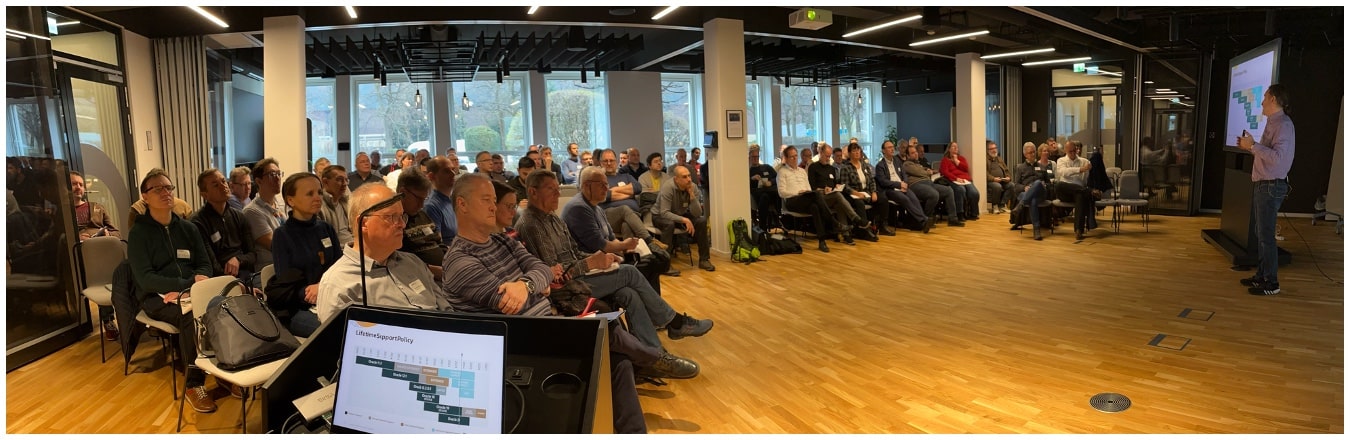
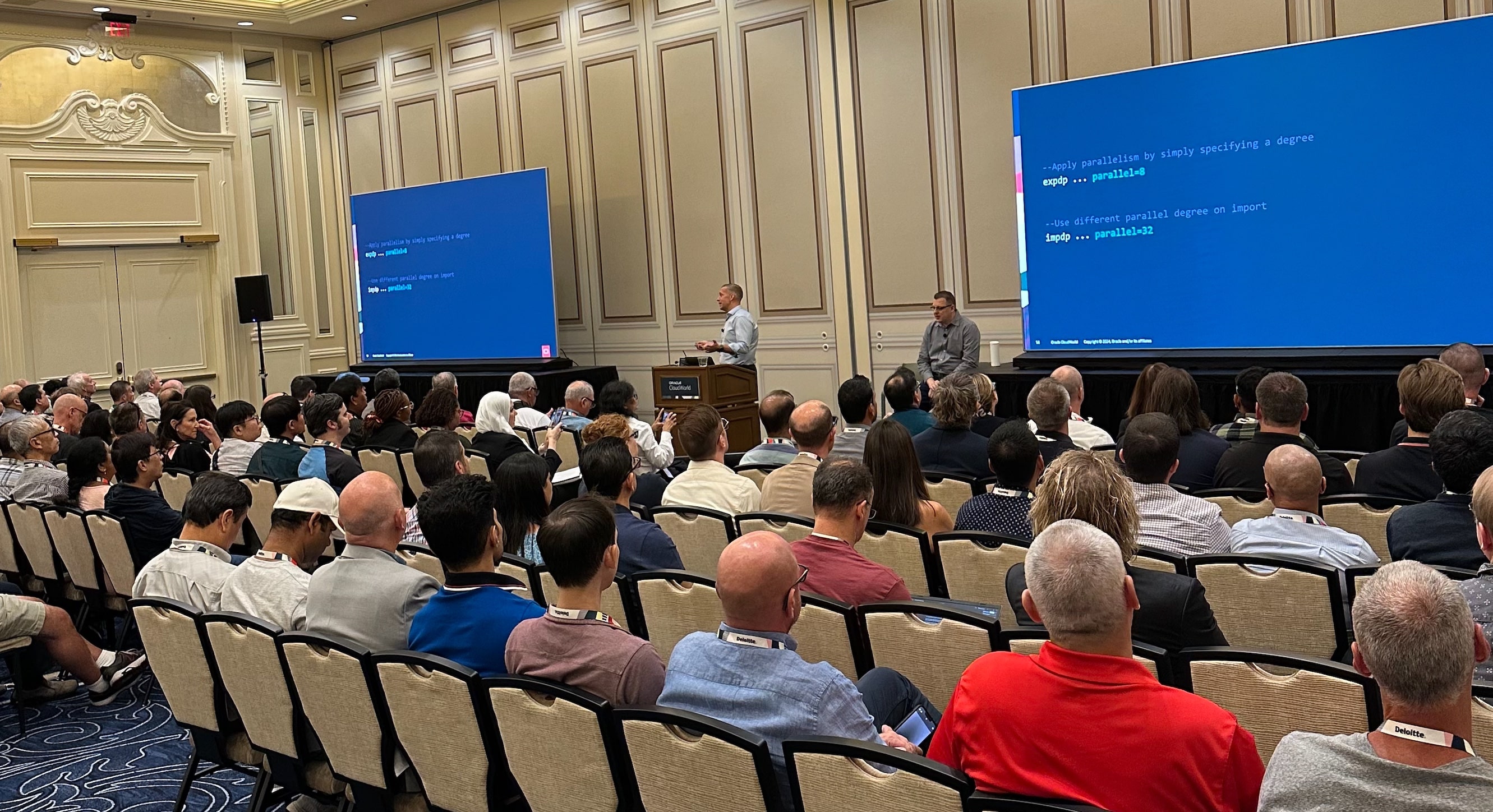
The audience at our patching session

Try Our Hands-On Labs

This year, we launched two brand-new hands-on labs:

You can try them as well in Oracle LiveLabs – FOR FREE!

Thanks

Thanks to you – our valued customer – for coming to our conference and engaging with us.

Thanks to my team: Mike, Rodrigo and Alex. All the content we deliver is a genuine team effort.

What’s Next

Stay tuned for more information about Oracle CloudWorld Tour. In early 2025, we will bring Oracle CloudWorld to your neighborhood.

Oracle Redbull racer on display

I hope to see you next year at Oracle CloudWorld, 13-16 October 2025.

Save $100 by subscribing to updates about CloudWorld 2025.

Oracle CloudWorld Day 3+4

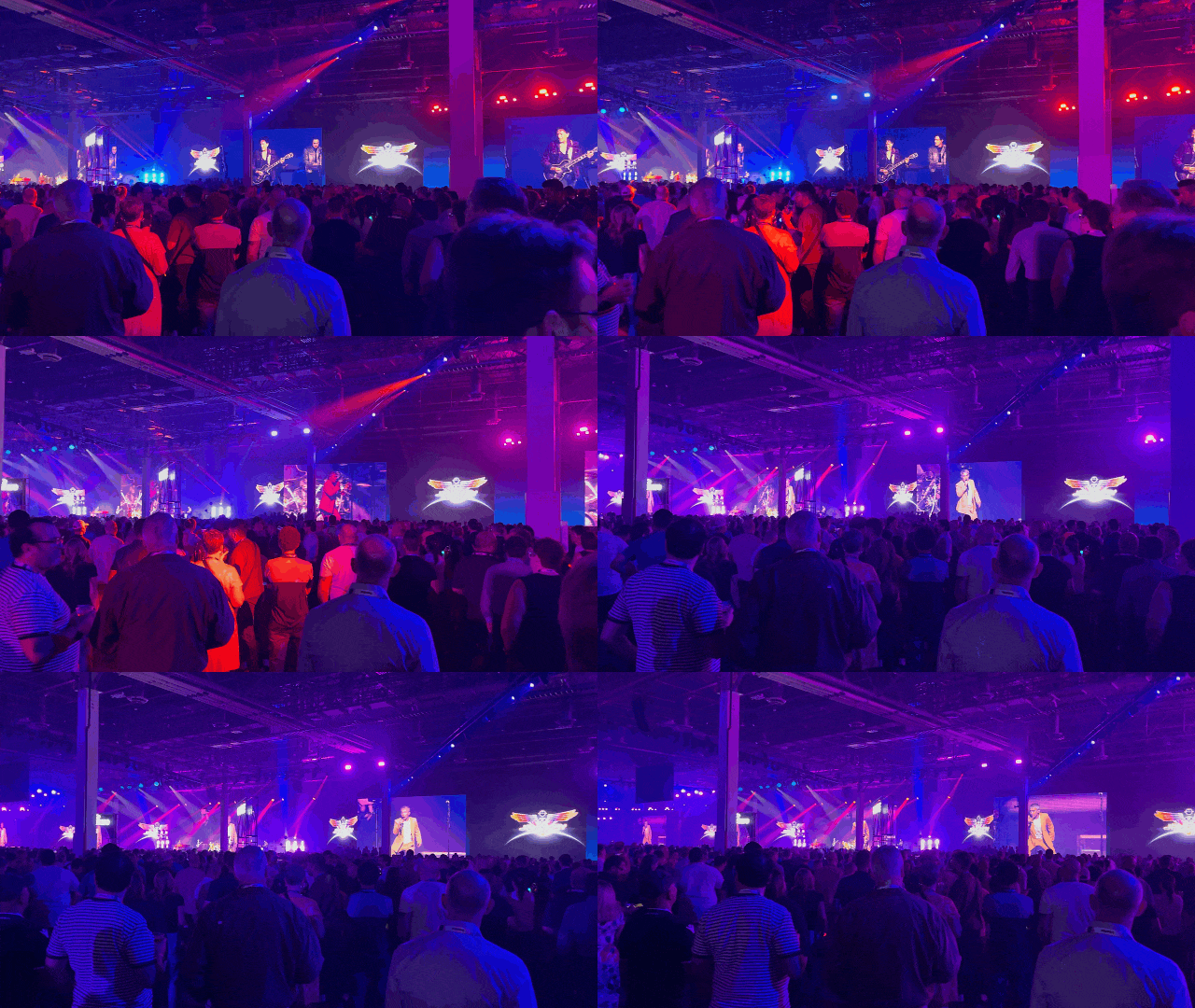
Day 3 is the day of The Party. This year, with legendary The Journey playing.

CloudWorld The Party

Besides the music, all kinds of fun went on.

CloudWorld The Party

The Sphere

I had a few hours before The Party, so I went to catch a show at The Sphere. It’s an amazing event venue – the exterior is almost as impressing as the interior.

The Sphere in Las Vegas

I saw the most amazing U2 concert – recorded specially for the huge indoor screen. There is literally screens all over the place, so it’s like being right in the middle of it.

Next time you come to Oracle CloudWorld, be sure to book a show.

Announcements

In our Data Pump talk, we had several new features to present:

  • Faster creation of indexes
  • Instantly adding new constraints in NOVALIDATE mode

From the smiling faces in the audience, those new features were really well received. Stay tuned for more information.

Oracle Data Pump 23ai talk

The Beast

I also had the chance to present a story from the trenches.

Migrating The Beast

Migrating the beast

An interesting case about a 180 TB database generating 15 TB/day – moving from SPARC Solaris to Exadata. A great achievement by our friends from Entain.

Over the last years I’ve learned so much from working with this project. Never hesitate to reach out to a product manager when you have big projects ahead of you.

We love these kinds of projects!

Oracle CloudWorld Day 2

The big show started at Oracle CloudWorld 2024. The keynotes happened, and Larry announced Oracle Database@AWS.

The next important announcement: AutoUpgrade Patching is now ready with superpowers. One command and it will:

  • Download the patches from My Oracle Support.
  • Build a new Oracle home.
  • Patch your Oracle Database.

You don’t even need to specify patch numbers; just tell us you want the latest patches. Patching has never been easier.

AutoUpgrade patching makes it even easier

CloudWorld Hub

The CloudWorld hub is open, and there’s plenty to do:

  1. Check out the F1 racer and try one of the race simulators. It’s right behind the database demo booths.
  2. Relax with pinball, table football, and Guitar Hero. The pinball machine does bring back a lot of childhood memories. It’s right after the entrance on the right.
  3. Get an AI generated avatar for your profile pictures. The machine takes a picture and comes back with an AI generated picture of you on the Premiere League football pitch, F1 racing court, cricket game or sailboat.
  4. Get a bunch of stickers from all around and generate your own sticker at the database demo booth.
  5. Pet the dogs. Relax yourself by playing with some of the dogs. Yup, that’s right. There are dogs to give you a good amount of paw-love. Plus, the PS Websolutions booth has Kirby the Chihuahua, who’s also looking for someone to pet him.
  6. Claim your fair share of the swag.

Cool stuff at the hub

Enjoy!

Oracle CloudWorld Day 1

That’s the end of the first day of Oracle CloudWorld 2024.

My team and I spent the day in a full-day workshop about upgrade to Oracle Database 23ai and migration to the multitenant architecture.

Oracle CloudWorld is on

Pro Tips

Today was a kind of warm-up for tomorrow. Get the most out of the conference with these pro tips:

  1. You get the best coffee by far at Dandelion Chocolate near the front desk. Second best is at Zeppola Cafe at Sct. Marks Square.
  2. Get the Oracle Events app. It’s your trusted companion.
  3. Pick up your badge in good time. The lines for badge pick-up on Tuesday morning will be long.
  4. Bring a light sweater or jacket. The A/C is brutal in some places.
  5. Show up for the sessions in good time. Although you registered for a session, they let people in on a first-come-first-served basis. Don’t miss a seat by showing up late.
  6. Rate the sessions and leave feedback. We want to improve and ensure you get the most out of it.
  7. If you signed up for a hands-on lab or tutorial, be sure to bring your laptop. We do have loaners, but not everyone likes a US keyboard.
  8. Come to the CloudWorld hub and visit the demo booths. Product Managers from all areas are present and they are eager to answers all your questions. Engage with us, please.
  9. While at the CloudWorld hub, stop by the ACE lounge and ask one of the ACEs why you should become the next Oracle ACE. You’ll not regret joining the community. And ask when the chocolate tasting takes place.
  10. Stop by the merchandise shop and arm yourself with cool accessories.
  11. Take the 2024 Database Developer Survey. Swing by the Swag booth to claim your prize.

What’s your favorite pro tip? Leave a comment and enhance everyone’s CloudWorld experience.

Enjoy!

An Intense Learning Experience with the Product Management Team

Are you considering coming to Oracle DatabaseWorld at CloudWorld, or have you already secured your ticket? Here’s a great opportunity for you.

Oracle CloudWorld

Imagine being in a room with the very people who design and develop the Oracle Database you use every day. The pre-event training at Oracle CloudWorld offers this unique opportunity. My team will be there, and guide you through the upgrade and migration to Oracle Database 23ai.

Optimizing Oracle Database 23ai Multitenant Upgrade

  • On Monday, September 9, 2024
  • From 9:00 to 17:00
  • At Oracle DatabaseWorld at CloudWorld, Las Vegas

Enroll here for the price of $795.

What’s In It?

This is more than just a regular session. It’s an opportunity to dive deep into upgrade and migration to Oracle Database 23ai, understanding the why and the how directly from the source. It is 8 hours of intense training.

By attending our pre-event training, you’ll have the rare chance to learn directly from Mike Dietrich, Rodrigo Jorge, Alex Zaballa, and me. This isn’t just about listening to a keynote – this is hands-on, immersive training where you can ask questions, solve real-world problems, and gain practical skills that you can apply immediately.

This is the agenda that we’ve prepared for you.

Agenda of Optimizing Oracle Database 23ai Multitenant Upgrade

After this training, you have the skills needed to upgrade to Oracle Database 23ai and migrate to the multitenant architecture.

Don’t Miss Out

Register for our pre-event training today!

Supercharge your Oracle CloudWorld experience — start with our pre-event training!

See you there!