A Different Day at the Office

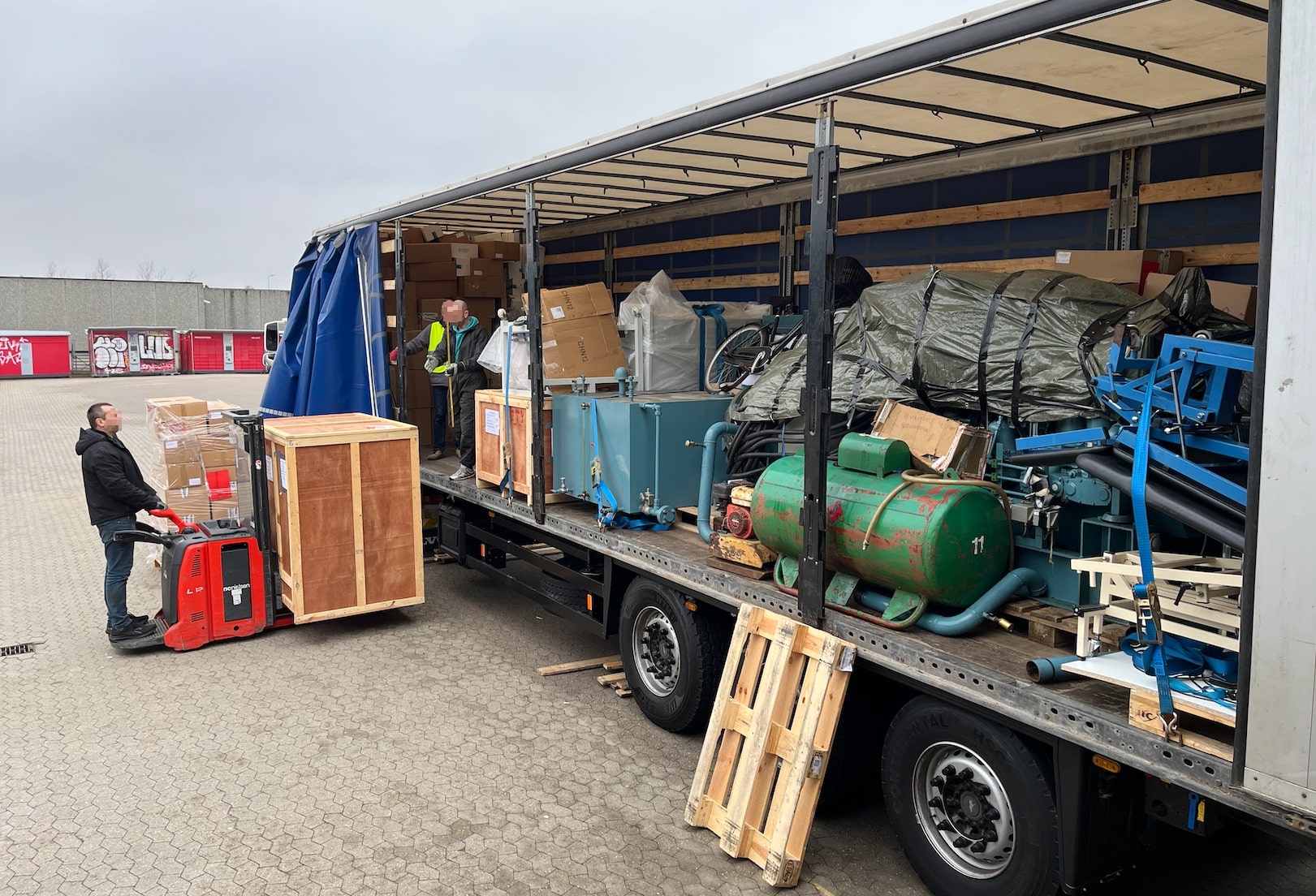
Yesterday, I had quite a different day at the office. Instead of typing on the keyboard, I spent the day loading a truck bound for Ukraine with humanitarian aid.

I had a fantastic day with the volunteers at Bevar Ukraine and colleagues from Oracle. We loaded a truck with:

  • 50 kW diesel generator
  • Medical supplies
  • Hospital beds
  • Clothes
  • Other necessities

Loading a truck at Bevar Ukraine with humanitarian aid

Bevar Ukraine

What is Bevar Ukraine?

Bevar Ukraine is an independent Danish humanitarian non-profit organization whose purpose is to provide humanitarian aid in Ukraine and to support refugees. The organization works to combat poverty and strengthen civil society. Bevar Ukraine supports the UN’s global goals for sustainable development.

It is run by volunteers who spend much time and effort helping the victims in Ukraine.

I am glad I could spend a day with these wonderful people and help them in their mission. It was touching to listen to their stories. Thank you, Bevar Ukraine!

I encourage you to donate to their organization and help those in need.

Oracle Volunteering

As an employee of Oracle, I can spend my work time on voluntary work. We call this Oracle Volunteering:

Oracle Volunteers lead and participate in virtual and in-person projects with hundreds of nonprofits and public institutions year-round. They support students and educators, protect nature and wildlife, and strengthen communities by helping people in need.

Every year, I can spend a whole week on voluntary work. I feel proud of my employer when they take action and help make the world a better place. Thank you, Oracle!

Reflections

I am grateful to live in a peaceful part of the world. But I feel for those less fortunate. We could do much more together if we all made friends.

In my previous job, I worked together with many Ukrainians. They were all young and eager to sharpen their skills in software development. They worked hard to make a good living for themselves and Ukraine.

Now, much of that is lost due to the unjust occupation and war. Perhaps some of my former colleagues are now dead because they defended their country. How tragic…

Stop the war and free Ukraine!

How to Detect and Repair Corruption in Your Oracle Database

Over time, corruptions can sneak into your Oracle Database. Such corruptions may surface at the most inconvenient times, like upgrades, migrations, or PDB conversions. Here is a quick way of checking your Oracle Database and increasing your chance of success.

Oracle Database Dictionary Check

The documentation states:

DBMS_DICTIONARY_CHECK is a read-only and lightweight PL/SQL package procedure that helps you identify Oracle Database dictionary inconsistencies that are manifested in unexpected entries in the Oracle Database dictionary tables or invalid references between dictionary tables. Oracle Database dictionary inconsistencies can cause process failures and, in some cases, instance crash.

How to Execute a Dictionary Check

  • First, the database must be on Oracle Database 19.22.0 or higher.
  • Start the check:
    set serverout on
    exec dbms_dictionary_check.full;
    
  • The database spools to the console and a trace file:
    dbms_dictionary_check on 02-MAR-2024 13:31:56
    ----------------------------------------------
    Catalog Version 19.0.0.0.0 (1900000000)
    db_name: UP19
    Is CDB?: NO
    Trace File:
    /u01/app/oracle/diag/rdbms/up19/UP19/trace/UP19_ora_3343_DICTCHECK.trc
    
                                    Catalog       Fixed
    Procedure Name                  Version    Vs Release    Timestamp      Result
    --------------------------- ... ---------- -- ---------- -------------- ------
    .- OIDOnObjCol		       ... 1900000000 <=  *All Rel* 03/02 13:31:56 PASS
    .- LobNotInObj		       ... 1900000000 <=  *All Rel* 03/02 13:31:56 PASS
    .- SourceNotInObj	       ... 1900000000 <=  *All Rel* 03/02 13:31:56 PASS
    
    ...
    
    .- LobSeg                   ... 1900000000 <=  *All Rel* 03/02 13:31:56 PASS
    ---------------------------------------
    02-MAR-2024 13:31:56  Elapsed: 0 secs
    ---------------------------------------
    Found 0 potential problem(s) and 0 warning(s)
    Trace File:
    /u01/app/oracle/diag/rdbms/up19/UP19/trace/UP19_ora_3343_DICTCHECK.trc
    
    PL/SQL procedure successfully completed.
    
    • In this case, all checks pass.
  • If there are any warnings or errors, you can find a detailed description of the check in the documentation.
  • In multitenant, you run the check in the root container and all PDBs. The PDBs are most important.
  • In Oracle Database 23ai, the full check even has a fix mode which can correct certain known issues.

Words of Advice

  • Run the check in due time before a major maintenance operation. Although many checks have a fix option, you sometimes need to engage with Oracle Support. This can take time, so don’t do it the day before an important upgrade.

  • AutoUpgrade makes your life easier. Of course, it can run the dictionary check for you. Add the following to your config file:

    <prefix>.run_dictionary_health=full
    

    During the pre-upgrade analysis, AutoUpgrade executes the dictionary check and stores the full report in the precheck folder in the AutoUpgrade log directory.

The Artist Formerly Known As

If you think: This does sound very similar to health check or hcheck.sql, then you are on to something. Oracle moved the health check code into the database. No need to separately download the script; it’s always there.

Weed out those corruptions!

Kickstart Learning in 2024

What better way to start the new year of the Dragon than to learn something new. If it sounds like a good idea, you’ll be pleased to know that we have two new webinars coming your way shortly.

Like the previous webinars, it’s all tech, no marketing!

Cross Platform Migration – Transportable Tablespaces to the Extreme

Recently, the team and I worked with two big customers who had to migrate cross-endian to Exadata. Both customers had huge and very active databases and needed to migrate with as little downtime as possible.

In this webinar, you can hear details on how one of the customers performed the migration using a new procedure developed by Oracle. In addition, we will share the lessons learned and our new best practices for such migrations.

> Transportable Tablespaces and Full Transportable Export Import aren’t a secret feature. But there are many things to take care on when you migrate cross-platform, and especially cross-Endianness. Today we will give you insights and show you how we worked together to migrate a 200TB database writing up to 15TB redo per day from Oracle SPARC SuperCluster to Oracle Exadata with a database downtime of less than 6 hours. Follow us into the extreme. Extreme load. Extreme complexity. And an extremely skilled team working toegther. Such projects aren’t done in 4 weeks. And we will tell you the entire story, from start to the nights of the nights.

Sign up here.

Move to Oracle Database 23c – Everything you need to know about Oracle Multitenant

Oracle Database 23c is on its way. Hopefully, it doesn’t come as a surprise to you that this release supports the multitenant architecture only. If you haven’t migrated your Oracle Database yet, you’ll need to do so as part of the upgrade to Oracle Database 23c.

This webinar shares all the things you need to know to migrate a database to the multitenant architecture successfully, including essential parts like Data Guard, backup, and your rollback plans.

> Oracle Database 23c does only support the CDB architecture. If you haven’t migrated to Oracle Multitenant yet, then you will be with your upgrade to 23c. How do you approach it in the most efficient way? What are the other options? And why is this a migration unless you have PDBs already? All this and way much more about how to work with Multitenant, how AutoUpgrade automates the entire move for you, end-to-end – and best practices and tips and tricks. We’ll guide you, and you will be ready to move to Oracle Database 23c right away

Sign up here.

Registration

The webinars are free, of course. You just need to sign up.

Our entire team will be present during the webinar to answer all your questions. I promise we won’t stop the webinar until we have answered all the questions. If you cannot participate, you can find the recording shortly after the webinar.

If you can’t wait, you can start learning already by watching the previous webinars.

Register your seat now.

How to Upgrade Encrypted Oracle Database and Move to New Server

Is Autoupgrade with TDE only possible for in place upgrade (same server)? Are there any ways to do it for out of place (new db home in a different server) with autoupgrade? It seems like the target_home have to be specified.

A reader asked that question on my blog.

The answer is yes; you can upgrade an Oracle Database and move to a new server. We are considering upgrading a non-CDB or an entire CDB using Transparent Data Encryption (TDE) Tablespace Encryption.

Move to New Server and Transparent Data Encryption

When you upgrade your Oracle Database, you often want to move to new hardware. AutoUpgrade fully supports this use case. Mike Dietrich mentions this in his blog post and video.

When you upgrade an encrypted non-CDB or entire CDB, the database must have an auto-login keystore.

There are no further requirements.

The Instructions

I am using the DB12 database from our hands-on lab. You can provision a lab and try it out yourself (for free). See the appendix for instructions on how to encrypt the DB12 database.

Old Server

  1. Always use the latest version of AutoUpgrade.
  2. Create a config file:
    upg1.source_home=/u01/app/oracle/product/12.2.0.1
    upg1.sid=DB12
    upg1.target_version=19
    
    • I don’t specify target_home because it does not exist on the old server. Instead, I specify target_version, so AutoUpgrade knows which checks to execute.
  3. Check the database for upgrade readiness:
    java -jar autoupgrade.jar -config DB12.cfg -mode analyze
    
  4. Downtime starts.
  5. Run the preupgrade fixups:
    java -jar autoupgrade.jar -config DB12.cfg -mode fixups
    
  6. Perform a clean shutdown of the database
    shutdown immediate
    

New Server

There is only one server in the lab environment, so I can’t physically move to a new server. But by moving the instance manually to the new home, I can simulate the same behavior.

  1. Move SPFile and password file to the new Oracle home on the new server. The below instructions work in the hands-on lab only:
    export OLD_ORACLE_HOME=/u01/app/oracle/product/12.2.0.1
    export NEW_ORACLE_HOME=/u01/app/oracle/product/19
    export ORACLE_SID=DB12
    cp $OLD_ORACLE_HOME/dbs/spfile$ORACLE_SID.ora $NEW_ORACLE_HOME/dbs
    cp $OLD_ORACLE_HOME/dbs/orapw$ORACLE_SID $NEW_ORACLE_HOME/dbs
    
  2. Register the instance in /etc/oratab:
    export NEW_ORACLE_HOME=/u01/app/oracle/product/19
    export ORACLE_SID=DB12   
    cp /etc/oratab /tmp/oratab
    sed '/^'"$ORACLE_SID"':/d' /tmp/oratab > /etc/oratab
    echo "$ORACLE_SID:$NEW_ORACLE_HOME:N" >> /etc/oratab
    cat /etc/oratab
    
    • Use srvctl as well if you have Oracle Grid Infrastructure.
  3. Move the database files (control files, redo logs, and data and temp files) to the new server.
    • If you need to change any of the paths, see the appendix.
    • Alternatively, unmount the storage from the old server and mount it on the new one.
  4. I want to use the new wallet_root parameter to configure TDE. I copy the keystore files to a new location that matches the naming requirements of wallet_root:
    export OLD_KEYSTORE=$ORACLE_BASE/admin/$ORACLE_SID/wallet
    export NEW_KEYSTORE=$ORACLE_BASE/admin/$ORACLE_SID/wallet/tde
    mkdir -p $NEW_KEYSTORE
    cp $OLD_KEYSTORE/cwallet.sso $NEW_KEYSTORE
    cp $OLD_KEYSTORE/ewallet.p12 $NEW_KEYSTORE
    
    • You should consider moving any backup keystore files as well.
  5. I start a new instance of the database in the new Oracle home and configure TDE using the new parameters:
    export ORACLE_HOME=/u01/app/oracle/product/19
    export PATH=$ORACLE_HOME/bin:$PATH
    sqlplus / as sysdba<<EOF
       startup nomount
       alter system set wallet_root='$ORACLE_BASE/admin/$ORACLE_SID/wallet' scope=spfile;
       shutdown immediate
       startup nomount
       alter system set tde_configuration='KEYSTORE_CONFIGURATION=FILE' scope=both;
    EOF
    
  6. Start the instance in upgrade mode:
    sqlplus / as sysdba<<EOF
       alter database mount;
       alter database open upgrade;
    EOF
    
  7. Create an AutoUpgrade config file:
    upg1.target_home=/u01/app/oracle/product/19
    upg1.sid=DB12
    
  8. Start AutoUpgrade in upgrade mode:
    java -jar autoupgrade.jar -config DB12.cfg -mode upgrade
    

That’s it! I just upgraded my encrypted Oracle Database and moved it to a new server.

Appendix

Keystore Type

You must have an auto-login database keystore to upgrade it on the new server. Check the keystore type in the source database:

select wrl_type, wallet_type from v$encryption_wallet;
  • AUTOLOGIN – You can copy the auto-login keystore file (cwallet.sso) from the old to the new server.
  • LOCAL_AUTOLOGIN – The keystore file is bound to the old server. You must create a new auto-login keystore on the new server.

To create a new local auto-login keystore:

startup mount
administer key management create local auto_login keystore ...;
shutdown immediate
startup upgrade

Hands-on Lab

If you want to try the procedure in our hands-on lab, you can use these instructions to encrypt the DB12 database.

  1. Add TDE configuration to sqlnet.ora:
echo 'ENCRYPTION_WALLET_LOCATION=(SOURCE=(METHOD=FILE)(METHOD_DATA=(DIRECTORY=$ORACLE_BASE/admin/$ORACLE_SID/wallet)))' >> $ORACLE_HOME/network/admin/sqlnet.ora
  1. Create keystore directory:
mkdir -p $ORACLE_BASE/admin/$ORACLE_SID/wallet
  1. Create the keystore and complete the TDE configuration:
sqlplus / as sysdba <<EOF
   --Restart to re-read sqlnet.ora with keystore setting
   shutdown immediate
   startup
   
   --Configure TDE
   ADMINISTER KEY MANAGEMENT CREATE KEYSTORE '$ORACLE_BASE/admin/$ORACLE_SID/wallet' IDENTIFIED BY "<tde-keystore-pwd>";
   ADMINISTER KEY MANAGEMENT SET KEYSTORE OPEN IDENTIFIED BY "<tde-keystore-pwd>";
   ADMINISTER KEY MANAGEMENT SET KEY IDENTIFIED BY "<tde-keystore-pwd>" WITH BACKUP;
   ADMINISTER KEY MANAGEMENT CREATE AUTO_LOGIN KEYSTORE FROM KEYSTORE '$ORACLE_BASE/admin/$ORACLE_SID/wallet' IDENTIFIED BY "<tde-keystore-pwd>";

   --Create data
   create tablespace users2 encryption encrypt;
   grant dba to appuser identified by oracle;  
   create table appuser.t1 tablespace users2 as select * from all_objects;
EOF

Locations

In the instructions, I am using the same paths for the database files. If you need to change the location of the control file or redo logs, then it might be easier to create a PFile on the source and use that instead of the SPFile.

If you need to change the location of data or temp files, it might be easier to re-create the control file. In this case, you need an alter database backup controlfile to '/tmp/ctl.txt' on the source database. Edit the trace file to generate the create controlfile statement.

It’s a Wrap – DOAG 2023 Conference + Exhibition

Relaxing a bit after yet another exciting visit to Germany for the annual DOAG conference. The conference always delivers. Many great speakers and many interesting session. If you have yet to arrive, you should try it out. Even if you don’t speak German, there are so many English sessions. Don’t hesitate to visit next year.

This year was slightly different, as all my sessions were with either Mike or Roy. I really enjoy presenting with other people. It brings extra energy into the session, and I’m sure the audience also feels it. When you also have a completely full room – even with a standing crowd also – that serves as additional motivation.

The Slides

Move to Oracle Database 23c – CDB-architecture migration on auto-pilot

The slides contain essential information for everyone who will work on upgrades to Oracle Database 23c and adopting the multitenant architecture.

Data Pump Best Practices, Secrets and Real World Scenarios

The slides give an overview of some new features and tips and tricks for troubleshooting in Data Pump. Finally, it describes how LOBs work in the database, why Data Pump might not deliver the expected performance – and what you can do about it.

Help! My Database Is Still on 8i!

What do product managers do when they find an empty slot at a conference? Of course, they quickly throw in another presentation. Which is what happened this year. We took the audience a walk down memory lane to the database of the previous millennium.

Thanks

Thanks to the organizers in DOAG. Again, the conference was a huge success. I enjoy coming here. This is a great conference. If you can’t go to Oracle CloudWorld this is a perfect second option.

Thanks to everyone who attended my sessions – especially those with all the good questions.

See you next year!

Pictures

DOAG 2023 DOAG 2023 DOAG 2023 DOAG 2023 DOAG 2023 DOAG 2023

It’s a Wrap – UKOUG Conference ’23

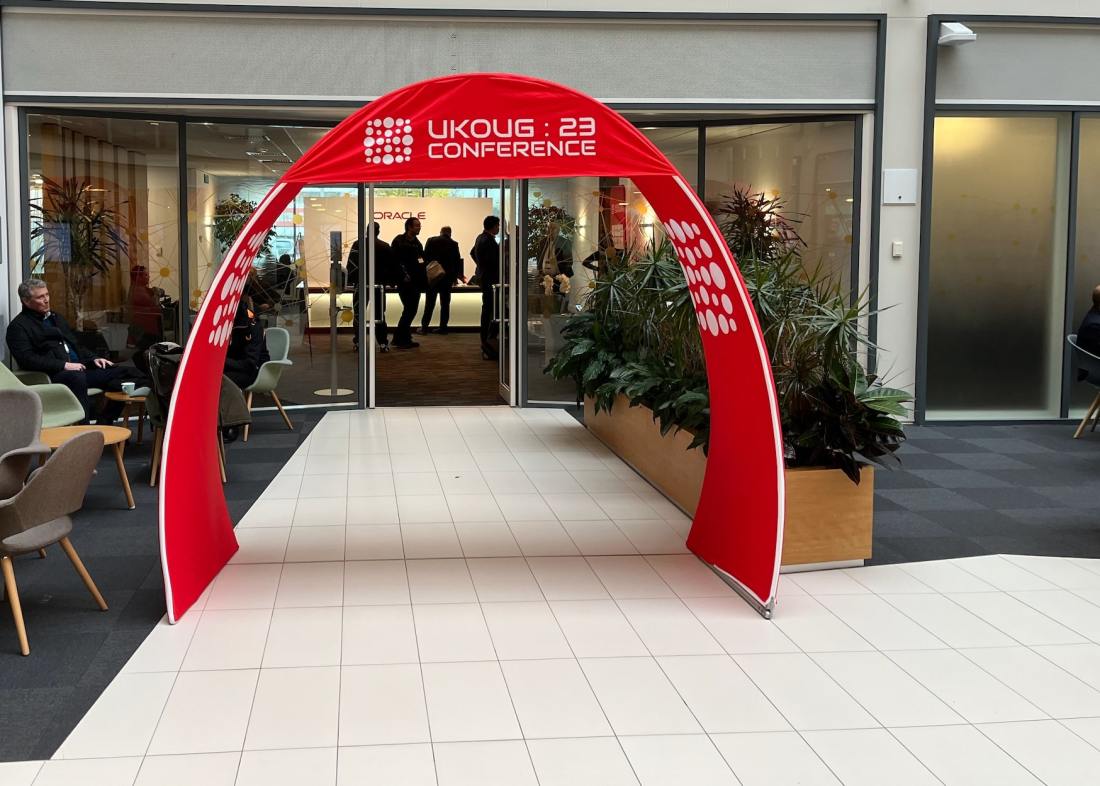
I just finished my presentation at the UKOUG conference. This time, it was held at the Oracle office in Reading. Two intense days full of learning experiences.

It’s the 40th anniversary of UKOUG – that’s truly amazing. The community started when I was just a little child and still lives on today, what a change tech has undergone since then.

Congratulations to the board and the entire community on the 40th anniversary.

The Slides

Patch Me If You Can – Grid Infrastructure Edition

This is a modification of an existing talk about database patching, but mostly on Oracle Grid Infrastructure. But since Oracle Database and Grid Infrastructure go hand in hand, it also has some database stuff.

You should flip through the slides if you work with Oracle Grid Infrastructure. And remember – always patch out-of-place.

Help! My Database is still on 8i!

I also had the opportunity to close the conference with my 8i talk. I really like this talk because it is a walk down memory lane. Plus, it includes demos using Oracle 8i Database. It’s cool to be old school.

For a little laugh, you can find a comparison of Oracle Database releases and mobile phones of the same age.

Thanks

Thanks to the board of UKOUG and the organizers for pulling yet another successful conference. Thanks to the sponsors making it all possible and to everyone who attended my sessions or the conference in general.

It keeps impressing me how much you can learn in such a short time. My head is full. Luckily, the weekend is coming up.

P.S. The chocolate fountain was amazing (see below)!

Pictures

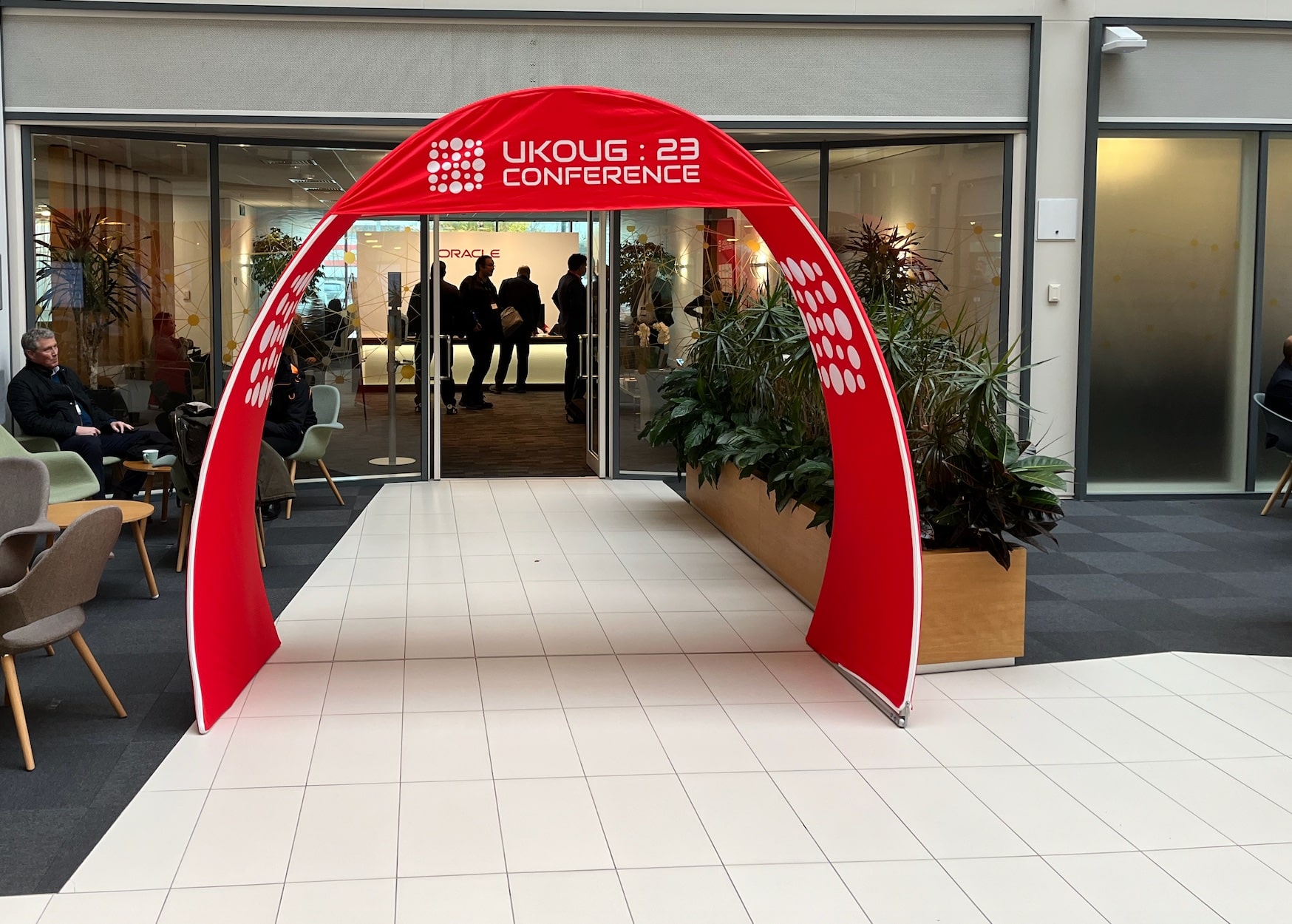
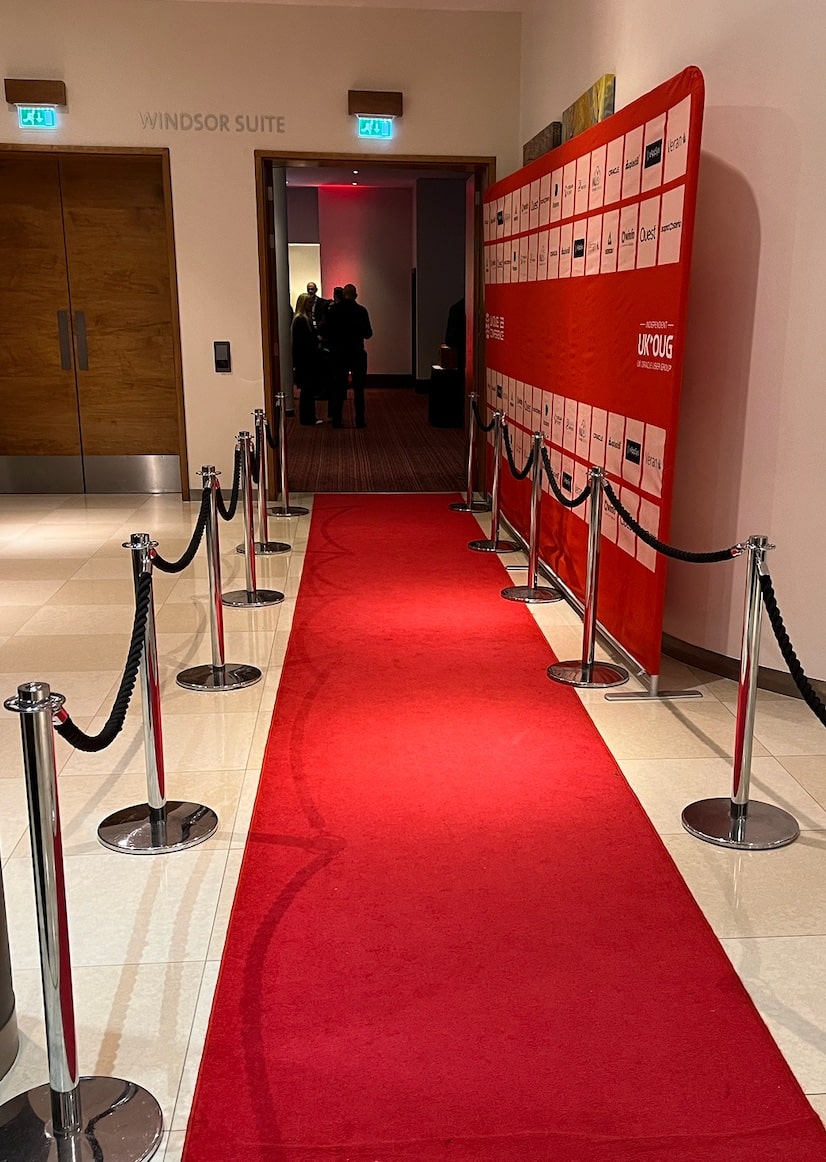
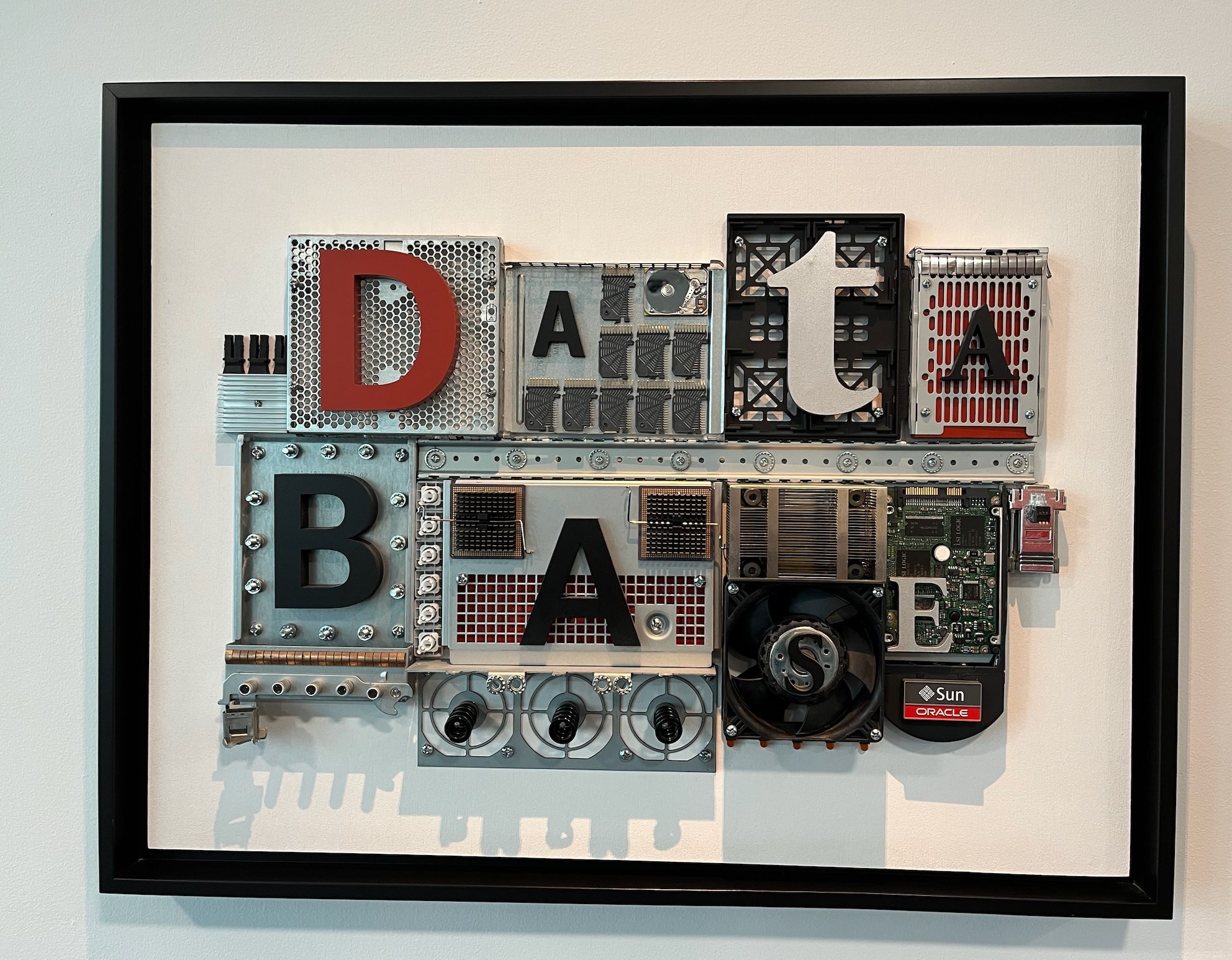
Welcome to UKOUG Conference '23 Presenting Patch Me If You Can - Grid Infrastructure Edition Red Carpet at the 40th Anniversary Celebration The Chocolate Fountain Cool art

Understand How a Change of Database Time Zone Affects Transportable Tablespaces

In a recent migration using full transportable export/import, I noticed a lot of time spent on the following SQL:

SELECT NVL((SELECT 2
            FROM   sys.ku$_all_tsltz_tables 
            WHERE  owner = :1 AND table_name = :2), 0) 
FROM   sys.dual

The SQL ID was g3qu7py3g0yg0. Each execution of the SQL was a few seconds, but Data Pump executed the statement many times.

Data Pump also wrote in the log file that the database timezone differed:

01-NOV-23 07:43:22.152: W-1 Source time zone is +00:00 and target time zone is -07:00.

The following applies to full transportable export/imports using the following Data Pump parameters:

full=y
transportable=always

What Happens?

In a full transportable import, if the database time zone is different, Data Pump translates any data of type Timestamp with local timezone (TSLTZ) to the new database timezone.

On startup, Data Pump detects the difference in the source and target database timezone. For each table Data Pump checks whether it must convert data. If needed, the data is converted from the source database timezone and stored in the target database timezone.

The check and conversion takes time. This is the price you must pay to change the database timezone on import.

Alternatively, you must import into a database with the same timezone. Then Data Pump completely skips the check and conversion.

In the migration, we could save 22 minutes on import by importing into the same database time zone.

Changing the Database Timezone

You can find the database timezone using:

select dbtimezone from dual;

If you don’t have any tables with TSLTZ columns, you can change the database timezone:

alter database set time_zone='+00:00';
shutdown immediate
startup

The database timezone affects only:

  • TSLTZ columns
  • Function CURRENT_DATE
  • Function CURRENT_TIMESTAMP
  • Function LOCALTIMESTAMP

If you don’t use any of the above, it should be safe to change the database timezone.

Columns of type Timestamp with timezone (TSTZ) and the database timezone file (v$timezone_file) are totally unrelated to the database timezone.

Full Transportable vs. Traditional Transportable

In a traditional transportable import, Data Pump does not import tables with columns of type TIMESTAMP WITH LOCAL TIME ZONE (TSLTZ). You must move such tables using a regular Data Pump import.

As mentioned above, a full transportable export/import Data Pump translates the data to match the new database timezone.

Other Blog Posts in This Series

How to Connect SQL Developer to a Base Database Service Using SSH Tunnel

Here is a quick guide showing you how to connect SQL Developer running on your computer to a Base Database Service in Oracle Cloud Infrastructure. The Base Database Service does not allow connections from the outside except SSH. So, you can use an SSH tunnel.

Create SSH Connection

  1. First, you start SQL Developer on your computer (of course, the latest version). Go to the View menu, and select SSH.
  2. To the left you now find the SSH Hosts panel, right-click and choose New SSH Host.
  3. Enter the following information and click OK:
    • Name: Give it a meaningful name.
    • Host: The public IP address of your Base Database Service.
    • Username: Set it to oracle.
    • Use key file: Tick it off and select your private key file.
    • Add a Local Port Forward: Tick it off.

Configure SSH host connection in SQL Developer

Create Database Connection

  1. In the Connections panel, click on the plus icon to create a new connection.
  2. Enter the following information:
    • Name: Give the database connection a meaningful name.
    • Supply a set of user credentials (Username, Password, Role).
    • Connection Type: Set it to SSH.
    • Port Forward: Select the SSH connection you just created.
    • Service name: The fully qualified service name (use lsnrctl status to find it).
  3. Click Test to ensure the connection works. If you get an error, jump to the troubleshooting part.
  4. Click Save and Connect.

Define connection in SQL Developer to connect using SSH tunnel

That’s it!

Now you can connect to your OCI instance from SQL Developer on your own computer.

Remember to use the latest version of SQL Developer to get access to all the goodies.

For Production?

It’s very unusual for a production database to have a public IP address. In a more secure environment, this is a safer approach.

Troubleshooting

IO Error: Got minus one from read call

IO Error: Connection reset by peer

Vendor code 17002

I have run into this a few times. I haven’t found the root cause (yet), but this usually works for me:

  1. Stop the listener and take a backup of listener.ora:
    lsnrctl stop
    cp $ORACLE_HOME/network/admin/listener.ora $ORACLE_HOME/network/admin/listener.ora2
    
  2. Remove all references in listener.ora to the listener called LISTENER:
    vi $ORACLE_HOME/network/admin/listener.ora
    
    • LISTENER=(DESCRIPTION=(ADDRESS_LIST=(ADDRESS=(PROTOCOL=IPC)(KEY=LISTENER))))
    • ENABLE_GLOBAL_DYNAMIC_ENDPOINT_LISTENER=ON
    • VALID_NODE_CHECKING_REGISTRATION_LISTENER=SUBNET
  3. Restart the listener:
    lsnrctl start
    
  4. Connection from SQL Developer should work now.
  5. Now comes the odd part. Add the parameters back into listener.ora and restart:
    vi $ORACLE_HOME/network/admin/listener.ora
    
    lsnrctl stop
    lsnrctl start
    
  6. The connections should still work.

Why Are You Not Using Bigfile Tablespaces?

Recently, I worked on two cases that could be solved using bigfile tablespaces.

Bigfile tablespaces have been around for ages but are typically not the default. If you use the CREATE TABLESPACE command and don’t specify a tablespace type, you will probably get a smallfile tablespace.

In a smallfile tablespace in an 8k block size database, each data file can only be 32 GB. For a huge tablespace – double-digit TB – you end up with many files. In a bigfile tablespace, there is only one data file, but it can grow up to 32 TB. Further, Oracle Autonomous Database comes with bigfile tablespaces.

Frustrated over the problems with smallfile tablespaces, I wanted to understand the reluctance to use bigfile tablespace.

I asked around: Why are you not using bigfile tablespaces?

The Answers

They Take a Long Time to Back Up

True, unless you use multisection backups. If so, multiple channels can work on the same data file and you should not see performance bottlenecks on bigfile tablespaces.

It’s very simple to perform multisection backups. Simply add the section size clause to the RMAN backup command.

RMAN> backup database ... section size 30G ...

Recovering a Bigfile Data File Is a Pain

If you accidentally delete a bigfile data file, it is very time-consuming to restore it. It could be huge – potentially 32 TB. In contrast, if you delete a smallfile data file, it is much smaller – maximum 32 GB.

How often do you accidentally delete a data file? OK – some of us might know a horror story from back in the days – but it is very rare.

Should it happen, you can switch to your standby database while restoring the data file.

Plus, if you use Oracle Automatic Storage Management (ASM), you can’t accidentally delete a data file. If a data file is in use by a database, you can’t delete the file in asmcmd.

Incompatibility With File System

I know at least one operating system, which, in older versions, had a maximum limit of files of 16 TB. This is no longer a problem in modern operating systems. Nor is it a problem if you use ASM.

Someone even claimed it was the case in certain tape systems, although I couldn’t verify it.

It’s Always Been Like This

In the old days, I understand why you would want to use smallfile tablespaces. But not anymore. The downsides don’t exist anymore.

But, it’s hard to migrate to bigfile tablespaces!

No, it is not.

In recent versions of Oracle Database, you can move tables into a new tablespace without downtime. The same applies to indexes which you can rebuild into a new tablespace. It’s all online operations. No downtime, no interruptions!

LOB segments might be a little more tricky. DBMS_REDEFINITION could be a solution.

Some of these options require additional licenses. Always check the license guide before you start to use a new feature.

Still, I do understand that for existing databases, you don’t want to migrate. But for new tablespaces and new databases, I’d always go with bigfile tablespaces.

Let Me Know

I don’t see a reason for using smallfile tablespaces anymore.

But I’m curious. Why are you not using bigfile tablespaces? Please leave a comment with your reason or concern.

By the way – usually, an Oracle Database can hold only a certain amount of data files. When you start to go into Petabytes, you’ll need bigfile tablespaces.

Updates to Blog Post

The More Data Files, the Longer Switchover Time

Ludovico Caldara, the Data Guard PM, pointed out on LinkedIn, that the more data files you have, the longer a Data Guard switchover takes.

Contention When File Expands

dbroots left a comment referencing this MOS note: Alter Tablespace Resize on Bigfile Tablespace Causes Sessions to Hang with ‘Enq: TX – contention’ and ‘Buffer busy waits’ (Doc ID 2089689.1).

For very busy systems, you might see a short wait event while the data file expands in a bigfile tablespace. If it becomes too big a problem, you need to expand your data file in off-peak periods.

Further Reading

It’s a Wrap – Real World Database Upgrade and Migration to 19c and 23c

Here is a short post about the workshops I did with Mike Dietrich in Brussels and Utrecht on Real World Oracle Database Upgrade and Migrations 19c and 23c.

The Slides

The slide deck is a goodie bag full of tech content. Even if you didn’t participate, there is something of interest.

Slide deck from Real World Oracle Database Upgrade and Migrations 19c & 23c

Questions

The audiences in our workshops were amazing, and we got many good (and challenging) questions. Here is a follow-up on those we couldn’t answer.

SQL Plan Management on Standby Databases

On an Active Data Guard, SQL Plan Management (SPM) is active and will help the optimizer select only validated execution plans.

However, SPM cannot create new baselines nor perform any form of evolution. SPM stores its information in the SQL Management Base in the SYSAUX tablespace. Since a standby database is open in read-only mode, such features are disabled.

You need to capture and evolve plans on the primary database.

Exporting BasicFile LOBs

I just blogged about a trick that you can use to speed up export of BasicFile LOBs.

Refreshable Clone PDBs

We also explained how to use refreshable clone PDBs to migrate non-CDBs into PDBs. Here is a video which shows a little more details.

Hands-On Labs

Remember, you can try many of the features mentioned in our Hands-On Labs.

  • It’s free
  • It runs in a browser
  • Nothing to install

It’s better to fail in our lab than in production!

Thanks

Thanks to the excellent audience in Brussels and Utrecht. It was a pleasure talking tech with you.

My favorite moment was when someone wanted Mike to sign an original, sealed Oracle7 box. That’s cool.

If you would like a similar workshop in your neighborhood, take hold of your local Oracle office.

Workshop in Brussels and Utrecht Real World Oracle Database Upgrade and Migrations 19c & 23c