
It’s a Wrap – Danish Oracle User Group Day

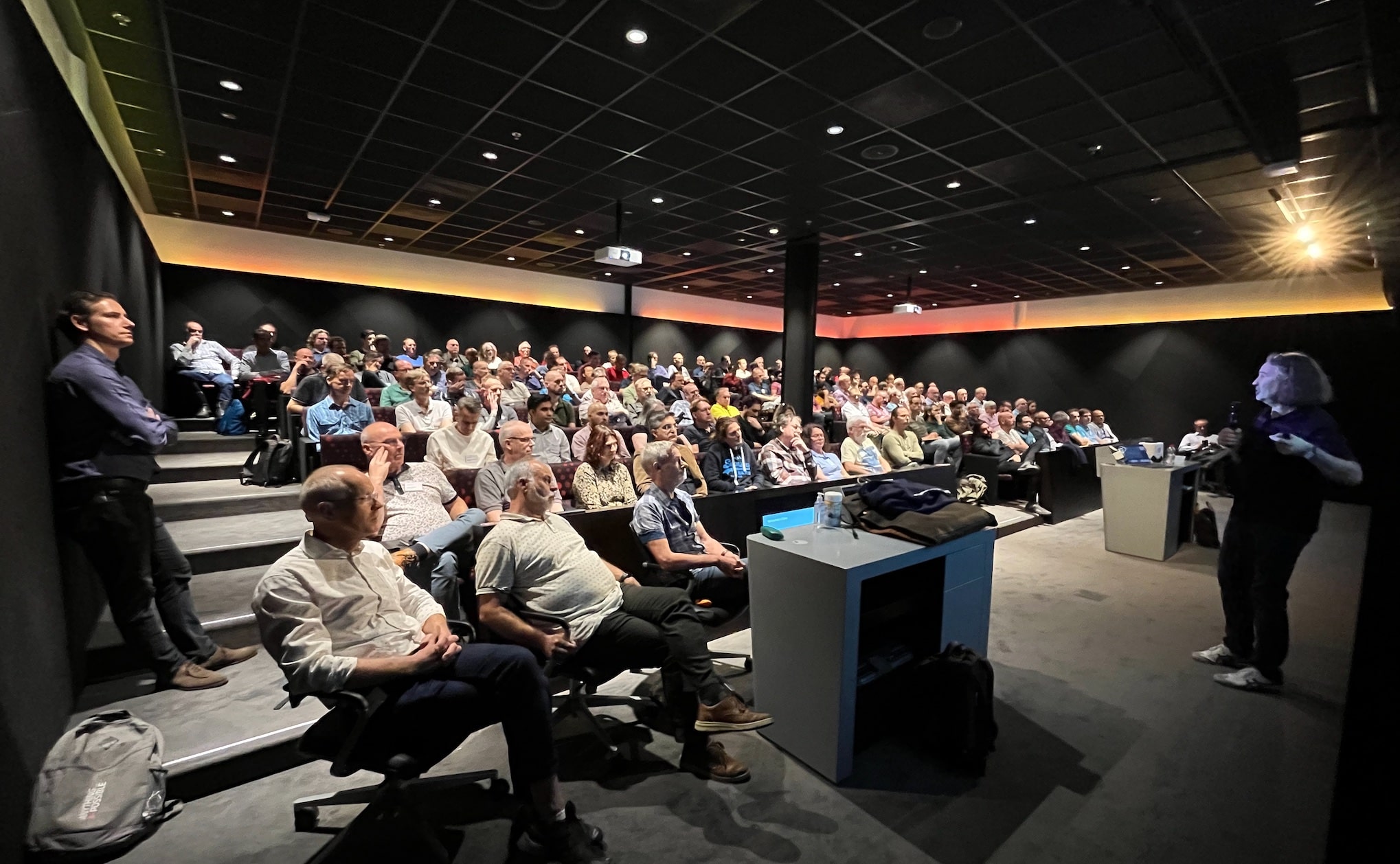
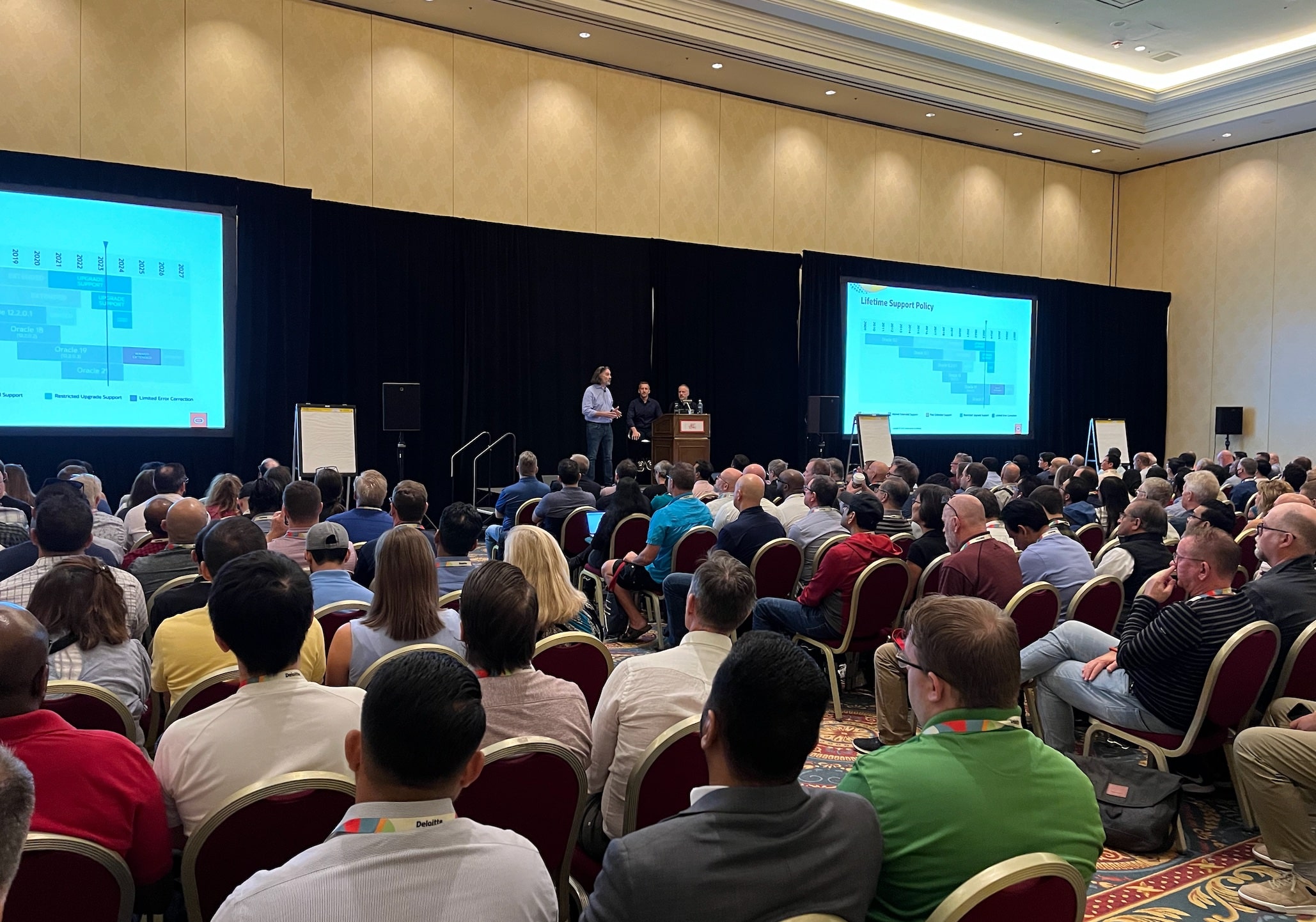
Yesterday, I had the pleasure of talking at the annual Danish Oracle User Group event. I want to share the slides and a few thoughts with you.

The event is part of the EMEA Community Tour, which continues today in Finland.

In Denmark, we had the pleasure of welcoming two guests from Italy. Traveling in Europe is easy, so why don’t you do like the two gentlemen from Italy? Find a user group event with an agenda of interest, book a flight, and enjoy the knowledge offered by our European communities.

Slides

Help! My Database Is Still On 8i!

Get the slides here.

This talk partly talks about the risk of old databases and how you can modernize; partly it is a walk down memory lane. If you don’t have any vintage database, it’s still worth flipping through the slides.

Patch Me If You Can

This was a no-slide zone, so there are no slides to share. But we did have an interesting talk about Datapatch and the ability to patch online.

Thank You!

The organizers of the event did a good job. Thank you for taking the time and effort pulling this together. Kudos!

Thanks to the sponsors:

And to Oracle Denmark for hosting the event.

Become an ACE

We had several Oracle ACEs at the event in Denmark. If you also love to share knowledge, you should apply for the community. If you know somebody who deserves a nomination, you should nominate them for the Oracle ACE program.

If you need help getting started, many seasoned Oracle ACEs are offering assistance. The MASH program engages with new speakers and helps them get started – FOR FREE!

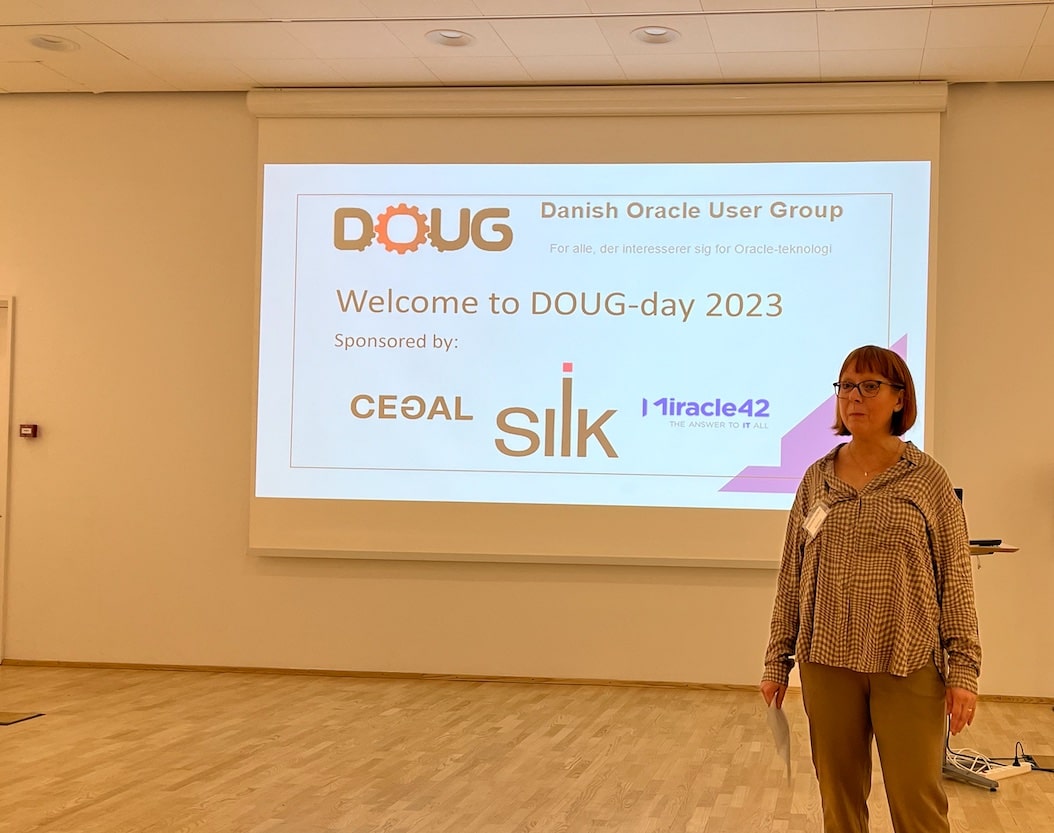
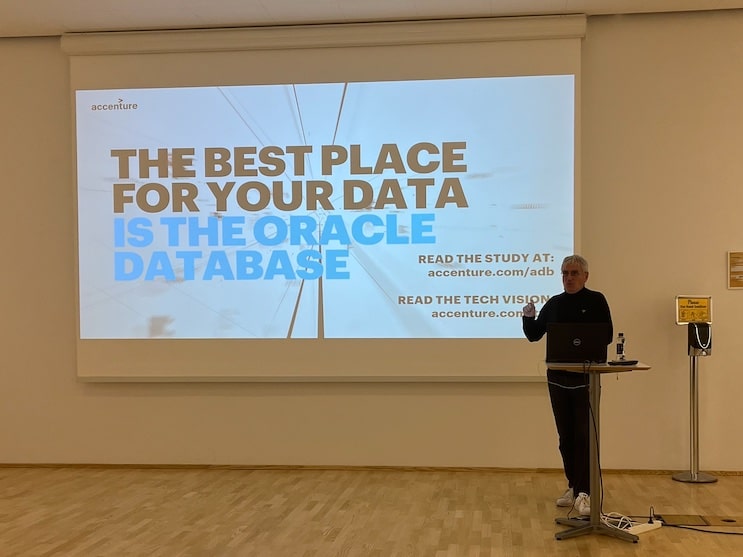
Jeannette Holland welcomes everyone to the event Julian Dontcheff on why you want to stay with Oracle Database Jeff Smith with insights into using Oracle ORDS and REST APIs

It’s a Wrap – Oracle DatabaseWorld at CloudWorld 2023

I’m on my way back from Oracle DatabaseWorld at CloudWorld 2023. It’s been such a great week. I’ve met old friends and made new ones. I love being amongst our customers and helping them use the Oracle Database in the best possible way.

Slides

If you are curious, here are the slide decks from our sessions.

Try Our Hands-On Labs

This year, we had three hands-on labs. Two of them were brand-new and had their premiere:

Plus, we introduced a revamped version of our upgrade lab:

You can run all our labs in Oracle LiveLabs – FOR FREE! All it takes is a browser.

Cool Stuff

A while ago, we introduced ORAdiff. It’s a really cool tool that tells the difference between two releases or patch sets. Use it before you patch or upgrade. It’s completely free – just log on with your Oracle accont.

Thanks

Thanks to my team: Roy, Mike, Rodrigo and Bill. All the content we deliver is a geniune team effort.

Thanks to the organizers. They worked hard in the background, so we enjoy a well-organized conference. Especially thanks to Kay Malcolm and her team for organizing Oracle DatabaseWorld.

Thanks to you – our valued customer – for coming to our conference and engaging with us.

What’s Next

With great pleasure, I can share that we expanded the Oracle CloudWorld Tour. We will be visiting eight cities at the beginning of 2024. Stay tuned!

I hope to see you next year at Oracle CloudWorld, September 9-12 2024.

Banners at Oracle DatabaseWorld at CloudWorld The CloudWorld party Oracle Redbull Racing Audience at upgrade talk

Sign up for Our Sessions at Oracle DatabaseWorld at CloudWorld

The content catalog for this year’s Oracle DatabaseWorld at CloudWorld is now ready. Overall there are more than 1.000 sessions, and almost 300 of those are strictly database related.

You can now start to add sessions to your schedule. I suggest that you hurry up and get started. Some of the sessions will for sure sell out quickly, especially the hands-on labs.

Sign up before it’s too late!

I have created an overview of all the sessions hosted by Database Upgrade, Migration and Patching. If you enjoy sessions by Mike Dietrich, Rodrigo Jorge, Roy Swonger or Bill Beauregard, add all of them to your schedule.

My Sessions

Best Practices for Upgrade and Migration to Oracle Database 23c

Usually, our most popular talk. What are the best practices for upgrading your Oracle Database and which of those best practices apply to database migrations as well? In Oracle Database 23c, you must migrate to the multitenant architecture; we will also discuss this. Presenting with us is Marco Oberli from Postfinance in Switzerland. They made some cool automation to upgrade their databases and allow users to provision copies for test and developer with the click of a button.

Link

No-Slide Zone – Database Patchings Insights

No slides at all – it’s an open discussion about patching Oracle Database and Grid Infrastructure. Bring all your questions, and together we will work it out. This is definitely my personal favorite. I always learn so much from all these great questions and discussions. Plus, it’s usually a lot of fun.

Link

Help! My Database Is Still on 8i!

We are often involved in migrations of really old databases. Not just 11g or 10g. Even older! Recently we had a question about Oracle7. We have demos to show how to migrate from those old databases. Also, we spin up an Oracle 8i database. Do you remember how to connect? How to take a backup? Finally, we dig into our archives and find a few horror stories. On stage is also Julian Dontcheff from Accenture. He also has some horror stories to share.

Link

Upgrade and Migrate to Oracle Database 19c and 23c the Easy Way

Our all-time favorite hands-on lab got an overhaul for this year’s event. If you are afraid of plan changes after an upgrade, come to this session. You will learn how to avoid that and keep your users happy. Also, we will guide you to upgrade and migrate your databases.

Remember to bring your laptop

Link

See You There

I really hope to see you at Oracle DatabaseWorld at CloudWorld. Remember to come by our demo booth and have a talk about Oracle Database.

We have so many exciting things to share. It’s a shame to miss out on the greatest Oracle Database event of the year.

A Rare Insight Into the Oracle Database Development Process

Have you ever wondered why Oracle didn’t include your bug fix in the next Release Update? Or what good is it that your bug is fixed in 23.1 when Oracle Database isn’t released yet?

We’ll explain this – and much more in our next webinar.

  • Episode 17: From SR to Patch June 22, 2023, 16:00 CEST

Oracle Database 19c Upgrade Virtual Classroom

Mike and I will show you what happens behind the scenes, from opening a service request to the final delivery of a fix. This is your rare chance to get insights into the Oracle Database development process from insiders. And even if you are a long-time Oracle expert, you will still learn something new.

You can sign up here.

But I Can’t Make It

Don’t worry. As usual, we will publish the recording on our YouTube channel and share the slides with you. Keep an eye out on my Webinars page. On the same page, you can also watch all previous webinars and get the slides.

But it’s better to watch it live. You can ask questions to us live. I promise you; we won’t leave until we have answered all your questions.

All Tech, No Marketing

Remember, our mantra is: All tech, no marketing.

I hope to see you there!

Release and Patching Strategies for Oracle Database 23c

A few weeks ago my team hosted the sixteenth episode of our Virtual Classroom Seminars. The webinar is called Release and Patching Strategies for Oracle Database 23c.

If you couldn’t participate you can now watch the recording and flip through the slides.

Recording

The recording of the webinar is posted on our YouTube channel:

The video is divided into chapters and from the video description you can jump right into the topic of your interest.

My favorite moments:

If you have a question, leave a comment on YouTube and we will get back to you.

Slides

You can download the slides here.

We received a lot of questions during the webinar. So many of them were really good and relevant. I decided to make a new version of the slide deck which answers many of the questions you asked.

I would like to thank all that asked a question. It provides us with valuable feedback and enables us to make even better material for you.

What’s Next?

Mike Dietrich and I will host episode 17 of our Virtual Classroom on Thursday June 22, 16:00 CEST:

From SR to Patch – Insights into the Oracle Database Development Process

Have you ever wondered why this bug fix hasn’t been included in the next Release Update? Or why somebody from Oracle Support asked you to upgrade to Oracle Database 23c – even Oracle 23c is not available yet for your environment? We’ll explain this – and much more. From SR to Patch describes the whole process from you, opening a service request for a defect to the final delivery of a fix. This is your rare chance to get insights into the Oracle Database development process from insiders. And even if you are a long-time Oracle expert you will still learn something new you are not aware about yet.

Sign up and put a mark in your calendar.

And After That?

The autumn will be quite busy with Oracle CloudWorld and all the preparations. But I hope we will be able to make another webinar towards the end of the year.

If you have any ideas and have a request for a topics that we should cover, please leave a comment and we will take it into consideration.

Did You Sign Up For Oracle CloudWorld Yet?

Oracle CloudWorld takes place in Las Vegas, September 18-21. Before the summer holiday season kicks in, you should get a ticket and mark your calendar for the coolest Oracle event of the year.

This year will be even better!

Our Sessions and Labs

I am very excited about the plans we have for Oracle CloudWorld. My team (like most other teams at Oracle) works really hard to prepare new content for you. We will have brand-new sessions and hands-on labs ready.

Currently, this is our confirmed session:

And our hands-on labs:

And we will repeat our very popular no-slide zone on patching GI and database:

Is that it? Of course not; we have more in the pipeline. It’s just waiting for a final confirmation. Keep an eye out on the session catalog; we update it constantly.

Master Classes

In addition, we have something new and special for you this year – a 4-hour top-notch learning experience.

  • Oracle Database Upgrade and Performance Tuning Master Class

You’ll leave this master class knowing how to use all the tools in your toolbox to ensure great database performance after your upgrade.

We have taken as much knowledge as we can and compiled it into an intense 4-hour learning experience. It’s our course, and we will be there to train you. This is a unique opportunity.

Check out the details and other training classes at the Pre-Event Training page.

Free Digital Training and Certification

Registering for Oracle CloudWorld gives you access to free digital training on Oracle Cloud Infrastructure and Cloud Apps. After that, you can take free certification exams as well. All part of the deal.

You can start your learning experience now – and then complete it with sessions at Oracle CloudWorld. This is a great opportunity.

Want More?

Then there’s also:

  • CloudWorld Party – who’s gonna play this year?
  • Demogrounds – see all the cool stuff in action
  • Exhibition area – wander around and get inspired
  • Networking – talk to your peers and grow your career
  • LiveLabs – try and learn
  • Events – cool stuff waiting to happen
  • Las Vegas – it’s a unique and crazy place, worth a visit (although I do miss San Francisco)

Book Your Ticket

If you need to convince your manager, here’s some ammo for that talk.

The sooner you book your ticket, the cheaper it is.

Fun Facts 2022

  • 1.304 customer sessions with 855 different customers
  • 168 partners sponsoring and exhibiting in the CloudWorld Hub
  • 7.233 hours of live-stream and on-demand video
  • 25.000+ liters of coffee served
  • 2.250 cake pops consumed at the CloudWorld party (I won’t say how many I ate)
  • 6 tons of left-over food and materials donated to local organizations
  • 100% of energy sourced from renewables such as solar and wind
  • 0 plastic water bottles distributed to CloudWorld attendees

See you in Las Vegas

Is Oracle Java Virtual Machine (OJVM) Used In My Database?

In Oracle Database, you can store and execute Java code directly in the database using Oracle Java Virtual Machine (OJVM). You can take your Java code, put it into the database and execute it. Now your code sits right next to the data, and you can get some amazing benefits.

But it comes at a price:

It’s really great if you are using OJVM; it has awesome functionality. But if you don’t, consider removing it. When I talk to customers, the big question is often:

How do I know if it is in use in my database?

Setting Things Straight

First, this blog post is about using OJVM: Java code in the database. Often, people mistakenly think they use OJVM because they have a Java application connecting to the database. They don’t. Having a Java application connecting to the database and using OJVM are two completely different things.

OJVM is often also referred to as:

  • JAVAVM
  • JServer JAVA Virtual Machine

Is OJVM Installed?

You can check if the OJVM component is installed in the database:

SQL> select con_id, comp_id, comp_name, version, status
     from cdb_registry
     where comp_id='JAVAVM';

If the query returns no rows, then OJVM is not installed.

Has Someone Added Java Code?

You can check if someone has added Java code to the database:

SQL> select con_id, owner, oracle_maintained, status, count(*) 
     from cdb_objects
     where object_type like '%JAVA%' 
     group by con_id, owner, oracle_maintained, status;

The column ORACLE_MAINTAINED indicates whether a regular user added it. If a user has added Java code, you can use the columns CREATED and LAST_DDL_TIME to find out when it happened. This might help you.

Is Someone Using OJVM Right Now ?

You can query x$kglob to determine the use of OJVM since the last startup. Refer to RAC Rolling Install Process for the "Oracle JavaVM Component Database PSU/RU" (OJVM PSU/RU) Patches (Doc ID 2217053.1) for details.

The MOS note also shows how to identify which sessions that use OJVM.

OJVM Dependencies

Be advised the following components in Oracle Database depend on OJVM. If you are using one of them, you can’t remove OJVM. The following components use OJVM:

  • Spatial Data Option (SDO)
  • Oracle XDK (XDK)
  • Oracle Multimedia (ORDIM)

Conclusion

Oracle Database is a converged database. You have so many great features directly available in the database. You can do many cool things with them – including OJVM. But if you are not using OJVM or any dependent components in Oracle Database, you can remove OJVM. It will save you time during patch installation and upgrades.

I used an example from oracle-base.com. Visit the article for all the details.

Appendix

Further Reading

Test Data

conn / as sysdba

--Query the current status
select comp_id, comp_name, version, status
from dba_registry
where comp_id='JAVAVM';

select con_id, owner, oracle_maintained, status, count(*) 
from cdb_objects
where object_type like '%JAVA%' 
group by con_id, owner, oracle_maintained, status;

--Shows status in current container and on current instance
--since last startup (MOS Doc ID 2217053.1)
select count(*) from x$kglob where KGLOBTYP = 29 OR KGLOBTYP = 56;

--Create user and small java code 
create tablespace appts;
create user appuser identified by appuser;
alter user appuser default tablespace appts;
grant dba to appuser;
conn appuser/appuser
--Thanks to oracle-base.com for a good example
--For further details:
--https://oracle-base.com/articles/8i/jserver-java-in-the-database
CREATE OR REPLACE AND COMPILE JAVA SOURCE NAMED "Mathematics" AS
import java.lang.*;
import java.sql.*;
import oracle.sql.*;
import oracle.jdbc.driver.*;

public class Mathematics
{
  
  public static int addNumbers (int Number1, int Number2)
  {
    try
    {
      int iReturn = -1;
      
      // Connect to the database
      Connection conn = null;
      OracleDriver ora = new OracleDriver(); 
      conn = ora.defaultConnection(); 
      
      // Check record exists, and create it if it doesn't
      Statement statement = conn.createStatement();
      ResultSet resultSet = statement.executeQuery("SELECT " + Number1 + " + " + Number2 + " FROM dual");
      if (resultSet.next())
      {
        iReturn = resultSet.getInt(1);
      }
      resultSet.close();
      statement.close();
      conn.close();

      return iReturn;
    }
    catch (Exception e)
    {
      return -1;
    }
  } 

};
/
show errors java source "Mathematics"

--Query the current status
conn / as sysdba
select con_id, owner, oracle_maintained, status, count(*) 
from cdb_objects
where object_type like '%JAVA%' 
group by con_id, owner, oracle_maintained, status;

select comp_id, comp_name, version, status
from dba_registry
where comp_id='JAVAVM';

select count(*) from x$kglob where KGLOBTYP = 29 OR KGLOBTYP = 56;

--Expose java code
conn appuser/appuser
CREATE OR REPLACE FUNCTION AddNumbers (p_number1  IN  NUMBER, p_number2  IN  NUMBER) RETURN NUMBER
AS LANGUAGE JAVA 
NAME 'Mathematics.addNumbers (int, int) return int';
/

--Query the current status
conn / as sysdba
select con_id, owner, oracle_maintained, status, count(*) 
from cdb_objects
where object_type like '%JAVA%' 
group by con_id, owner, oracle_maintained, status;

select comp_id, comp_name, version, status
from dba_registry
where comp_id='JAVAVM';

select count(*) from x$kglob where KGLOBTYP = 29 OR KGLOBTYP = 56;

--Use Java code
conn appuser/appuser
SELECT addNumbers(1,2)
FROM   dual;

--Check which sessions have actively used Java since last startup
--Refer to MOS Doc ID 2217053.1 for the query

How to Clone Oracle Home Without Using Clone.pl

Cloning Oracle Homes is a convenient way of getting a new Oracle Home. It’s particularly helpful when you need to patch out-of-place.

A popular method for cloning Oracle Homes is to use clone.pl. However, in Oracle Database 18c, it is deprecated.

[INFO] [INS-32183] Use of clone.pl is deprecated in this release. Clone operation is equivalent to performing a Software Only installation from the image. 
You must use runInstaller script available to perform the Software Only install. For more details on image based installation, refer to help documentation.

This Is How You Should Clone Oracle Home

You should use runInstaller to create golden images instead of clone.pl. Golden image is just another word for the zip file containing the Oracle Home.

How to Create a Golden Image

  1. First, only create a golden image from a freshly installed Oracle Home. Never use an Oracle Home that is already in use. As soon as you start to use an Oracle Home you taint it with various files and you don’t want to carry those files around in your golden image. The golden image must be completely clean.

  2. Then, you create a directory where you can store the golden image:

    export GOLDIMAGEDIR=/u01/app/oracle/goldimages
    mkdir -p $GOLDIMAGEDIR
    
  3. Finally, you create the golden image:

    $ORACLE_HOME/runInstaller -createGoldImage \
       -destinationLocation $GOLDIMAGEDIR \
       -silent
    
    • If you need to exclude files, you can use -exclFiles. It accepts a wilcard, so for example you can specify -exclFiles network/admin* to exclude all files and subdirectories in a directory.
  4. The installer creates the golden image as a zip file in the specified directory. The name of the zip file is unique and printed on the console.

Check the documentation for further details.

How to Deploy from a Golden Image

  1. First, you create a directory for the new Oracle Home and unzip the golden image:
    export ORACLE_HOME=/u01/app/oracle/product/19.0.0/dbhome_2
    mkdir -p $ORACLE_HOME
    cd $ORACLE_HOME
    unzip -q /u01/app/oracle/goldimages/my_golden_image.zip
    
  2. Next, you need to install the Oracle Home. You can do it interactively:
    cd $ORACLE_HOME
    ./runInstaller
    
    Or, you can do it in silent mode:
    cd $ORACLE_HOME
    ./runInstaller -ignorePrereq -waitforcompletion -silent \
    ...
    

That’s it!

If you need to read further on silent installations, check out oracle-base.com.

The Oracle Database 23ai documentation has an good example of using use the new procedure.

But How about OraInst.loc?

One of the differences between clone.pl and runInstaller is that the latter does not include the file $ORACLE_HOME/oraInst.loc.

This is intentional because the file is not needed for golden image deployment. runInstaller recreates the file when you install the golden image.

One of the things listed in oraInst.loc is the location of the Oracle inventory. Either runInstaller finds the value itself, or you can specify it on the command line using INVENTORY_LOCATION=<path-to-inventory>.

You can read more about oraInst.loc in the documentation or MOS note Significance of oraInst.loc When Installing Oracle Products and Applying Patches (Doc ID 418537.1).

Naming Your Golden Image

If you want your zip file (the golden image) to have a specific name, you have two options:

  1. Rename the zip file after executing runInstaller -createGoldImage.
  2. Use the secret parameter -name, which allows you to specify a name for the zip file. To name the zip file my_golden_image.zip:
    $ORACLE_HOME/runInstaller -createGoldImage \
       ... \
       -name my_golden_image.zip
    

Why Is Clone.pl Deprecated?

Previously, many tools existed to do the same – clone an Oracle Home. Now, we have consolidated our resources into one tool.

From now on, there is one method for cloning Oracle Home. That is easier for everyone.

In addition, runInstaller has some extra features that clone.pl doesn’t. For instance:

  • Better error reporting
  • Precheck run
  • Multimode awareness
  • Ability to apply patches during installation

When Will It Be Desupported?

I don’t know. Keep an eye out on the Upgrade Guide, which contains information about desupported features.

However, I can see in the Oracle Database 23c documentation that clone.pl is still listed. But that’s subject to change until Oracle Database 23c is released.

Pro Tips

  • Remember, you can install patches to your golden image after it has been unzipped – as part of the installation.

  • If you clone Oracle Homes because you are doing out-of-place patching, you are on the right track. I strongly recommend always using out-of-place patching. Also, when you patch out-of-place, remember to move all the database configuration files.

  • If you clone Oracle Homes, you keep adding stuff to the same Oracle Home. Over time the Oracle Home will increase in size. The more patches you install over time, the more the Oracle Home increases in size. OPatch has functionality to clean up inactive patches from an Oracle Home. Consider running it from time to time using opatch util deleteinactivepatches. Mike Dietrich has a really good blog post about it. I also describe it in our of our previous webinars:

Appendix

Thanks to Anil Nair for pointing me in the right direction.

Further Reading

Data Pump and a Norwegian Sneak Peek

Earlier this month, the team and I presented our webinar Data Pump – Best Practices and Real World Scenarios. Over the years, we have accumulated information from many different customer projects, and we wanted to compile all that information into a webinar. You can watch the result on YouTube or flip through the slides.

On YouTube, the recording is divided into pieces, so you can easily dive right into the subject that has your particular interest.

My two favorite chapters:

Next month, in May, we are hosting another webinar about Release and Patching Strategies for Oracle Database 23c. Sign up now and secure your seat. It is, by the way, the 16th webinar in our series. If you want, you can watch the previous ones on demand.

The Norwegian Sneak Peak

Next week, the Norwegian Oracle User Group is having its annual spring conference. I am attending, and I am really excited. The agenda and line-up are really amazing. It’s not too late to sign up.

I am presenting at the conference as well. The slides are ready and uploaded to my blog. If you want, you can take a sneak peek:

See you in Oslo?

Oracle Data Pump and BFILEs

If you need to move data using Oracle Data Pump and have BFILEs in your database, what do you need to be aware of?

What Is a BFILE?

From the documentation:

BFILEs are data objects stored in operating system files, outside the database tablespaces. Data stored in a table column of type BFILE is physically located in an operating system file, not in the database. The BFILE column stores a reference to the operating system file. BFILEs are read-only data types. The database allows read-only byte stream access to data stored in BFILEs. You cannot write to or update a BFILE from within your application.

They are sometimes referred to as external LOBs.

You can store a BFILE locator in the database and use the locator to access the external data:

To associate an operating system file to a BFILE, first create a DIRECTORY object that is an alias for the full path name to the operating system file. Then, you can initialize an instance of BFILE type, using the BFILENAME function in SQL or PL/SQL …

In short, it is stuff stored outside the database that you can access from inside the database. Clearly, this requires special attention when you want to move your data.

How Do I Move It?

There are three things to consider:

  1. The file outside the database – in the operating system.
  2. The directory object.
  3. The BFILE locator stored in the table.

Table and Schema Mode Export

  1. You must copy the file in the operating system. Since a BFILE is read-only, you can copy the file before you perform the actual export.
  2. You must create the directory object. Directory objects are system-owned objects and not part of a table or schema mode export.
  3. Data Pump exports a BFILE locator together with the table. It exports the BFILE locator just like any other column. On import, Data Pump inserts the BFILE locator but performs no sanity checking. The database will not throw an error if the file is missing in the OS or if the directory is missing or erroneous.

Full Export

  1. Like table and schema mode, you must copy the file.
  2. Directory objects are part of a full export. On import, Data Pump creates a directory object with the same definition. If you place the external files in a different location in the target system, you must update the directory object.
  3. Like table and schema mode. Data Pump exports the BFILE locator as part of the table.

Do I Have BFILEs in My Database?

You can query the data dictionary and check if there are any BFILEs:

SQL> select owner, table_name 
     from dba_tab_cols 
     where data_type='BFILE';

Further Reading